


Answer

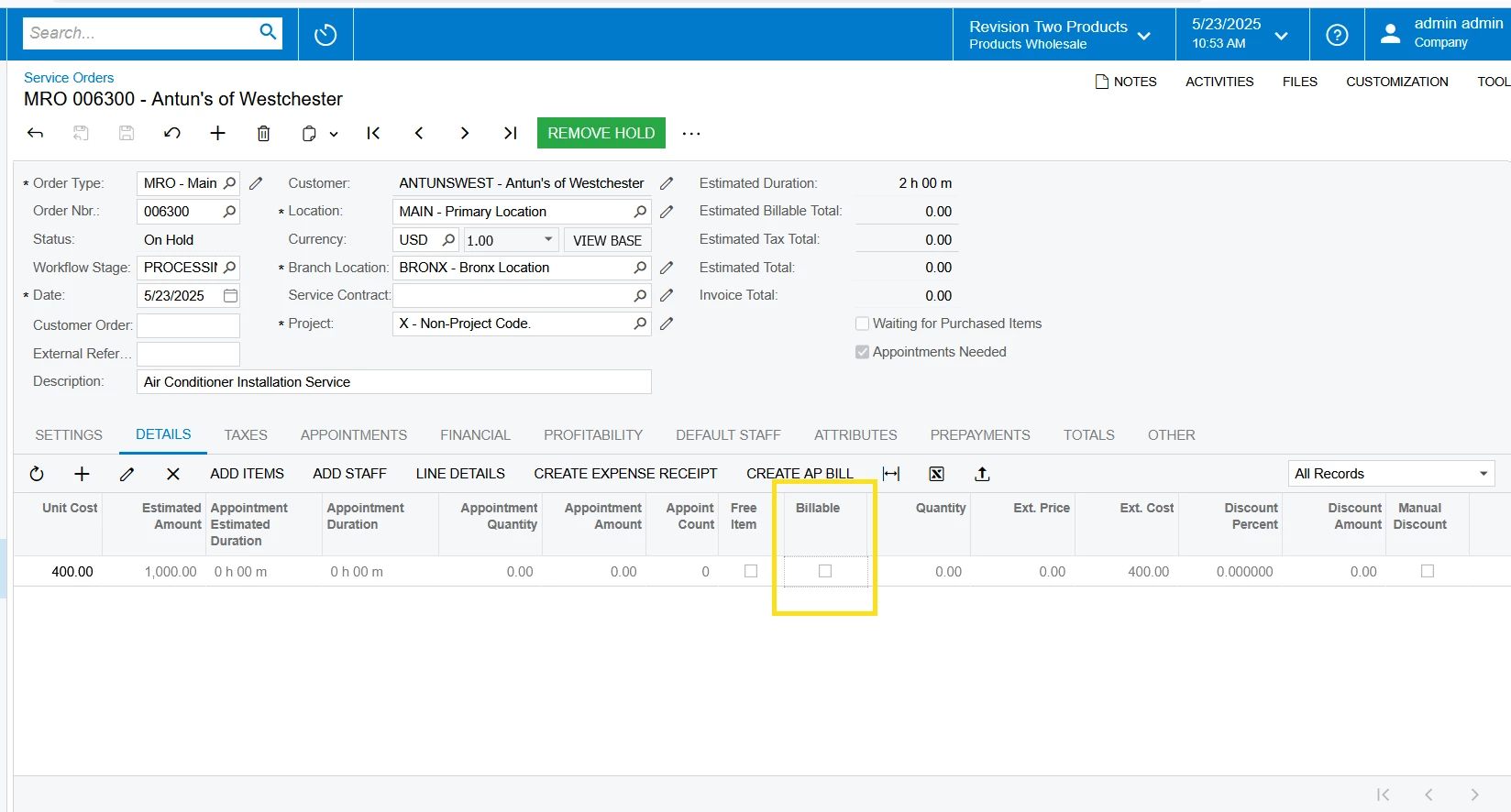
Why is billable column grayed out on service order details tab

  • May 23, 2025
  • 6 replies
  • 84 views

estebanperalta54
Captain II
Forum|alt.badge.img+4

Hi! In service orders, on the details tab, I can’t figure out why the billable column is grayed out? I’m also admin user. The background to this is I’m not able to invoice appointments because the error tells me nothing is marked billable. I’ve also made sure on the service order type generated billing documents is set to SO Invoices.!--endfragment>!--startfragment>


Best answer by vdiaz

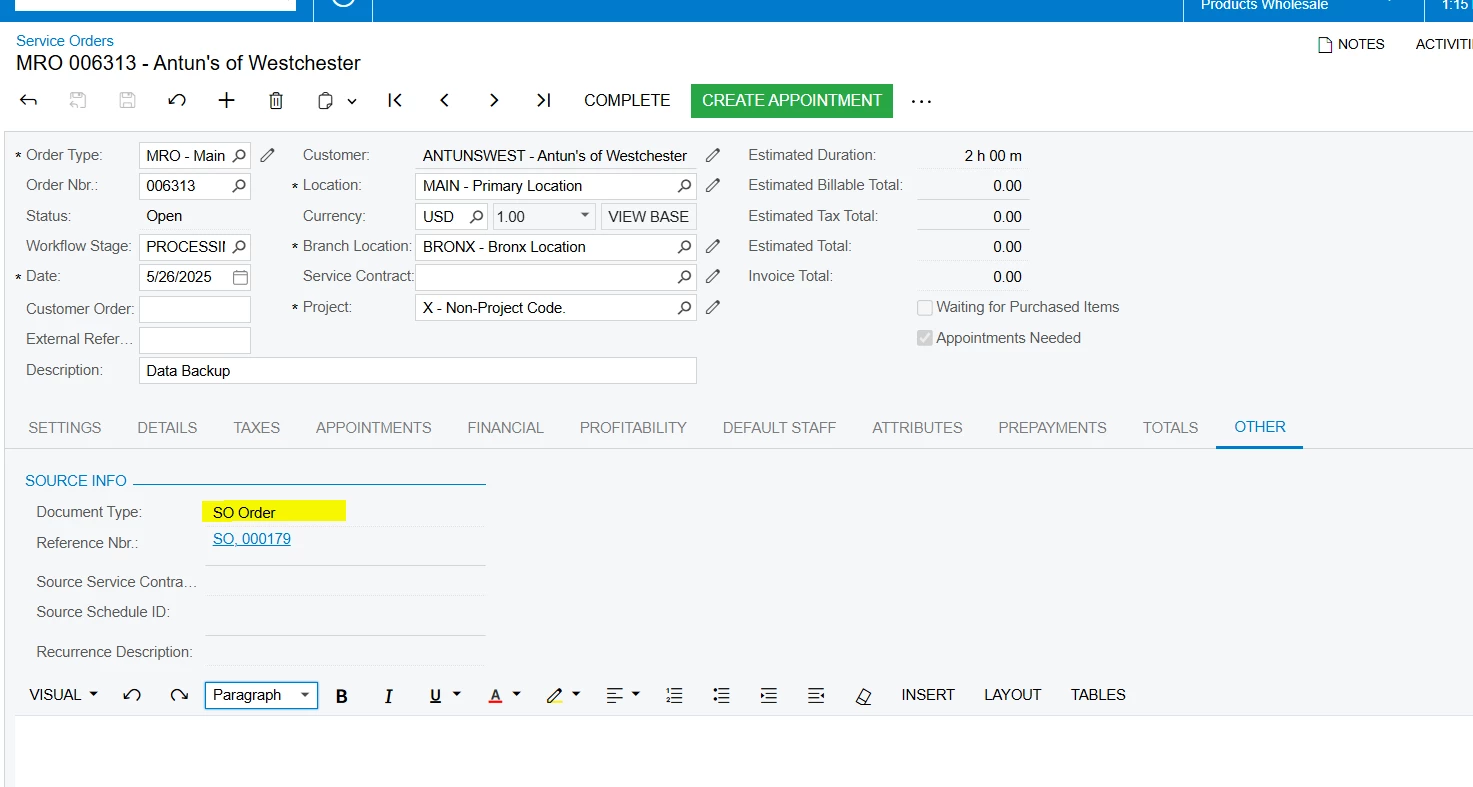
Hi ​@estebanperalta54… can you check if the service order was created from a sales order?

Check the Other tab, Source Info.

For example:

 If this is the case, since the sales order will create an invoice, Billable from the service order will be locked so there is no double billing. 

Hope that helps!

6 replies

hkabiri
Acumatica Moderator
Forum|alt.badge.img+8
  • Acumatica Support Team
  • May 23, 2025

@estebanperalta54 If the line type is comment, Instructions or status is canceled or prepaid then billable would be disabled.


estebanperalta54
Captain II
Forum|alt.badge.img+4

hi ​@hkabiri the line status is requiring scheduling and line type is service. Any other ideas?


DipakNilkanth
Pro III
Forum|alt.badge.img+13

Hi ​@estebanperalta54,

Is there any customization published on service Orders screen?


estebanperalta54
Captain II
Forum|alt.badge.img+4

Hi ​@Nilkanth Dipak, only customization project I created is to have new fields on the Purchase Orders screen.


vdiaz
Acumatica Moderator
Forum|alt.badge.img+2
  • Acumatica Moderator
  • Answer
  • May 26, 2025

Hi ​@estebanperalta54… can you check if the service order was created from a sales order?

Check the Other tab, Source Info.

For example:

 If this is the case, since the sales order will create an invoice, Billable from the service order will be locked so there is no double billing. 

Hope that helps!


estebanperalta54
Captain II
Forum|alt.badge.img+4

Thanks! ​@vdiaz  That makes sense since I created from sales order.




