Solved

Service/Appointments: Target Equipment - Travel Lines

  • October 15, 2026
  • 4 replies
  • 22 views
  • Translate All

debbiereed72
Varsity II
Forum|alt.badge.img

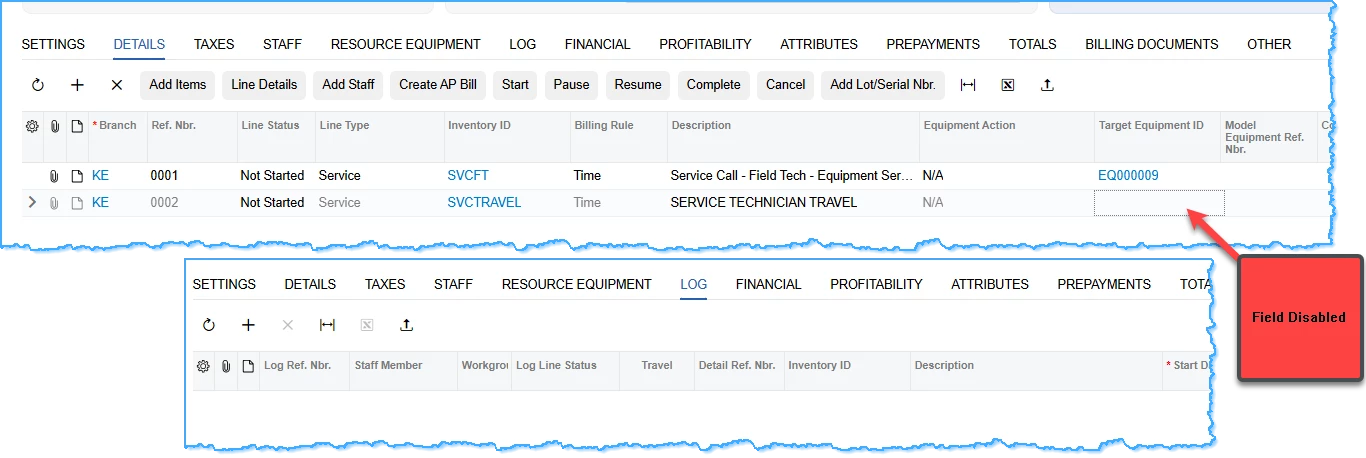
I cannot add a target equipment on Travel Lines.  Why is this not available?


Best answer by vdiaz

​@debbiereed72 

Hi Debbie, this is the designed behavior. Per the Acumatica documentation, Target Equipment ID is assigned to services (regular ones, not travel) on the Details tab of Service Orders and Appointments.

If you need to associate travel with a specific piece of equipment (e.g., for equipment history or cost tracking), a few options:

  1. Put the target equipment on the service line performed on that equipment, and report travel at the appointment/service order level.
  2. Use a custom field on the travel line if you need to capture the equipment reference there (requires a customization).
  3. Submit it as a Product Idea on the community if you’d like this supported out of the box.

Can you share what you’re trying to achieve (e.g., equipment cost roll-up, history, billing)? That would help narrow the best workaround.

View original

4 replies

rkenna
Captain II
Forum|alt.badge.img+5
  • Captain II
  • October 15, 2026

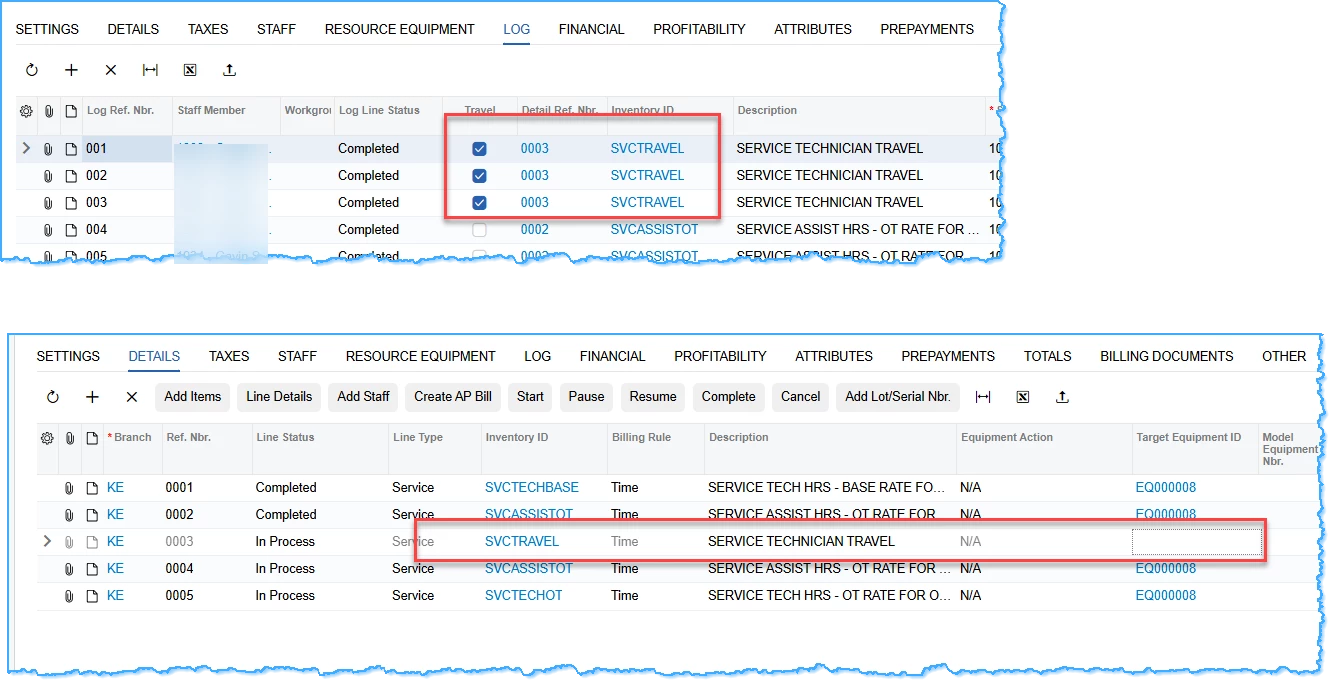
​@debbiereed72, because the SVSTRAVEL is completed in the LOG tab, that appears to be why you are unable to add them on the DETAILS tab.


-RJ

Translate

debbiereed72
Varsity II
Forum|alt.badge.img

Hi RJ - thank you for responding.  Sorry that my image is misleading… Can’t add a target equipment to a Travel line, even if there is nothing logged yet:


Translate

vdiaz
Acumatica Moderator
Forum|alt.badge.img+2
  • Acumatica Moderator
  • Answer
  • October 16, 2026

​@debbiereed72 

Hi Debbie, this is the designed behavior. Per the Acumatica documentation, Target Equipment ID is assigned to services (regular ones, not travel) on the Details tab of Service Orders and Appointments.

If you need to associate travel with a specific piece of equipment (e.g., for equipment history or cost tracking), a few options:

  1. Put the target equipment on the service line performed on that equipment, and report travel at the appointment/service order level.
  2. Use a custom field on the travel line if you need to capture the equipment reference there (requires a customization).
  3. Submit it as a Product Idea on the community if you’d like this supported out of the box.

Can you share what you’re trying to achieve (e.g., equipment cost roll-up, history, billing)? That would help narrow the best workaround.

Translate

debbiereed72
Varsity II
Forum|alt.badge.img

Hi ​@vdiaz - Thank you for responding.  Is there a valid business reason why this is the designed behavior? I can’t think of a business reason why Travel lines are excluded. Every cost that is going into the service of an equipment should be tracked to the service history.


I will submit as a product idea.

Translate