
Solved

Service Appointment Billing "Object reference not set to an instance of an object"

  • March 3, 2026
  • 5 replies
  • 36 views

bzelinski
Varsity II
Forum|alt.badge.img+1

Has anyone run into this problem?

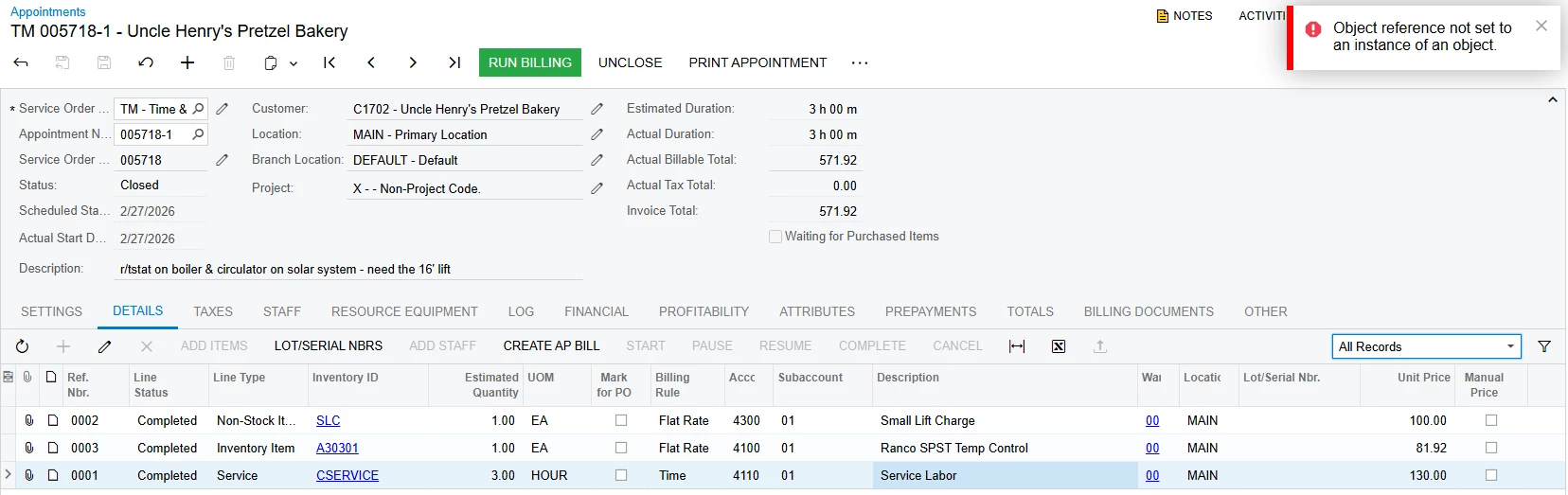
We’re doing the normal billing on a service appointment in the Service Management Module. On this appointment when we “Run Billing”, we are given the error code “Object reference not set to an instance of an object”. 

I’ve tried to trace it but have run out of ideas.
 

Best answer by Yasas Withanage

Hello ​@bzelinski ,

There can be few reasons for this. Did you check the trace message?

Option 1> What is the service order status? If it is hold please remove the hold and try.

Option 2> Open customer associated withthe appointment.

On the Billing tab, remove the billing cycle

Save the changes

Add the billing cycle again

Save the changes

Open the appointment and click Run Billing

Option 3> In the lines, check if the billable check box is selected or not.

Option 4> are there any values in the actual time fields?

Option 5> Maybe a data issue. Then you need to create a support case.


Thanks

5 replies

mohammadnawaz51
Jr Varsity I
Forum|alt.badge.img+6

@bzelinski Can you share me the trace?


bzelinski
Varsity II
Forum|alt.badge.img+1
  • Author
  • Varsity II
  • March 3, 2026

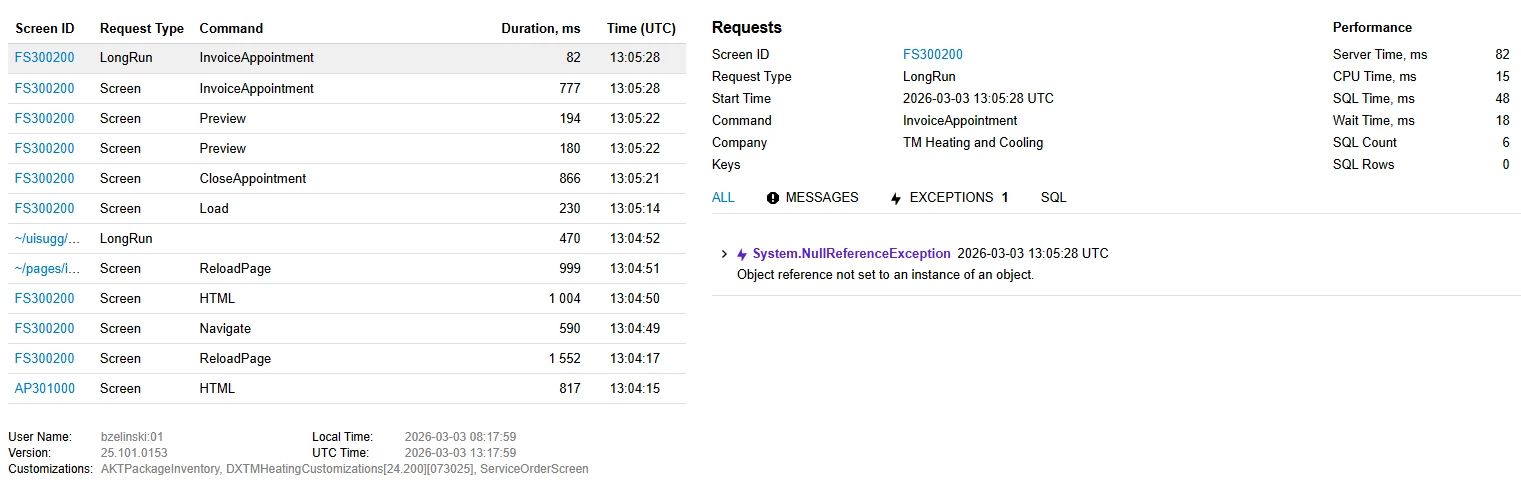
Is this the trace you are requesting?


bzelinski
Varsity II
Forum|alt.badge.img+1
  • Author
  • Varsity II
  • March 3, 2026

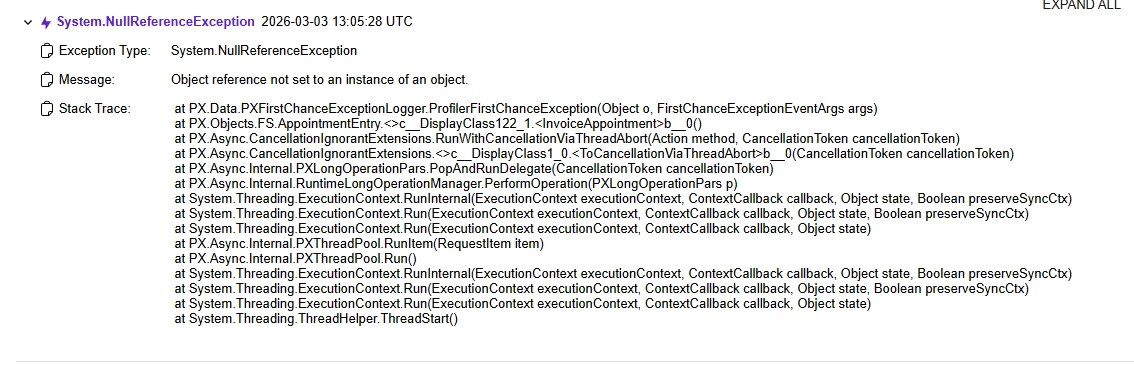
Here is the expanded trace about the error code:


   at PX.Data.PXFirstChanceExceptionLogger.ProfilerFirstChanceException(Object o, FirstChanceExceptionEventArgs args)
   at PX.Objects.FS.AppointmentEntry.<>c__DisplayClass122_1.<InvoiceAppointment>b__0()
   at PX.Async.CancellationIgnorantExtensions.RunWithCancellationViaThreadAbort(Action method, CancellationToken cancellationToken)
   at PX.Async.CancellationIgnorantExtensions.<>c__DisplayClass1_0.<ToCancellationViaThreadAbort>b__0(CancellationToken cancellationToken)
   at PX.Async.Internal.PXLongOperationPars.PopAndRunDelegate(CancellationToken cancellationToken)
   at PX.Async.Internal.RuntimeLongOperationManager.PerformOperation(PXLongOperationPars p)
   at System.Threading.ExecutionContext.RunInternal(ExecutionContext executionContext, ContextCallback callback, Object state, Boolean preserveSyncCtx)
   at System.Threading.ExecutionContext.Run(ExecutionContext executionContext, ContextCallback callback, Object state, Boolean preserveSyncCtx)
   at System.Threading.ExecutionContext.Run(ExecutionContext executionContext, ContextCallback callback, Object state)
   at PX.Async.Internal.PXThreadPool.RunItem(RequestItem item)
   at PX.Async.Internal.PXThreadPool.Run()
   at System.Threading.ExecutionContext.RunInternal(ExecutionContext executionContext, ContextCallback callback, Object state, Boolean preserveSyncCtx)
   at System.Threading.ExecutionContext.Run(ExecutionContext executionContext, ContextCallback callback, Object state, Boolean preserveSyncCtx)
   at System.Threading.ExecutionContext.Run(ExecutionContext executionContext, ContextCallback callback, Object state)
   at System.Threading.ThreadHelper.ThreadStart()


Yasas Withanage
Acumatica Employee
Forum|alt.badge.img+5
  • Acumatica Employee
  • Answer
  • March 3, 2026

Hello ​@bzelinski ,

There can be few reasons for this. Did you check the trace message?

Option 1> What is the service order status? If it is hold please remove the hold and try.

Option 2> Open customer associated withthe appointment.

On the Billing tab, remove the billing cycle

Save the changes

Add the billing cycle again

Save the changes

Open the appointment and click Run Billing

Option 3> In the lines, check if the billable check box is selected or not.

Option 4> are there any values in the actual time fields?

Option 5> Maybe a data issue. Then you need to create a support case.


Thanks


bzelinski
Varsity II
Forum|alt.badge.img+1
  • Author
  • Varsity II
  • March 3, 2026

@YasasWithanage76 

Thanks! Option 2 worked, and we got it billed.

Appreciate your help!