Solved

Report Designer- Image Error

  • May 20, 2026
  • 3 replies
  • 48 views

Hello! 

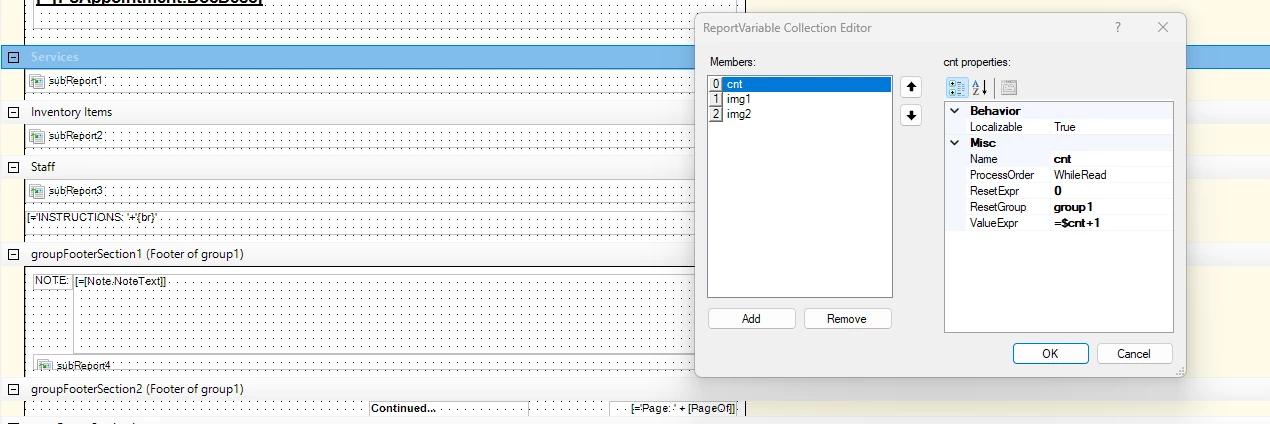
I’m working through adding multiple images to FS642000, pulling from the attachments on the Appointment. 

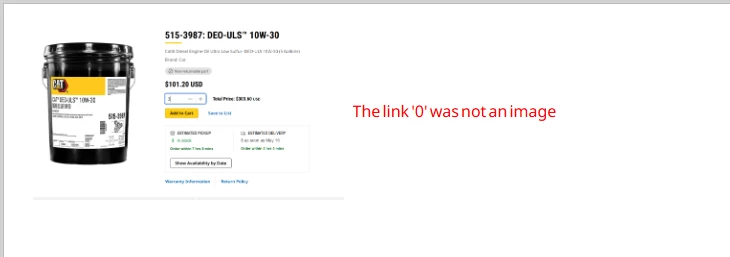
I used the guide ​@lauraj46 created: How to display multiple images horizontally in Report Designer, which was super helpful (THANK YOU). My first image loads correctly, however, the second image displays with an error. 

I attached a screenshot of the error along with our RPX. Any guidance is appreciated, thank you! 
 

Best answer by lauraj46

Hi ​@krodman ,

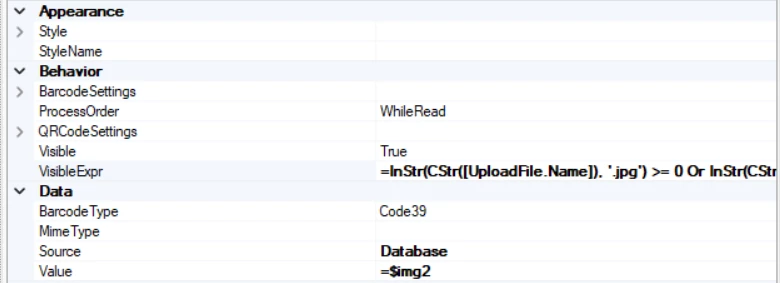
You are on the right track.  I would suggest referencing $img1 or $img2 (not [UploadFile.Name]) in the corresponding visibility conditions for the image controls. 

You can also troubleshoot by unhiding the detail section and displaying the values of $img1 and $img2.  You should see both populated before you hit the footer section where the images are displayed.
 

3 replies

lauraj46
Captain II
Forum|alt.badge.img+9
  • Captain II
  • May 21, 2026

Hi ​@krodman ,

Glad you found the post useful, and thanks for sharing the rpx file.  I think the problem is that the formulas belong in one of the Detail section of the report.  Once $img1 and $img2 are populated there, you can display them as is in the ReportFooter section.  The report footer is only executed once at the end of the report.

Hope this makes sense and helps, let me know.

Laura


  • Author
  • Freshman I
  • June 15, 2026

Thanks Laura. 

I tried adding the formulas to the variables under the ‘Services’ section and am still having issues. I could’ve misunderstood what you were saying. Could you further explain or breakdown what you were meaning?

Thank you!


lauraj46
Captain II
Forum|alt.badge.img+9
  • Captain II
  • Answer
  • June 15, 2026

Hi ​@krodman ,

You are on the right track.  I would suggest referencing $img1 or $img2 (not [UploadFile.Name]) in the corresponding visibility conditions for the image controls. 

You can also troubleshoot by unhiding the detail section and displaying the values of $img1 and $img2.  You should see both populated before you hit the footer section where the images are displayed.