



The PO receipt screen used to show the $ of the receipt so our purchaser could verify both $ and qty. Now only the qty is there. Why was the $ removed and can it be included again?
Solved
PO Receipts needs $
Best answer by alanconroy31
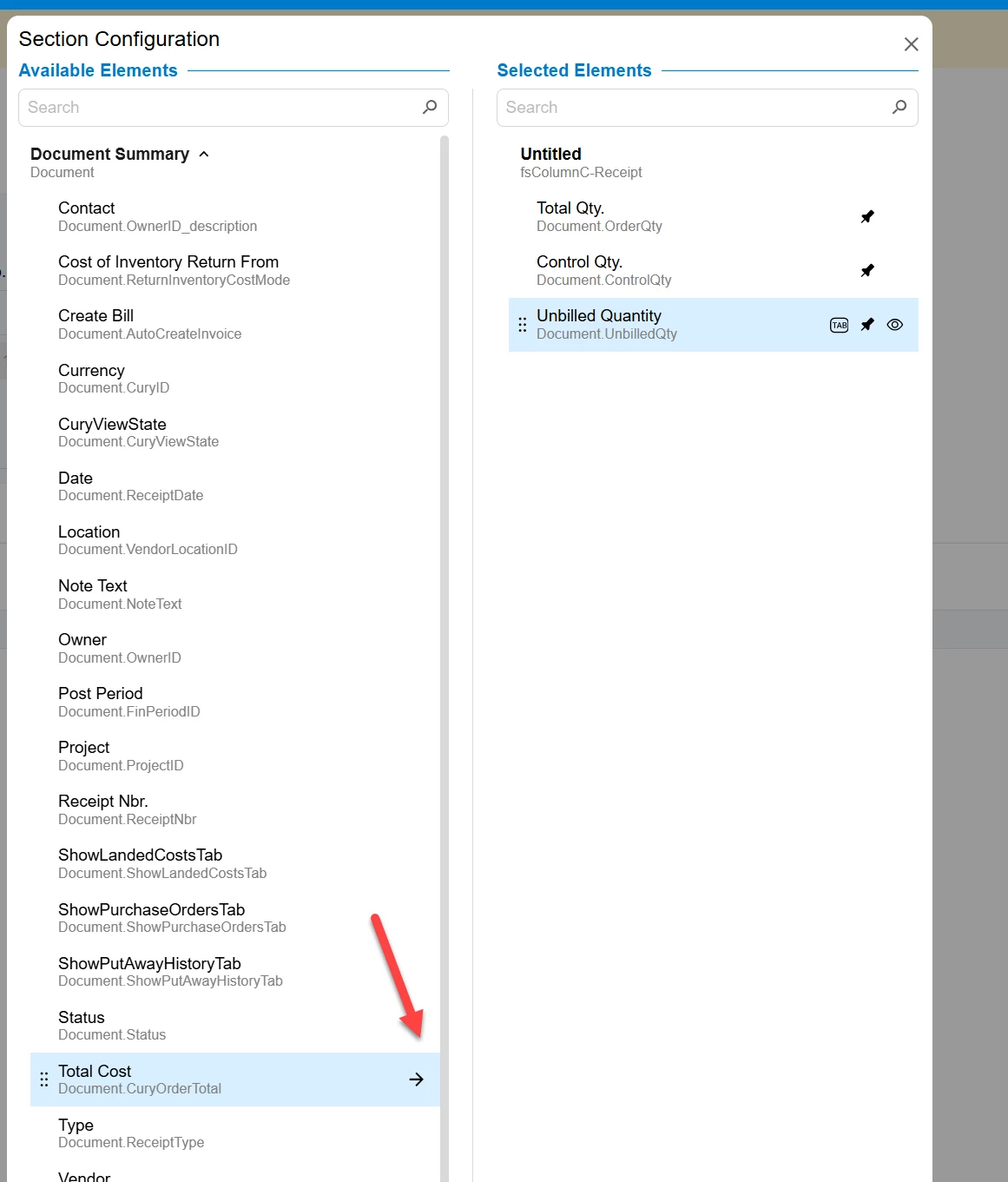
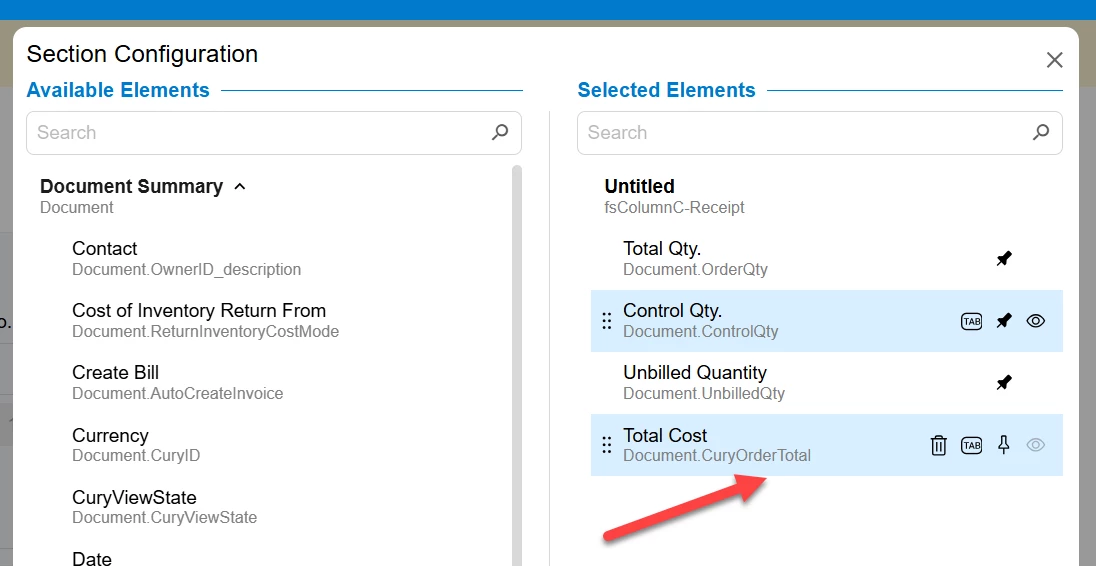
In the modern UI its pretty easy, after selecting the UI configuration
- Go to Document Summary
- Add the Total Cost
- Apply changes

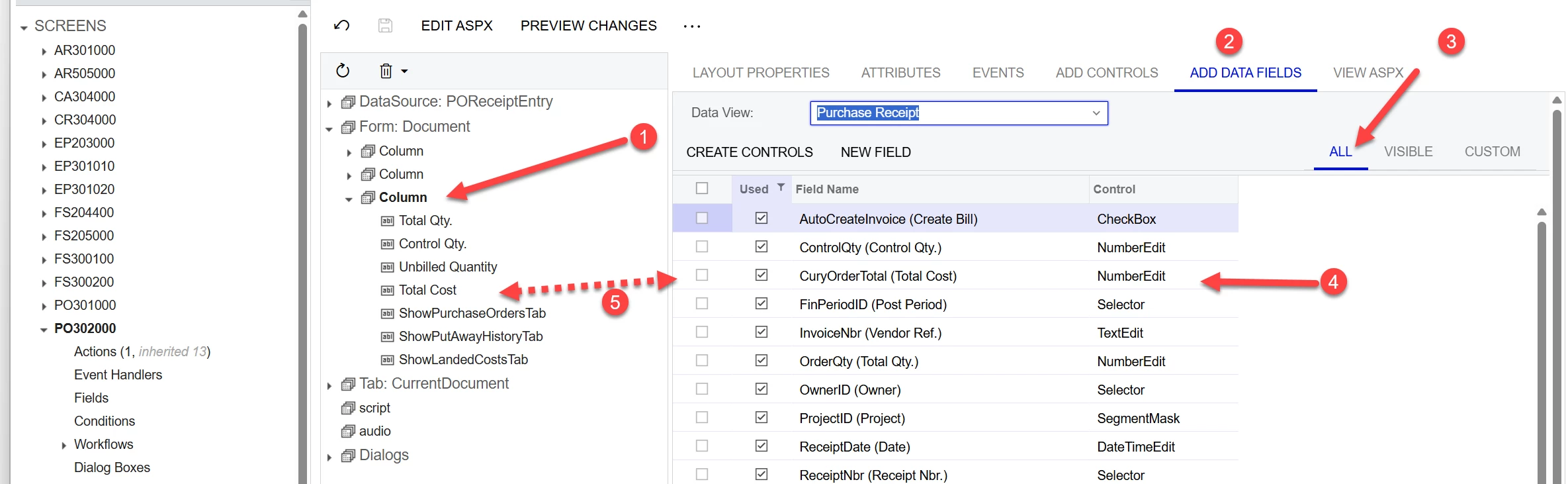
In the Classic UI its a bit more complex.
You need to add a customisation package for the screen (PO302000) and then
- Select the column you want to add the field to
- Select Data fields
- Select All, as total cost is now hidden by default
- Add by checking the Used box
- This will add the Total Cost to the column
Save and Publish your project








Enter your E-mail address. We'll send you an e-mail with instructions to reset your password.