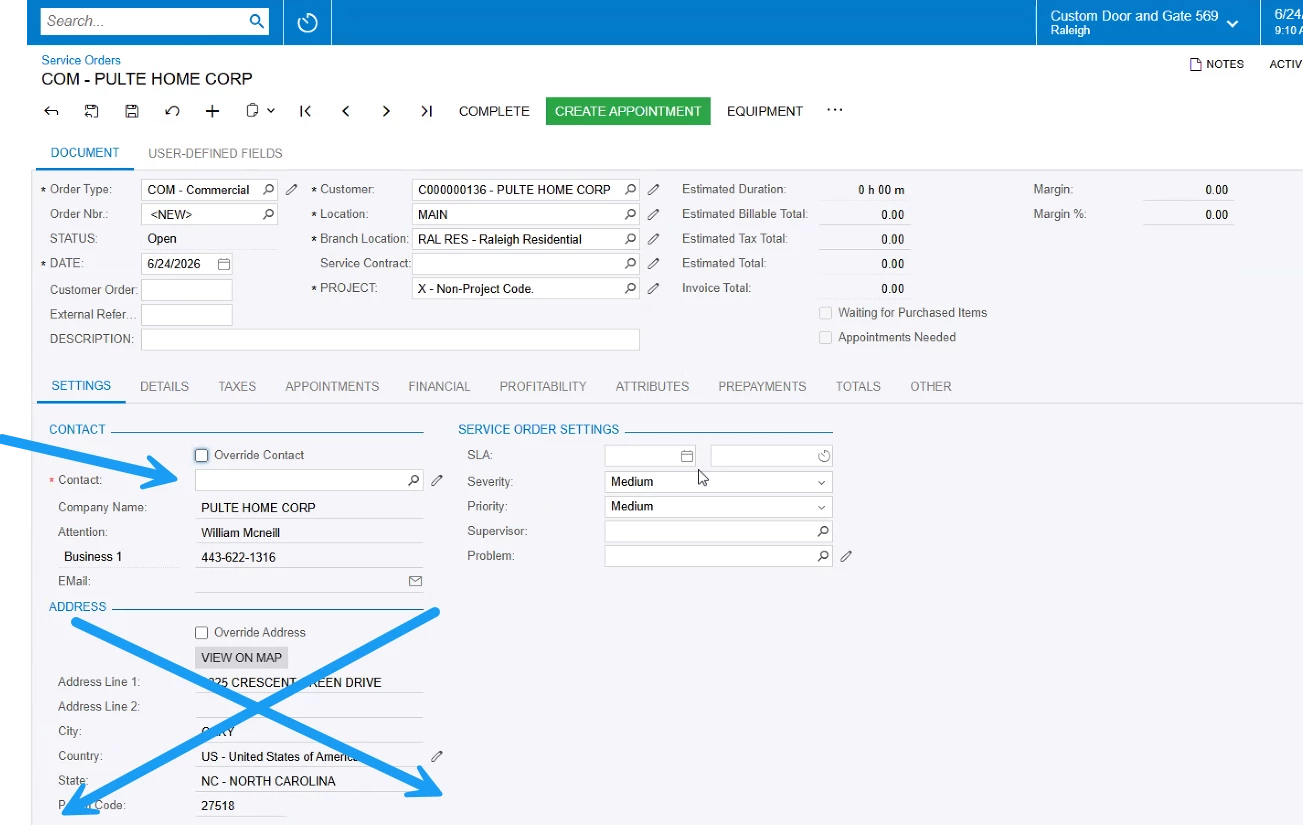
Hi @nwohlschlaeger94 ! Welcome to the Acumatica Community and to Field Service.
Changing the contact without touching the address is fully out of the box. On the Service Order (FS300100), the Contact panel and the Address panel each have their own Override checkbox and they work independently:
- Check Override Contact and edit Company Name / Attention / Email / Phone as needed.
- Leave Override Address unchecked so the defaulted location address stays as-is.
Where the contact info (including email and phone) defaults from is controlled at the Service Order Type level. On Service Order Types (FS202300), General tab, the Take Address and Contact Information From option lets you pick Business Account, Contact, or Branch Location. Set it to Contact and the selected contact's email/phone flow in; set it to Business Account and you get the account's. So email isn't locked to the customer — it follows this setting.
What isn't out of the box is switching the source per order via a checkbox:
- The setting pulls both address and contact from the same source, so there's no native way to take contact info from the Contact while keeping the address from the Business Account.
- It's a type-level default, not a per-order toggle.
So the per-order checkbox you described (contact's info vs. company info, chosen on the fly) would be a customization. As a no-code workaround on any single order, you can check Override Contact and key in the email/phone manually.
I hope this helps!