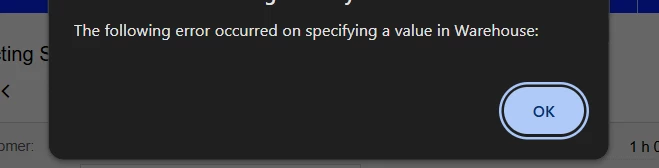
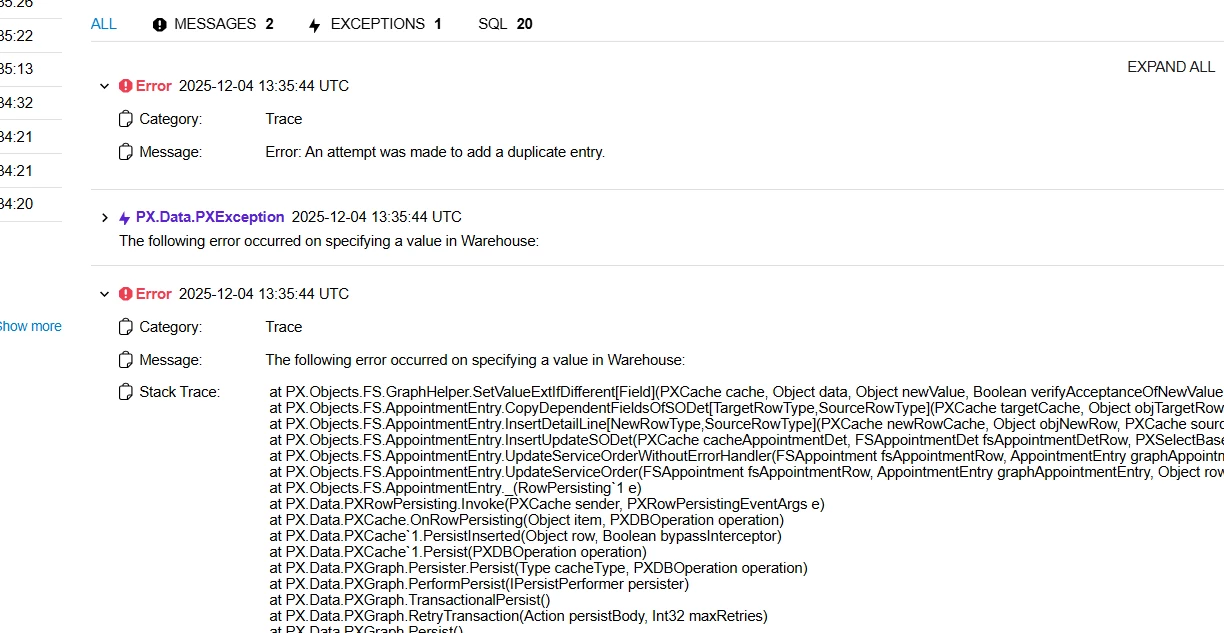
We need to add one line item to the appointment. After adding the item, it can be included in the appointment; however, when we click on save, an error occurs that states, "The following error occurred when specifying a value in Warehouse.
I have replicated it in the sandbox, and it is able to add line items with the same status as the appointment without any errors occurring.
Note: It is causing an issue in the live environment, but it works in the Sandbox tenant at the same time(Instance & build).
Please advise.
Best answer by vdiaz
@AcumaticaHelp55 Hi!
The trace shows the relevant error: “An attempt was made to add a duplicate entry”. Usually happens when the counters of the lines are incorrect and adding a new line adds a duplicated line nbr.
I suggest you report a case for Acumatica support so they can send a script to correct the issue.
Hope that helps
Hi @vdiaz
Thanks for the response
But my Question is in the same instance of another Tenant(Sandbox its working)
It’s hard to tell whithout looking into the data. Once Acumatica support investigates this error, it will be more likely to understand why it works on the sadbox and not on the production tenant.
In my experience, the error is related to a data corruption.
The trace shows the relevant error: “An attempt was made to add a duplicate entry”. Usually happens when the counters of the lines are incorrect and adding a new line adds a duplicated line nbr.
I suggest you report a case for Acumatica support so they can send a script to correct the issue.
The trace shows the relevant error: “An attempt was made to add a duplicate entry”. Usually happens when the counters of the lines are incorrect and adding a new line adds a duplicated line nbr.
I suggest you report a case for Acumatica support so they can send a script to correct the issue.
Hope that helps
Hi @vdiaz
Thanks for the response
But my Question is in the same instance of another Tenant(Sandbox its working)
The trace shows the relevant error: “An attempt was made to add a duplicate entry”. Usually happens when the counters of the lines are incorrect and adding a new line adds a duplicated line nbr.
I suggest you report a case for Acumatica support so they can send a script to correct the issue.
Hope that helps
Hi @vdiaz
Thanks for the response
But my Question is in the same instance of another Tenant(Sandbox its working)
It’s hard to tell whithout looking into the data. Once Acumatica support investigates this error, it will be more likely to understand why it works on the sadbox and not on the production tenant.
In my experience, the error is related to a data corruption.
The trace shows the relevant error: “An attempt was made to add a duplicate entry”. Usually happens when the counters of the lines are incorrect and adding a new line adds a duplicated line nbr.
I suggest you report a case for Acumatica support so they can send a script to correct the issue.
Hope that helps
Hi @vdiaz
Thanks for the response
But my Question is in the same instance of another Tenant(Sandbox its working)
It’s hard to tell whithout looking into the data. Once Acumatica support investigates this error, it will be more likely to understand why it works on the sadbox and not on the production tenant.
In my experience, the error is related to a data corruption.