Answer

Importing Appointments from Service Order?

  • May 22, 2025
  • 9 replies
  • 135 views

Forum|alt.badge.img

Hi All,

The reason I want to import is so that from one Service Order, the system can automatically create multiple appointments, allowing staff to see their calendars for the scheduled period.
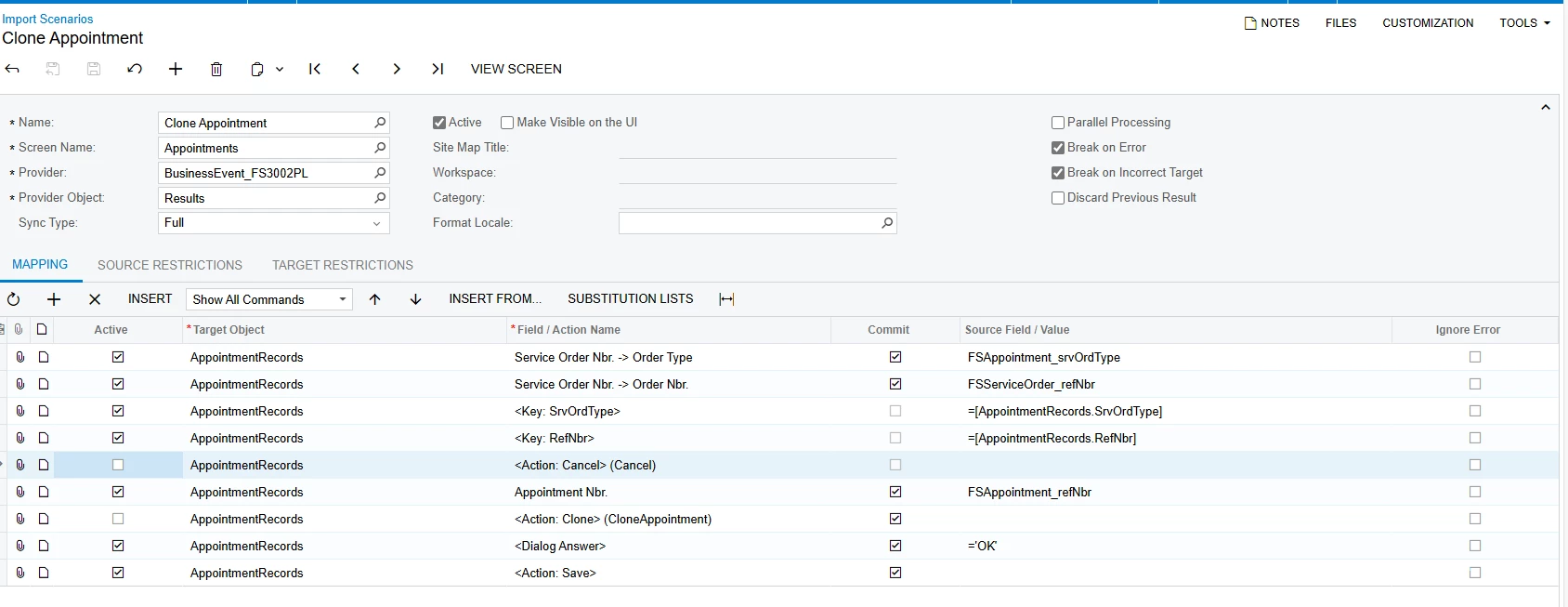
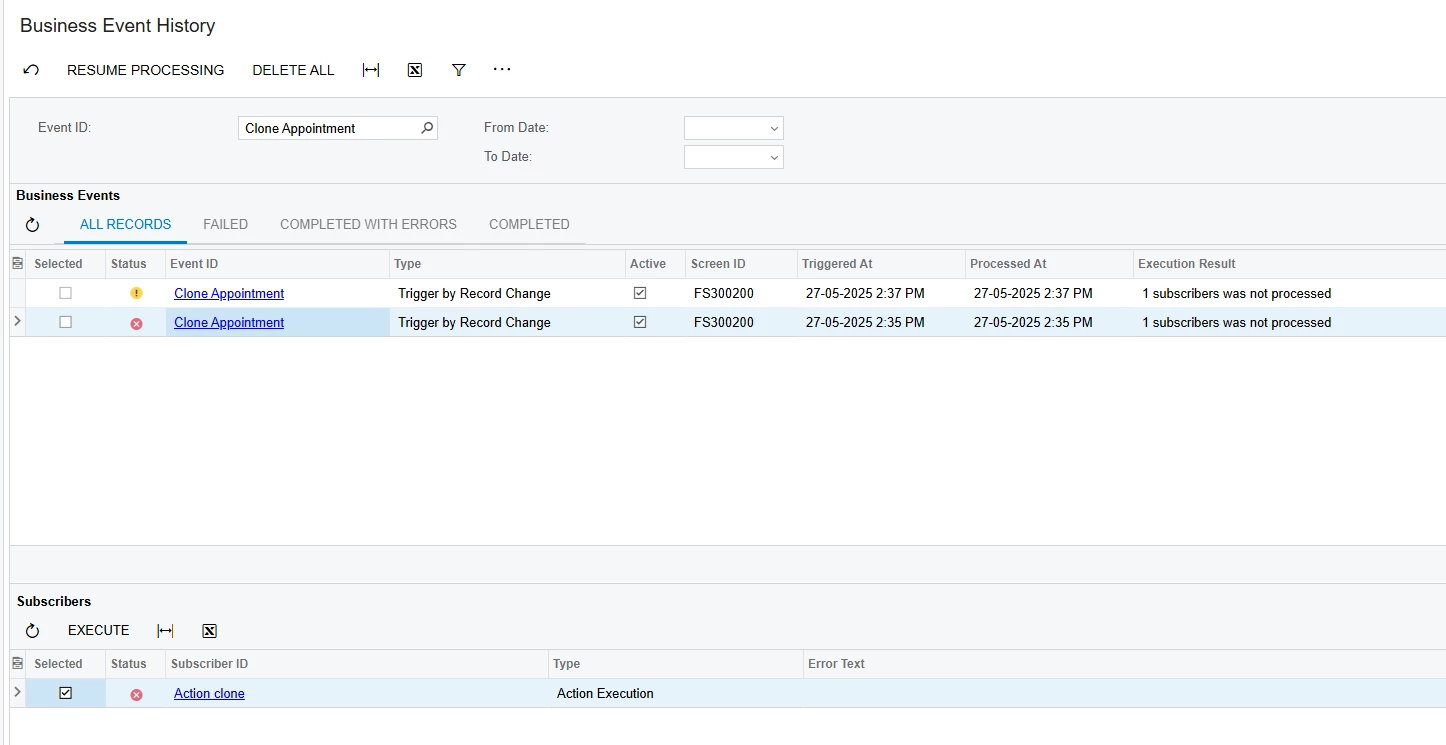
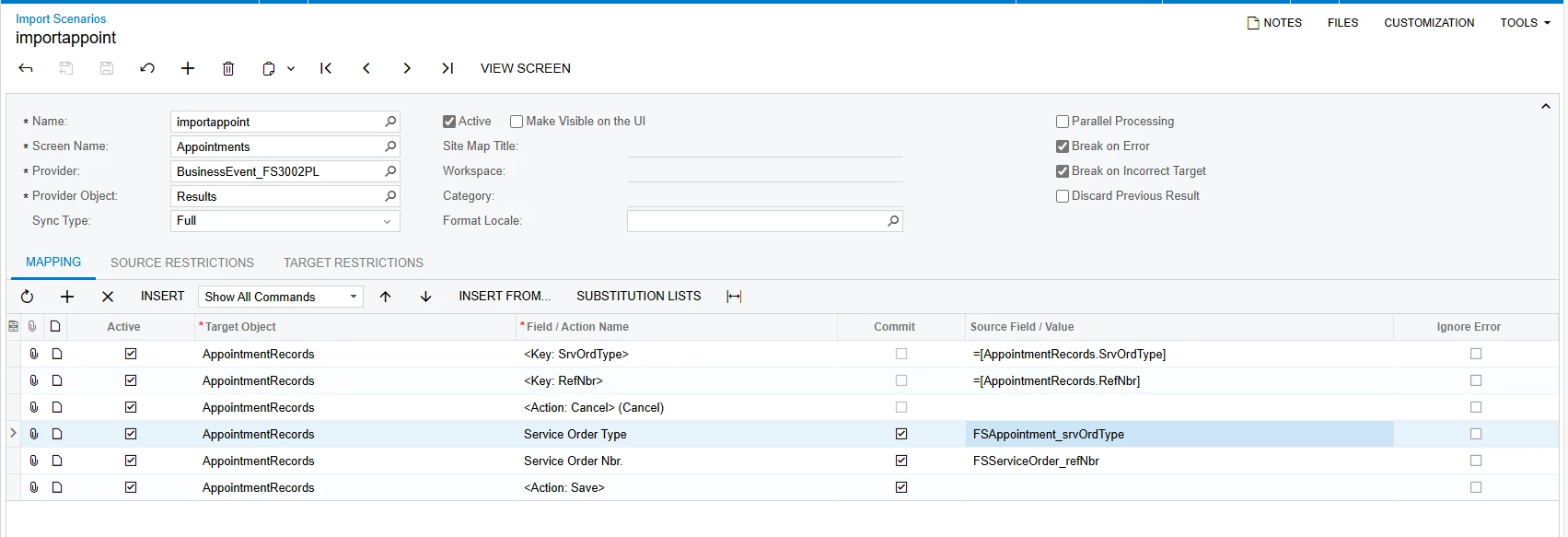
I’m trying to import appointments from a Service Order. The business event and subscriber run fine, but the appointment never gets created.

I’ve attached my GI and mapping — could you please take a quick look and let me know if you spot any mistakes? really need to fix this soon.

Thanks a lot!
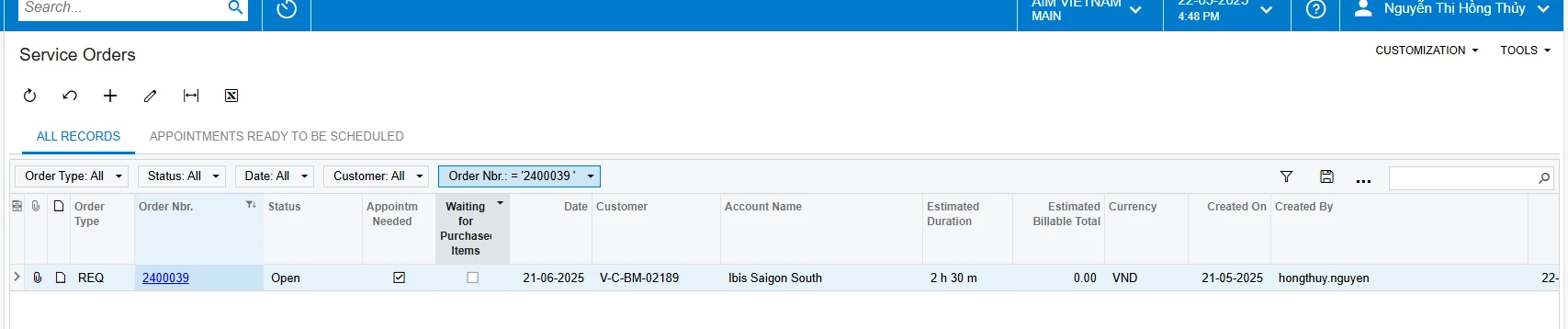
I use generic service order FS3001PL as data provider 
 

Best answer by vdiaz

@hthuy24 

Thanks for sharing the details. While I can't recall the exact technical reason off the top of my head, I do know that creating new Appointments via Import Scenarios isn't supported — it’s a system limitation. Import scenarios can be used to update existing appointments or add details to them, but unfortunately not to create them from scratch.

I know that’s not ideal — I’m sorry it doesn’t work the way you need it to.

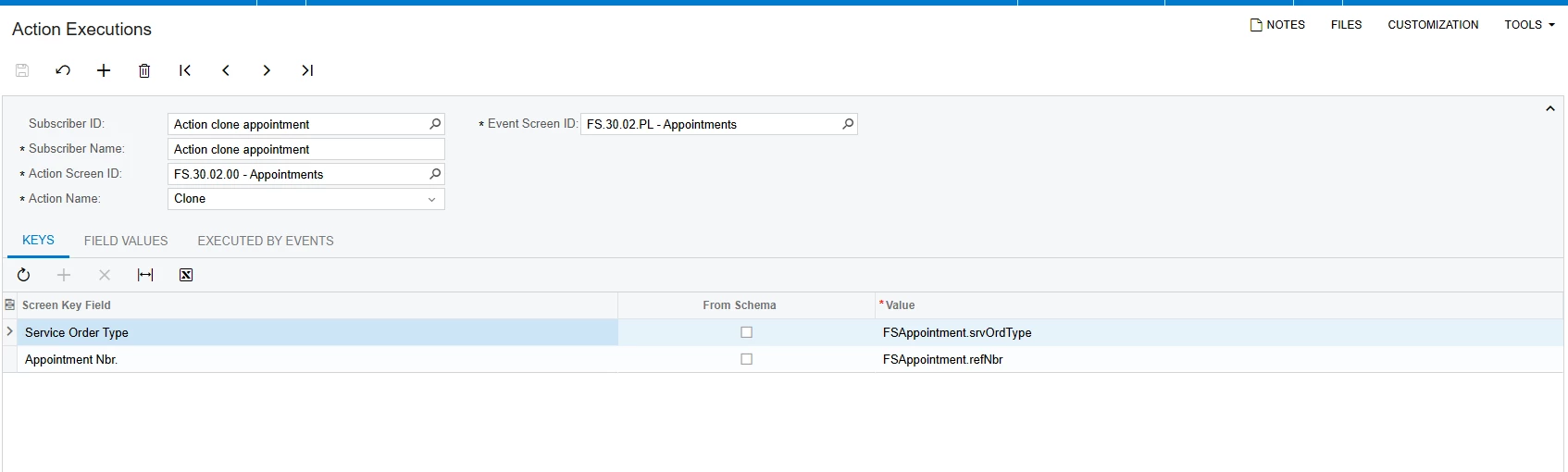
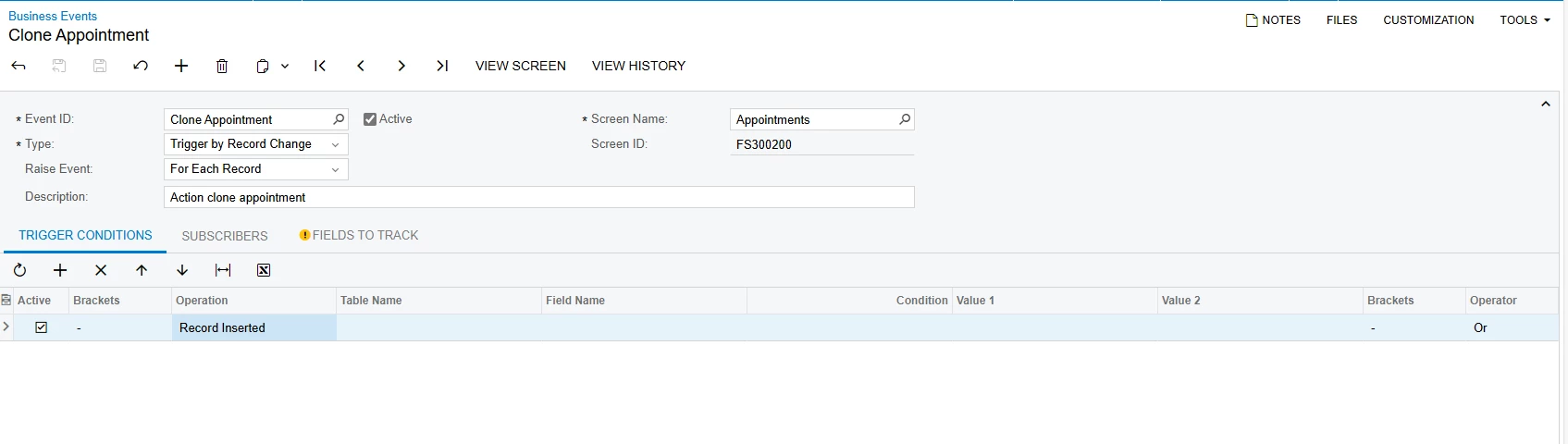
That said, if your goal is to generate multiple appointments from a Service Order, have you looked into using Business Events to trigger appointment cloning? While cloning has its own limitations, depending on your use case, it might offer a workable alternative.


9 replies

dcomerford
Captain II
Forum|alt.badge.img+15
  • Captain II
  • May 22, 2025

@hthuy24 I presume you have tried doing the steps manually and the appointment was created?

What is in the Business Event History 


Forum|alt.badge.img
  • Author
  • Jr Varsity II
  • May 22, 2025

@hthuy24 I presume you have tried doing the steps manually and the appointment was created?

What is in the Business Event History 

Sorry, I’m not sure I understand. I haven’t done anything manually — everything is supposed to be handled automatically by the import process.

my purpose here is create clone appointment by action or import scenarios, but I try many ways and it’s not success


dcomerford
Captain II
Forum|alt.badge.img+15
  • Captain II
  • May 22, 2025

@hthuy24 What i mean is have you taken a Service Order Nbr and Type and manually created it and the appointment was created and saved with no error.


Forum|alt.badge.img
  • Author
  • Jr Varsity II
  • May 22, 2025

@hthuy24 What i mean is have you taken a Service Order Nbr and Type and manually created it and the appointment was created and saved with no error.

yes, if manually it work


Forum|alt.badge.img
  • Author
  • Jr Varsity II
  • May 22, 2025

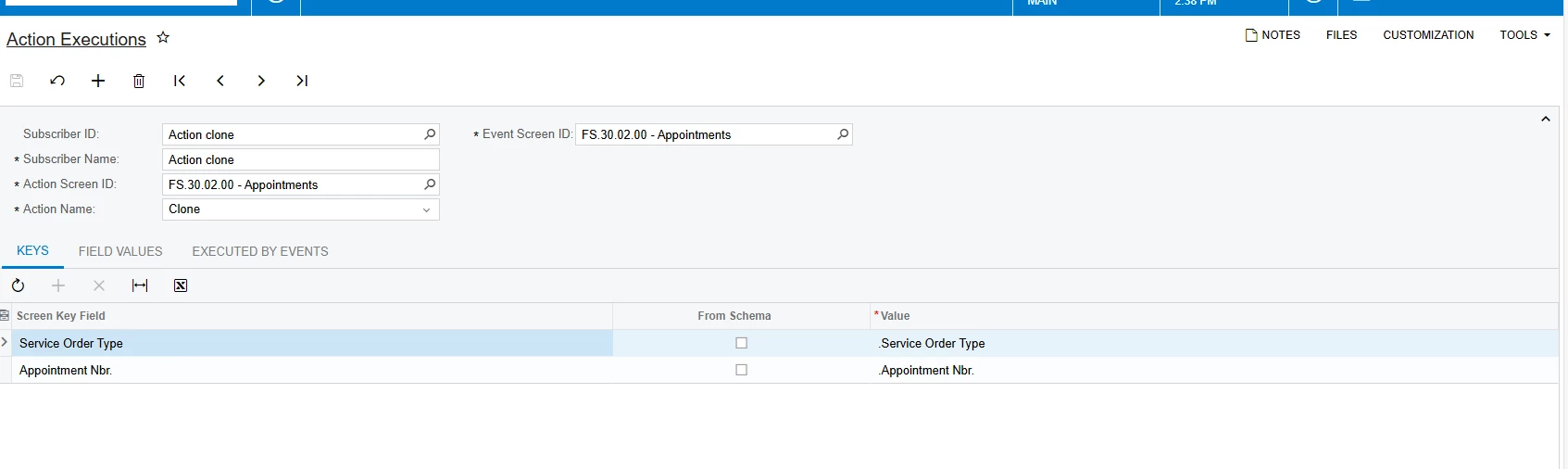
I did try another way to import action but it still error


vdiaz
Acumatica Moderator
Forum|alt.badge.img+2
  • Acumatica Moderator
  • Answer
  • May 26, 2025

@hthuy24 

Thanks for sharing the details. While I can't recall the exact technical reason off the top of my head, I do know that creating new Appointments via Import Scenarios isn't supported — it’s a system limitation. Import scenarios can be used to update existing appointments or add details to them, but unfortunately not to create them from scratch.

I know that’s not ideal — I’m sorry it doesn’t work the way you need it to.

That said, if your goal is to generate multiple appointments from a Service Order, have you looked into using Business Events to trigger appointment cloning? While cloning has its own limitations, depending on your use case, it might offer a workable alternative.


Forum|alt.badge.img
  • Author
  • Jr Varsity II
  • May 27, 2025

@hthuy24 

Thanks for sharing the details. While I can't recall the exact technical reason off the top of my head, I do know that creating new Appointments via Import Scenarios isn't supported — it’s a system limitation. Import scenarios can be used to update existing appointments or add details to them, but unfortunately not to create them from scratch.

I know that’s not ideal — I’m sorry it doesn’t work the way you need it to.

That said, if your goal is to generate multiple appointments from a Service Order, have you looked into using Business Events to trigger appointment cloning? While cloning has its own limitations, depending on your use case, it might offer a workable alternative.


Thanks ​@vdiaz , your idea is create a business event trigger with the condition: if a new appointment is inserted, then execute the 'clone' action, is that correct?


vdiaz
Acumatica Moderator
Forum|alt.badge.img+2
  • Acumatica Moderator
  • June 3, 2025

@hthuy24 

Thanks for sharing the details. While I can't recall the exact technical reason off the top of my head, I do know that creating new Appointments via Import Scenarios isn't supported — it’s a system limitation. Import scenarios can be used to update existing appointments or add details to them, but unfortunately not to create them from scratch.

I know that’s not ideal — I’m sorry it doesn’t work the way you need it to.

That said, if your goal is to generate multiple appointments from a Service Order, have you looked into using Business Events to trigger appointment cloning? While cloning has its own limitations, depending on your use case, it might offer a workable alternative.


Thanks ​@vdiaz , your idea is create a business event trigger with the condition: if a new appointment is inserted, then execute the 'clone' action, is that correct?


Yes, something like that. Although I’m not sure if it will work… I’m not well versed with import scenarios/business events.


Chris Hackett
Community Manager
Forum|alt.badge.img
  • Acumatica Community Manager
  • August 14, 2025

Hi ​@hthuy24 were you able to find a solution? Thank you!