


Answer

Appointments: Automatically Add to Actual Duration

  • December 10, 2024
  • 2 replies
  • 136 views

Forum|alt.badge.img

Hello- Hopefully this is relatively easy fix and I’m just missing something. So, we’re creating appointments and using the buttons to start travel, begin work, stop work, etc. When the Travel portion of the appointment is completed, the box is checked for Add to Actual Duration. However, when we Start Work, the box is not automatically checked for the work line item:
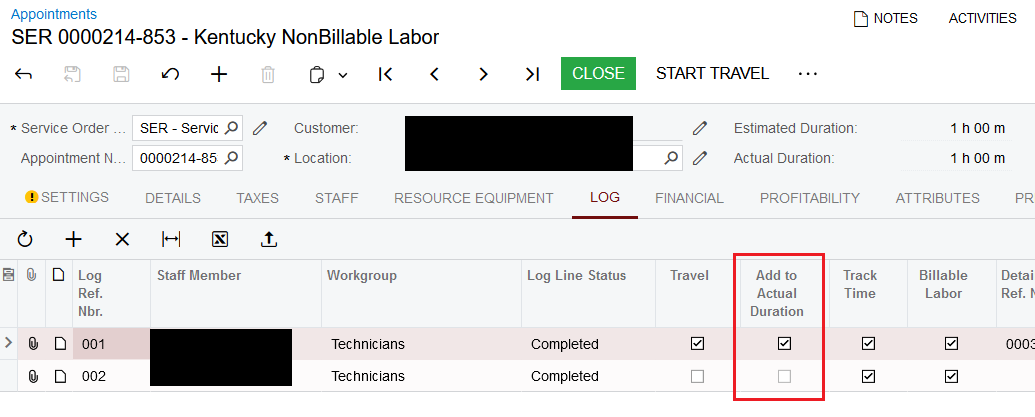
When this box is not checked, the line item in the Details tab defaults the Actual Duration to the value in the Estimated Duration. It could be a setting in the Service Order Type, but is there a way to have this Add to Actual Duration box checked for all log items? Thanks in advance for any help!

Best answer by vdiaz

@mattjesse68 Hi!!

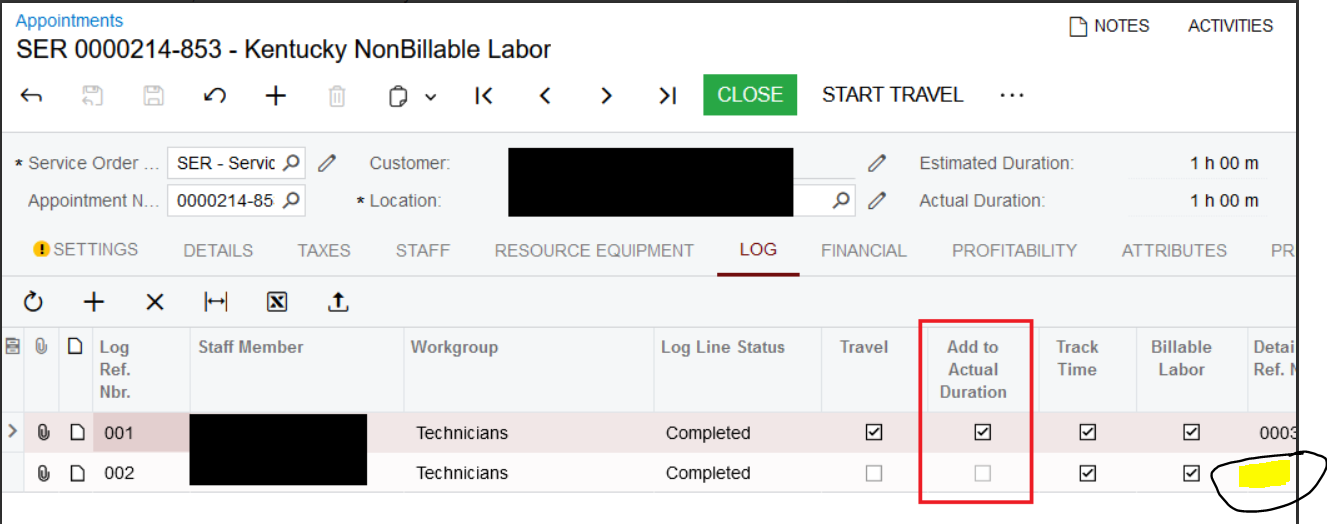
Fo what I can see on your screenshot, that Log line is not linked to any service. For Add To Actual Duration to be selected by default, there has to be a value populated on Detail Ref Nbr column, so that the system “knows” which service is associated with that time. 

I hope that helps. 

2 replies

vdiaz
Acumatica Moderator
Forum|alt.badge.img+2
  • Acumatica Moderator
  • Answer
  • December 20, 2024

@mattjesse68 Hi!!

Fo what I can see on your screenshot, that Log line is not linked to any service. For Add To Actual Duration to be selected by default, there has to be a value populated on Detail Ref Nbr column, so that the system “knows” which service is associated with that time. 

I hope that helps. 


Forum|alt.badge.img
  • Author
  • December 20, 2024

Thank you, Valentina!
