Solved

Appointment workflow stage update from mobile app

  • September 13, 2024
  • 7 replies
  • 134 views

Forum|alt.badge.img

Good day,

Is it possible to update the workflow stage of an appointment from the mobile app? Currently when items are added to an appointment, we change the workflow stage of that appointment to “Parts Requested”. Doing this generates a picklist for our warehouse persons to gather the items for the technician to collect. When the items are collected the workflow status is chnaged to fulfilled and the line items are marked as completed. In the mobile app I don’t see the ability to chnage the workflow stage manually. Is this possible?


Best answer by vdiaz

Hi!

This field is disabled on the mobile version of the Appointments form, to allow users to edit it, you would need to create a customization on the mobile app, to move the Workflow Stage field out of the header and into a tab (maybe the summary tab).

 I hope this helps.

7 replies

vdiaz
Acumatica Moderator
Forum|alt.badge.img+2
  • Acumatica Moderator
  • Answer
  • October 28, 2024

Hi!

This field is disabled on the mobile version of the Appointments form, to allow users to edit it, you would need to create a customization on the mobile app, to move the Workflow Stage field out of the header and into a tab (maybe the summary tab).

 I hope this helps.


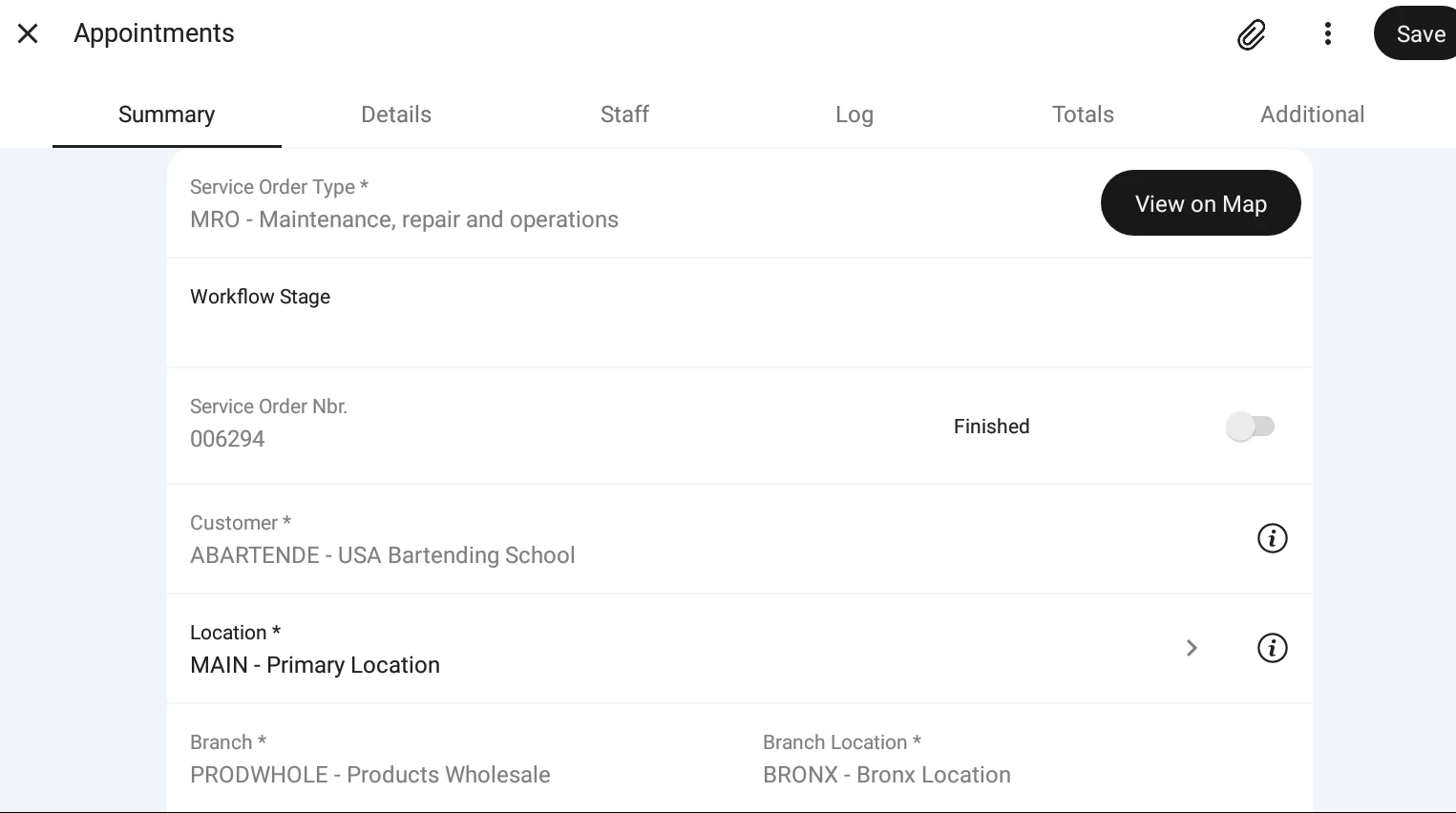
Got the field moved but the drop down selector isnt displaying. any suggestions?


vdiaz
Acumatica Moderator
Forum|alt.badge.img+2
  • Acumatica Moderator
  • February 3, 2026

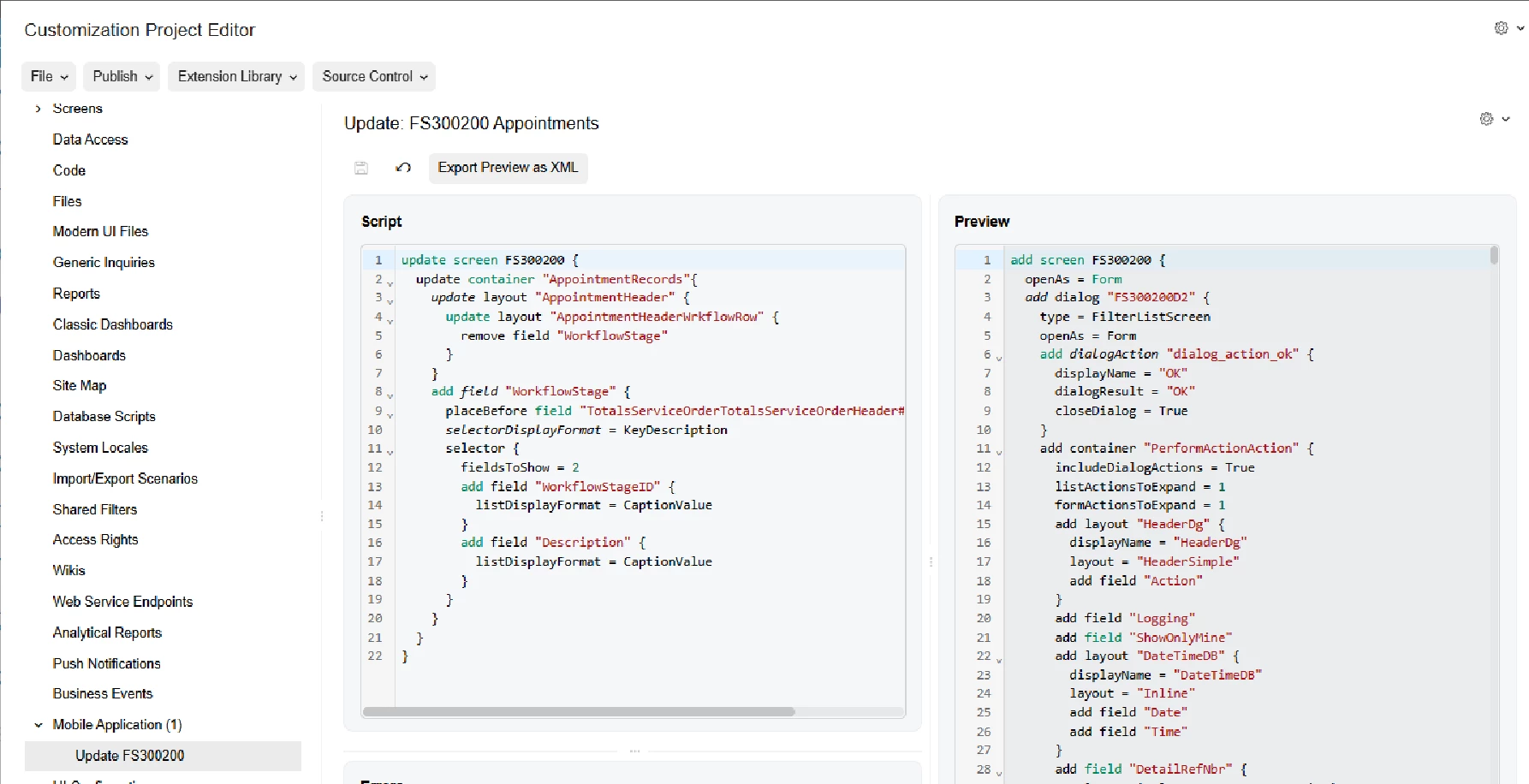
@briandrummy36 Hi! Try something like this:

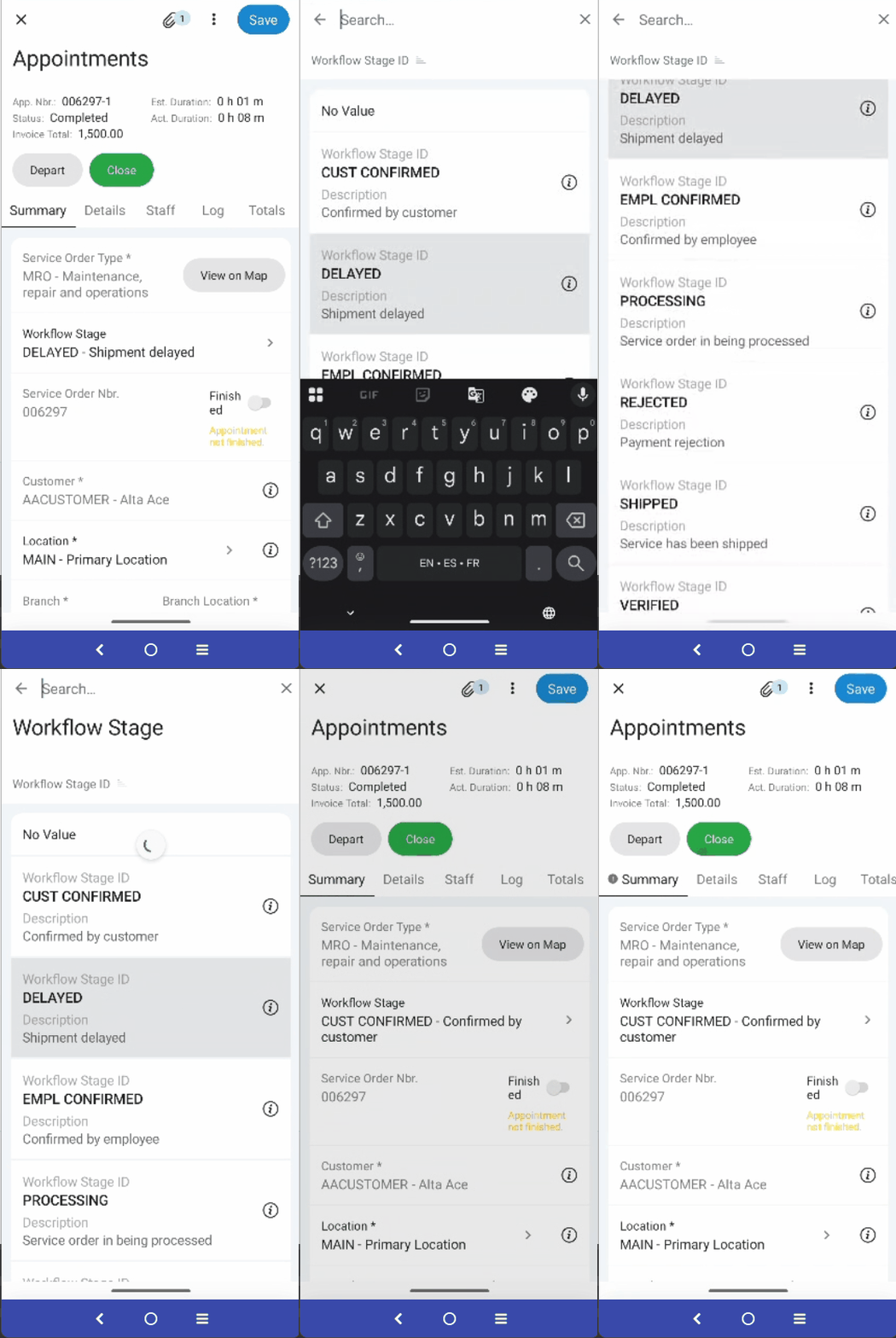
It worked for me: 

I hope it helps!


@vidiaz

I am still only getting a text entry, not the drop down.
What emulator are you using? I am on BlueStacks


@vdiaz 


vdiaz
Acumatica Moderator
Forum|alt.badge.img+2
  • Acumatica Moderator
  • February 5, 2026

@briandrummy36 I didn’t use an emulator, I tested on my mobile device and mirrored the screen with vysor. I have mobile app version 26.047.0 (16091) and my android version is 16.

I was able to make it work thanks to a customization project that one of our developers prepared a couple of years back. I attached it. 


Let me know if it helps. 


@vdiaz that did it! thank you!