Answer

User Rights By Role - Searchable / Referenced Table

  • November 12, 2024
  • 1 reply
  • 66 views

BenRedshaw
Freshman I

Hi,


We’re relatively new to Acumatica having only gone live earlier this month.


We’re currently in the process of configuring everyone’s access rights.  We started strict with an aim to control access, and then we’ll lift restrictions as it becomes apparent the requirement for the user is there.


My question is, is there a reference list of Screens to User Rights?  I know if you hover over the options the screen number is displayed, but trying to find some of the more obscure access rights is simple a trial and error exercise in futility.  A search functionality would be really helpful 🙂


Any help would be gratefully appreciated!


Best answer by ed.goodman

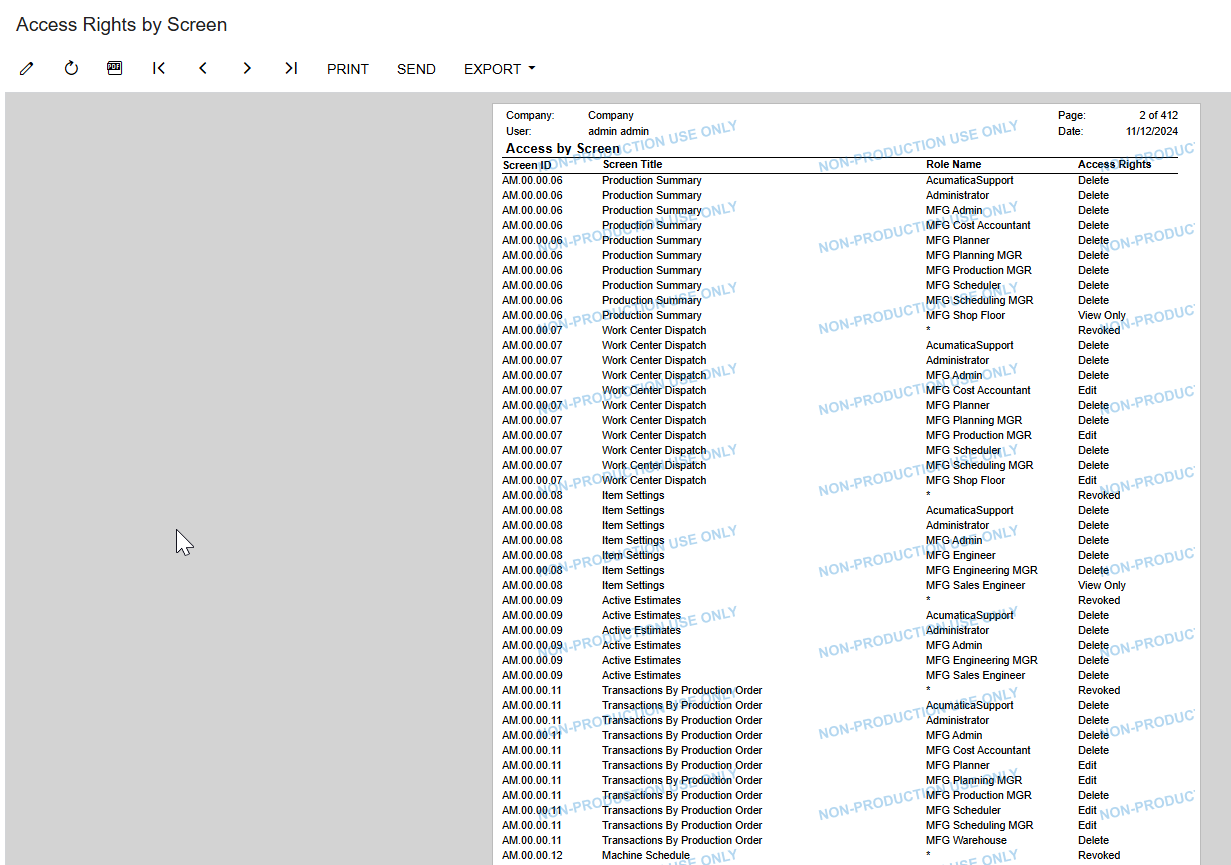
The Access Rights by Screen (SM651700) shows all screens.

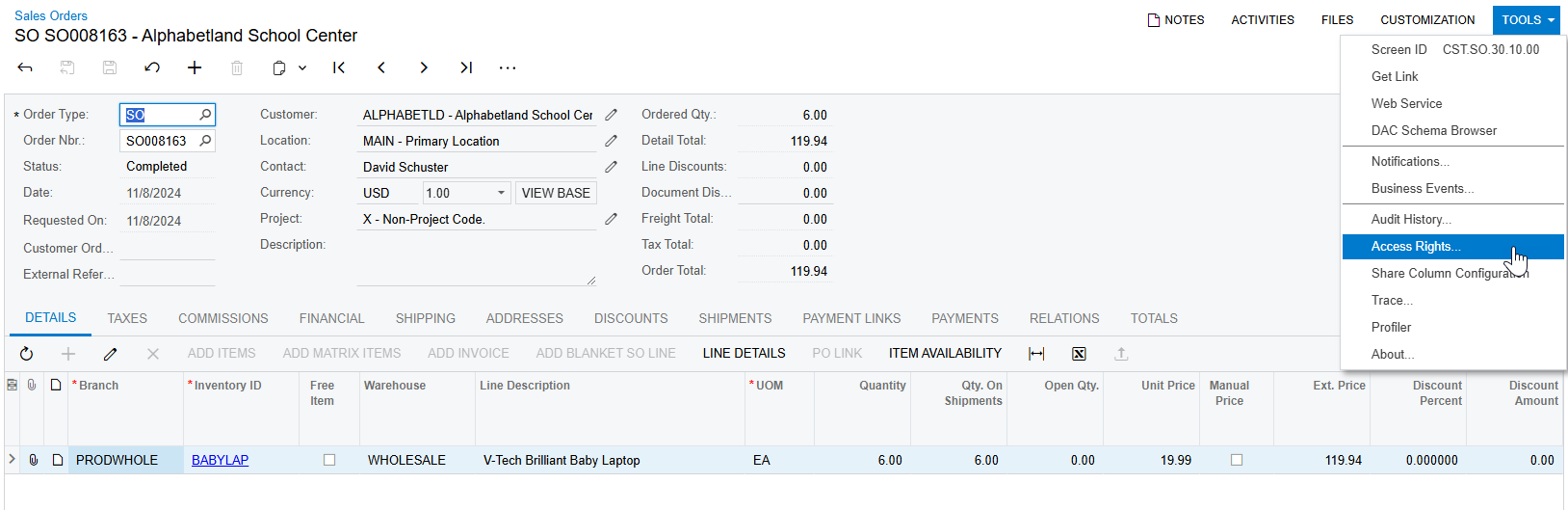
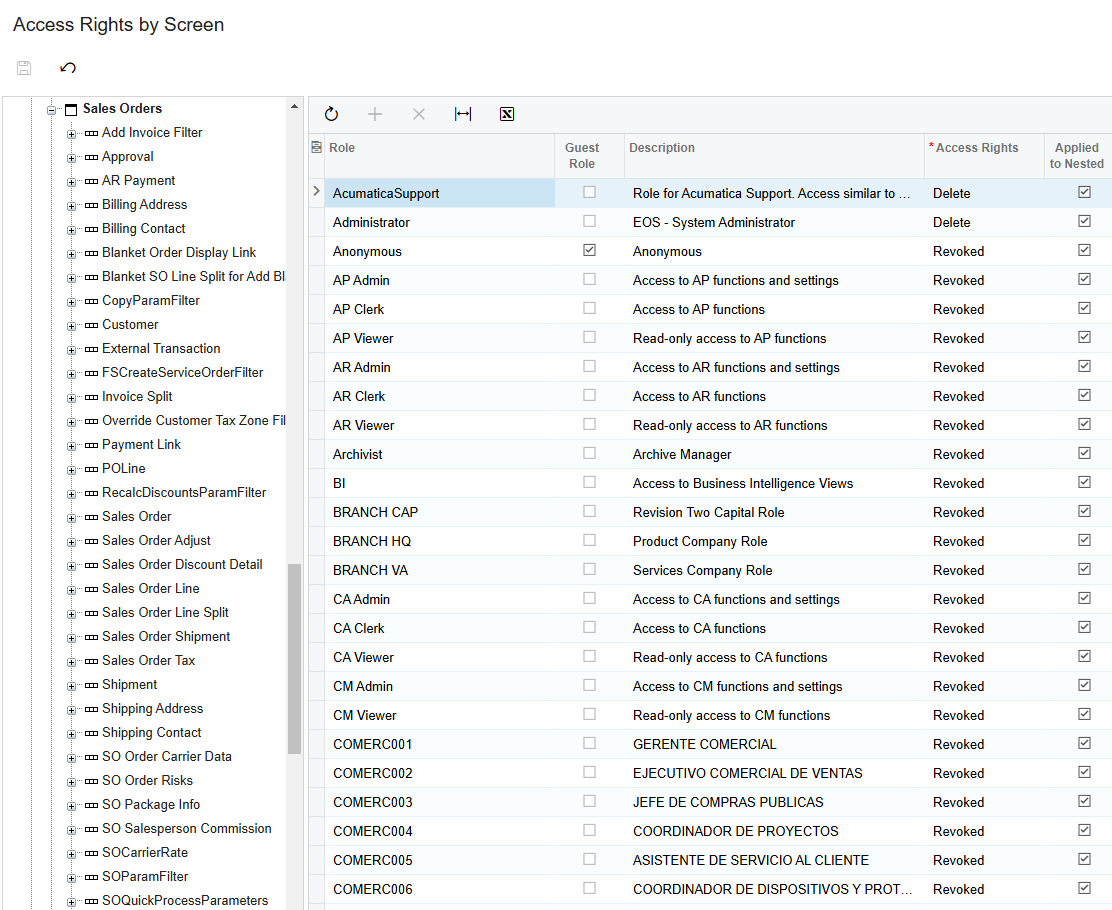
One trick I use to determine what drives access is to go into the screen in question, then Tools > Access Rights.  That opens up Access Rights by Screen (SM201020) and it will normally be in the correct area where access is defined.

Hope this helps.

Ed

1 reply

ed.goodman
Acumatica Employee
Forum|alt.badge.img+4
  • Acumatica Employee
  • Answer
  • November 12, 2024

The Access Rights by Screen (SM651700) shows all screens.

One trick I use to determine what drives access is to go into the screen in question, then Tools > Access Rights.  That opens up Access Rights by Screen (SM201020) and it will normally be in the correct area where access is defined.

Hope this helps.

Ed