Question

Updating Credit Memo Details During Invoice Reversal via Import Scenario

  • October 19, 2026
  • 2 replies
  • 16 views
  • Translate All

Avishka
Freshman II
Forum|alt.badge.img

Hi,

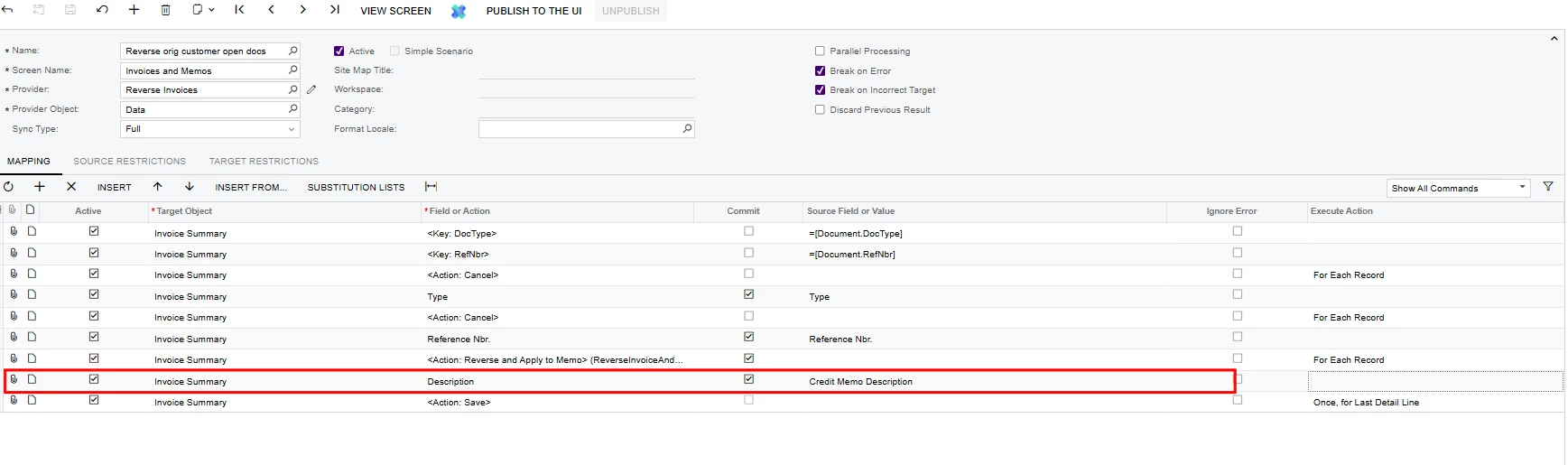
I have created the import scenario shown below to reverse multiple invoices and generate credit memos.

Is it possible to use the same scenario to update the newly created credit memos at the time of creation—for example, their descriptions and line details?

I tested this by adding a Description mapping after the reversal action and before Save, but the description on the newly created credit memo was not updated.

Is this is possible and, if so, how the mapping should be configured?

Thank you!
 

2 replies

Steve Milner
Varsity III
Forum|alt.badge.img+6

@Avishka I couldn't get the same scenario to do it. I rebuilt your mapping on 2026 R1 and tried four layouts, including a Save right after the reversal. Every run created the credit memo with the invoice's description. The Save-first version also failed with "Another process has updated the 'ARRegister' record."

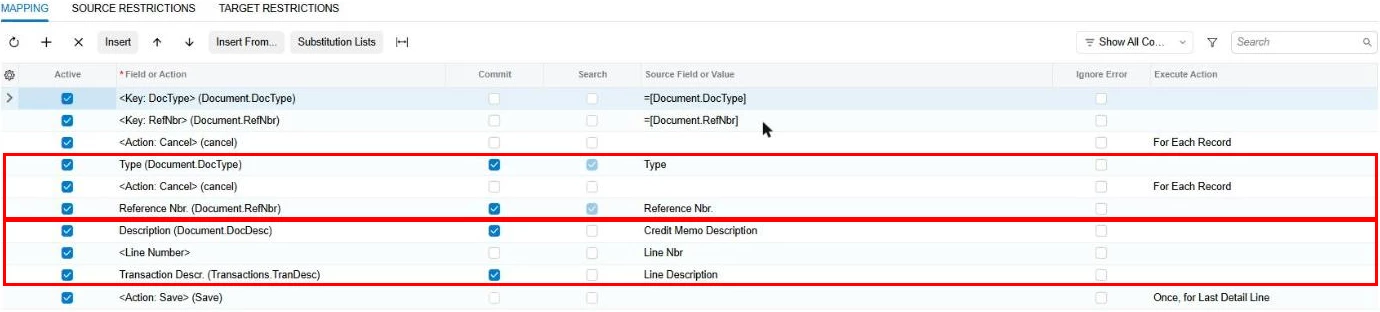
What worked was a second scenario on Invoices and Memos. Map Type (Credit Memo) and Reference Nbr. from a file of the new memo numbers, then Description. For lines, add Transaction Descr. and change the auto-added <Line Number> row from New to the line's position (0 for the first line), or it adds a line instead. End with Save. Try it on a couple of memos first.


Translate

mohammadnawaz51
Varsity I
Forum|alt.badge.img+8

​@Avishka 

import scenario is limited to a single screen. Your scenario uses the “Reverse and Apply Credit Memo” action, which creates a new document. The system then expects the remaining data to be entered into that newly created document, so the import continues within that document.

Translate