Solved

Update Vendor ID - Import Scenario

  • June 14, 2022
  • 4 replies
  • 560 views

Hello,


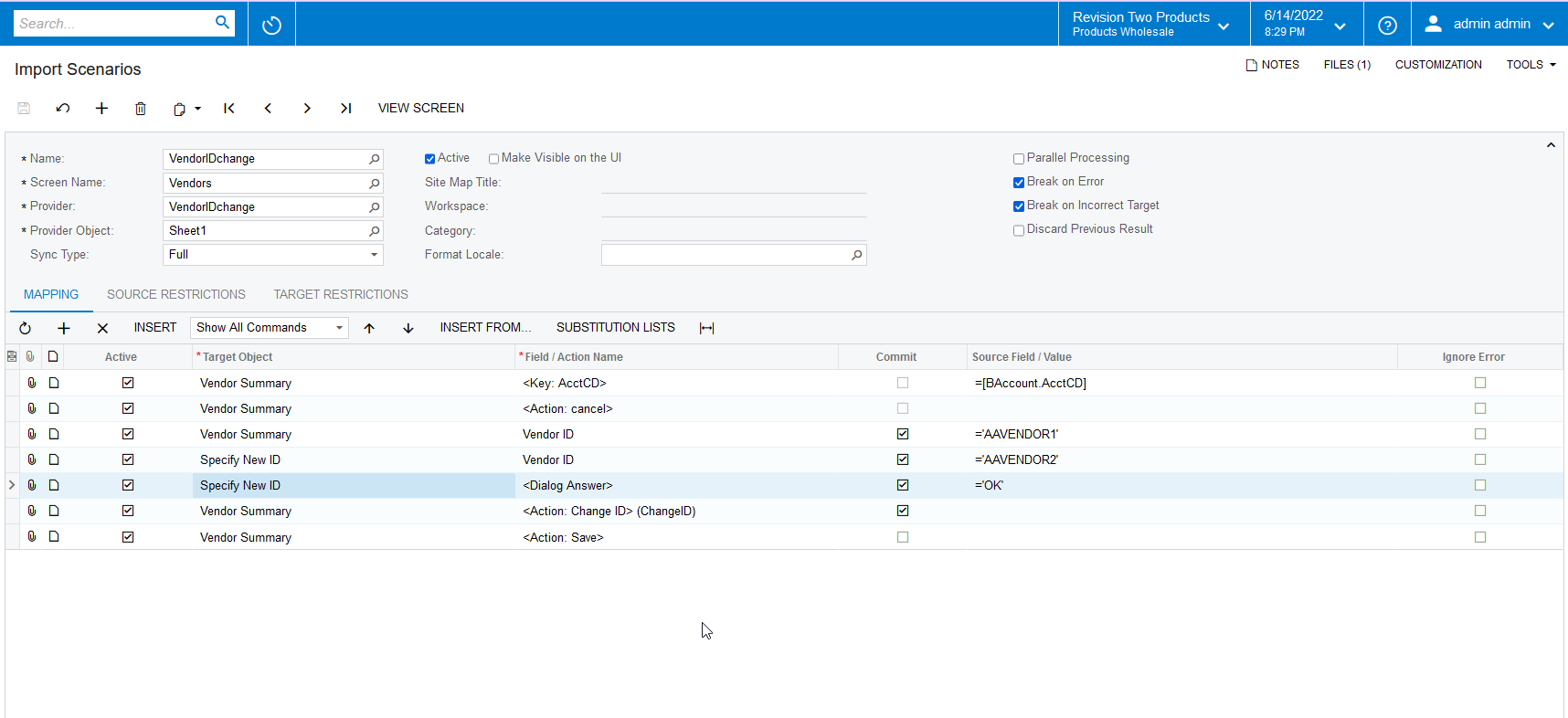
I am trying to troubleshoot an Import Scenario where we are updating all of our Vendor ID’s. We’ve been able to successfully complete this in a Test environment, but for some reason I am unable to in our production instance. Any assistance would be appreciated!


We have a custom import scenario that uses the “Specify New ID” target object. In Test environment, it works as intended - updating only the Vendor ID.

In Production, we’ve replicated the scenario, and the import reports it completed successfully and with no errors, but the Vendor ID remains unchanged.

What am I missing from the scenario in order to update the IDs?
 

Best answer by Naveen Boga

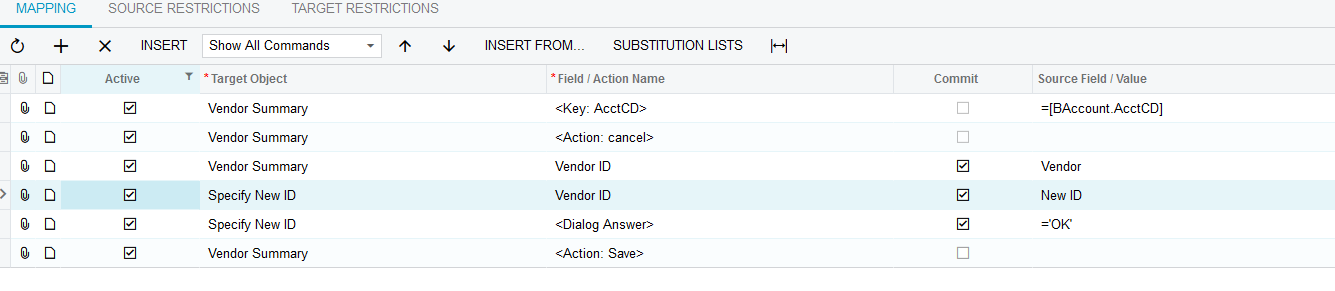
Hi @rgilreath  Since you are not using the Change ID action in your import scenario, I’m not sure how it is working in the TEST environment.


I just created a new import scenario and verified it and it is working as expected. Can you please try like below and confirm.


4 replies

Naveen Boga
Captain II
Forum|alt.badge.img+19
  • Captain II
  • 3449 replies
  • Answer
  • June 15, 2022

Hi @rgilreath  Since you are not using the Change ID action in your import scenario, I’m not sure how it is working in the TEST environment.


I just created a new import scenario and verified it and it is working as expected. Can you please try like below and confirm.


  • Author
  • Freshman I
  • 3 replies
  • June 15, 2022

@Naveen Boga  - thank you! That was it. I appreciate the quick response!


Naveen Boga
Captain II
Forum|alt.badge.img+19
  • Captain II
  • 3449 replies
  • June 15, 2022

@rgilreath  Awesome :) Thanks for sharing the update.


  • Freshman I
  • 1 reply
  • May 5, 2025

I had to remove the ‘Commit’ option on the Action, Change ID line to get it to work