

Answer

Universal Search Not Functioning Properly

  • February 20, 2025
  • 3 replies
  • 147 views

Every time I try to search a customer or phone number with the universal search, I receive an error message. We have tried restarting the full-text search, cleared the cache, processed all in the rebuild full-text entity index, rebuilt a new database for my site, upgraded to the most recent version, and applied a new license. The problem still persists.

 

Best answer by DipakNilkanth

Hi ​@jforman01,

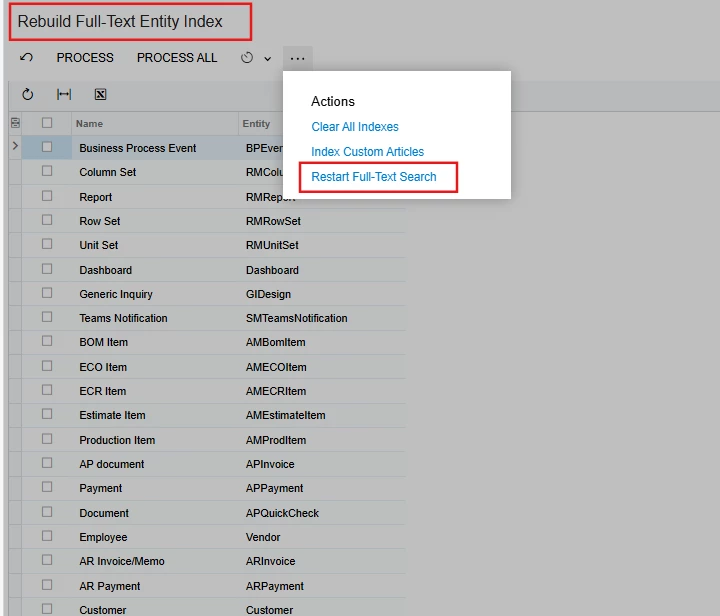
On the Rebuild Full-Text Entity Index (SM209500) form, click the Restart Full-Text Search on the More menu, to restart the full-text search, as shown in the following screenshot.

Hope, it helps!

3 replies

DipakNilkanth
Pro III
Forum|alt.badge.img+13
  • Pro III
  • Answer
  • February 21, 2025

Hi ​@jforman01,

On the Rebuild Full-Text Entity Index (SM209500) form, click the Restart Full-Text Search on the More menu, to restart the full-text search, as shown in the following screenshot.

Hope, it helps!


DipakNilkanth
Pro III
Forum|alt.badge.img+13

@jforman01,

Which Acumatica version you are using?

Please go through This link from knowledgebase articles.
Hope, it helps!


Manikanta Dhulipudi
Captain II
Forum|alt.badge.img+15

@jforman01 

Please restart application, if not resolved perform rebuild text entity screen during non business hours.


