Solved

Shipments Pulling through Items with Zero Quantities

  • September 24, 2026
  • 2 replies
  • 18 views

Forum|alt.badge.img

Hi,

This is not a issue.

We have a new Customer who’s already using Acumatica & I want to understand as a consultant if the Following Process is Standard in the System or a Customised behaviour in the system.

Sales Order contains a line with Zero Quantity and Shipping Rules are BackOrder Allowed

(Allow Negative Quantity is not Enabled)
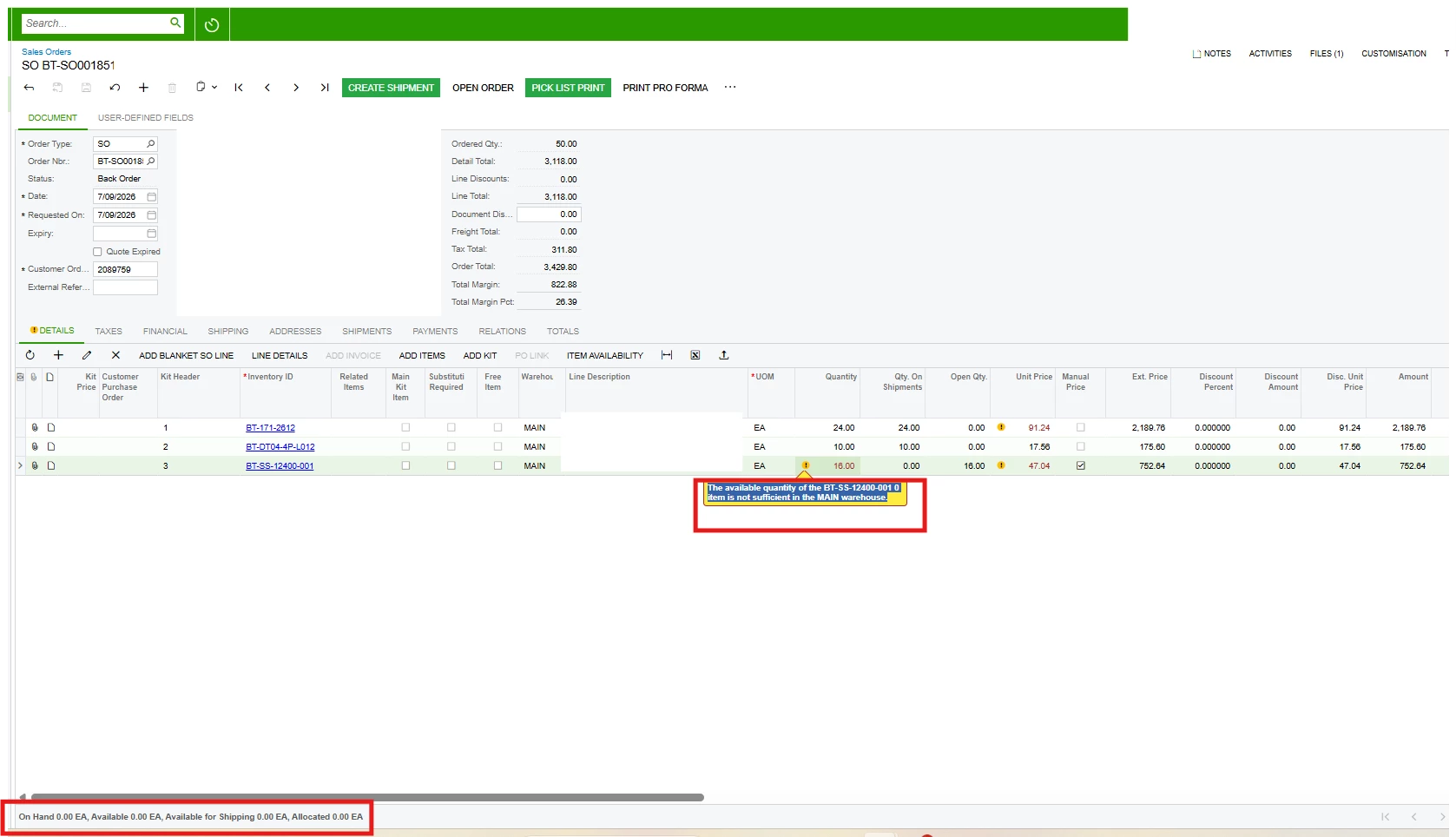
 

When a shipment is created it pull through this line item, with Shipped Qty. as zero and the Ordered Qty. remains as 16
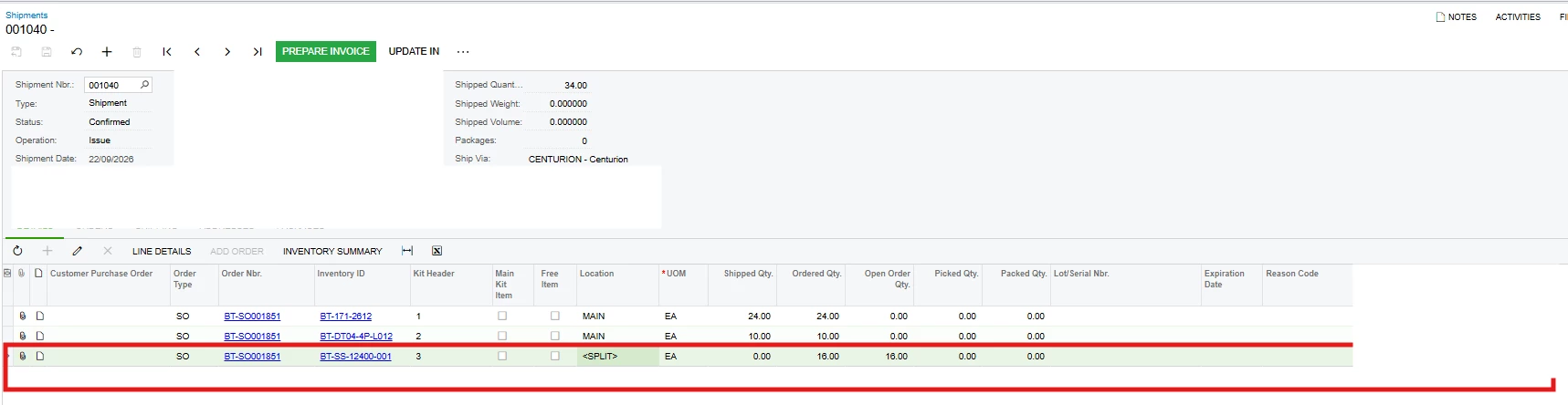
The customer then Print the Shipment Confirmation through the Shipment Screen temporarily.

Thanks!
Best answer by mohammadnawaz51

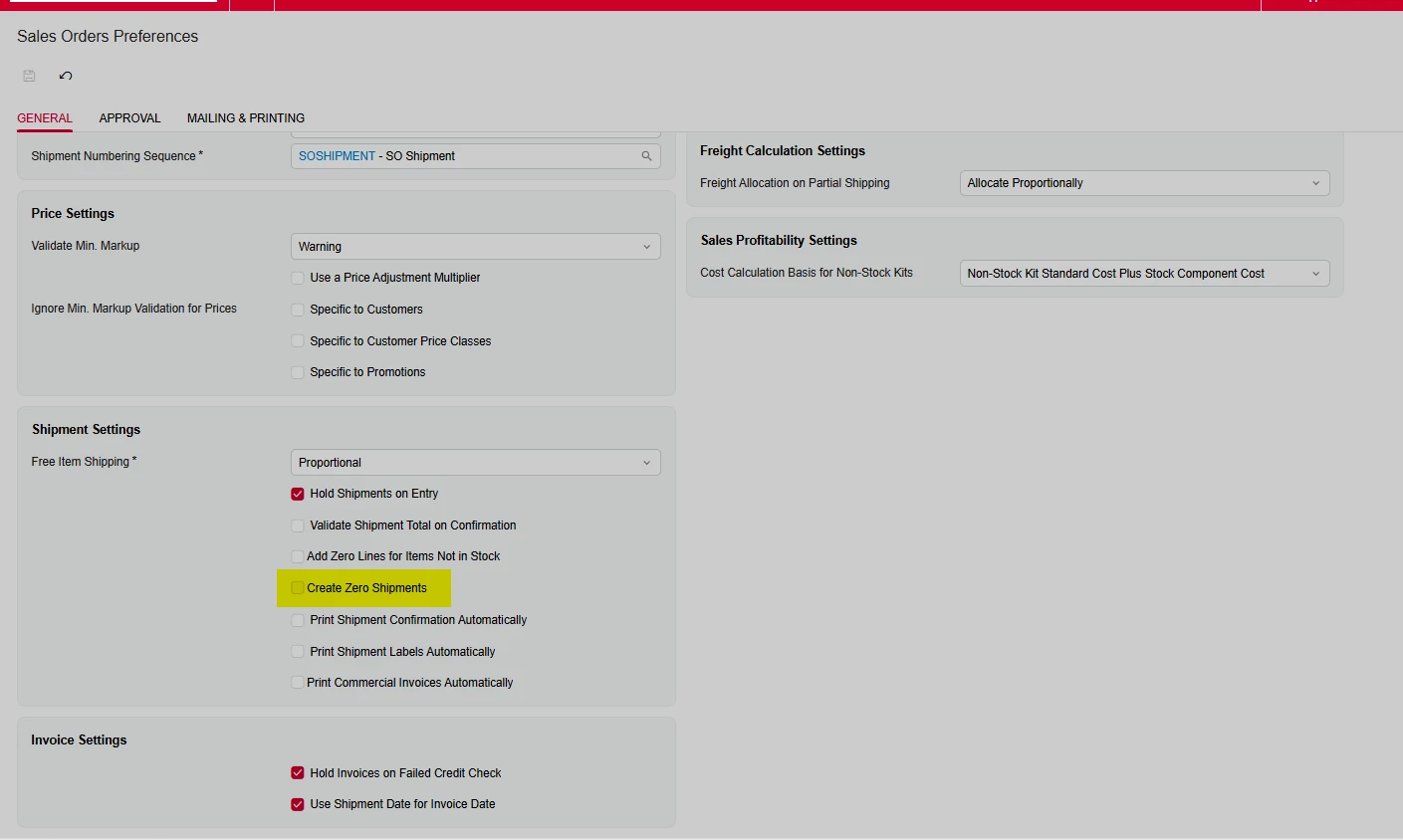
@Avishka Check if the below check box is enabled.

Create Zero Shipments

A check box that indicates (if selected) that a shipment can be created even if there are no available items for any lines.We do not recommend selecting this check box if in your organization, shipments are generally created automatically by using the Process Orders (SO501000) form.This check box is available only if the

Inventory

feature is enabled on the Enable/Disable Features (CS100000) form.

2 replies

nhatnghetinh
Captain II
Forum|alt.badge.img+13
  • Captain II
  • September 24, 2026

Hi ​@Avishka 

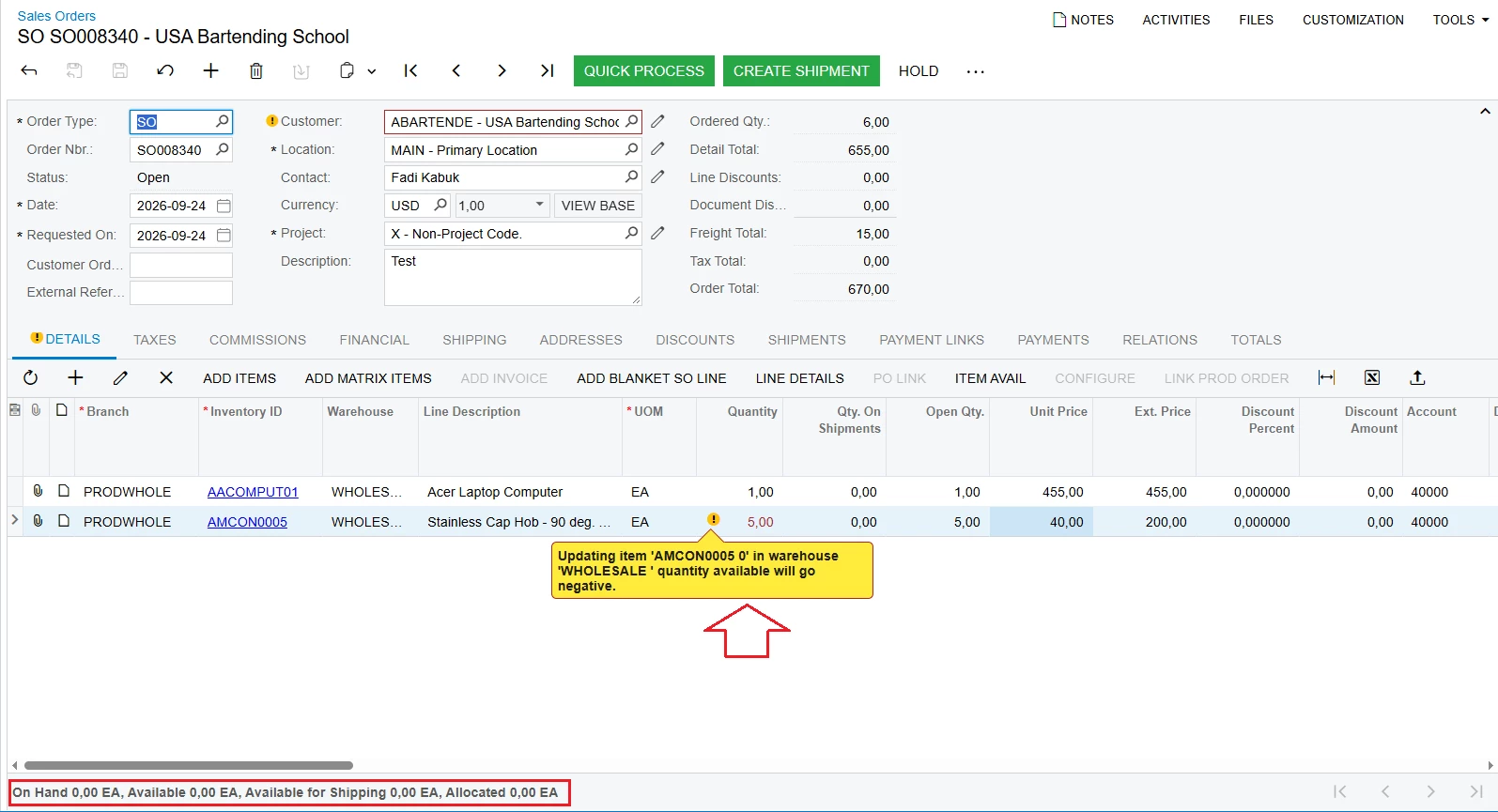
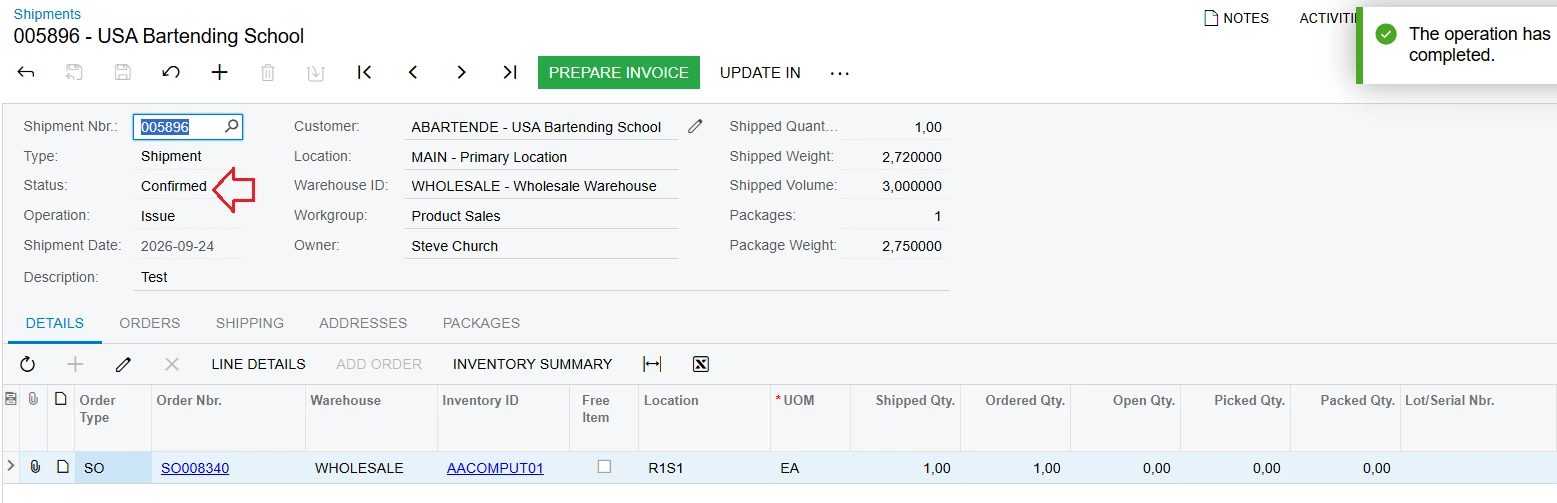
Yes, this is a standard feature of Acumatica. I will send the test situation as below.

Step 1: Create a Sales Order with an item having a negative quantity. However, do not perform the "Create Shipment" action on this Sales Order screen.


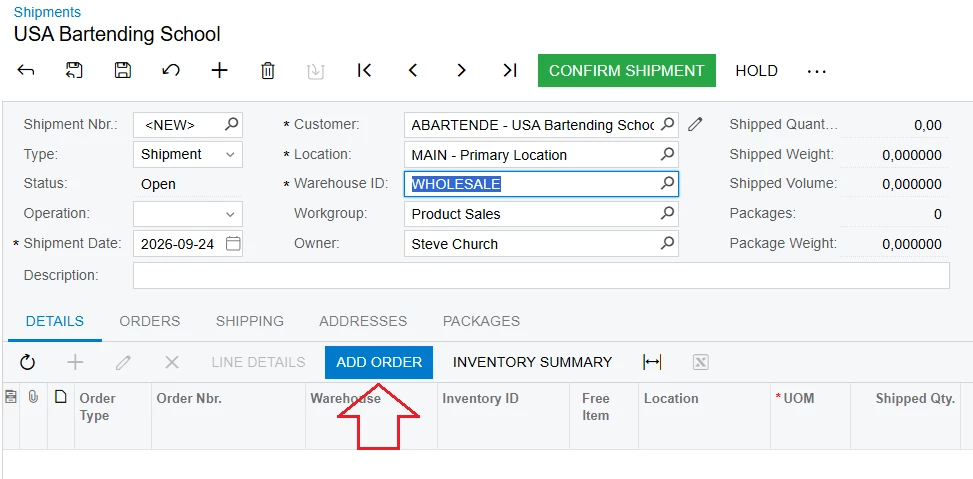
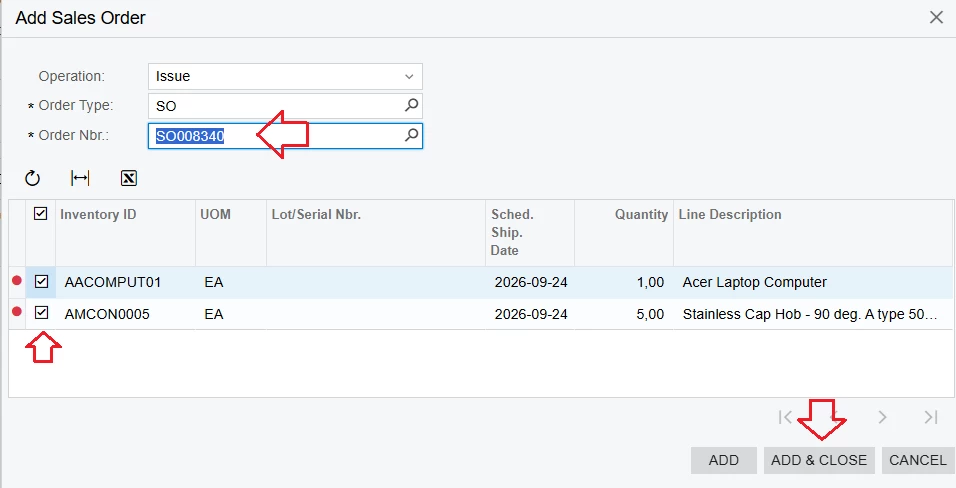
Step 2: Create a Shipment => Click "ADD ORDER".


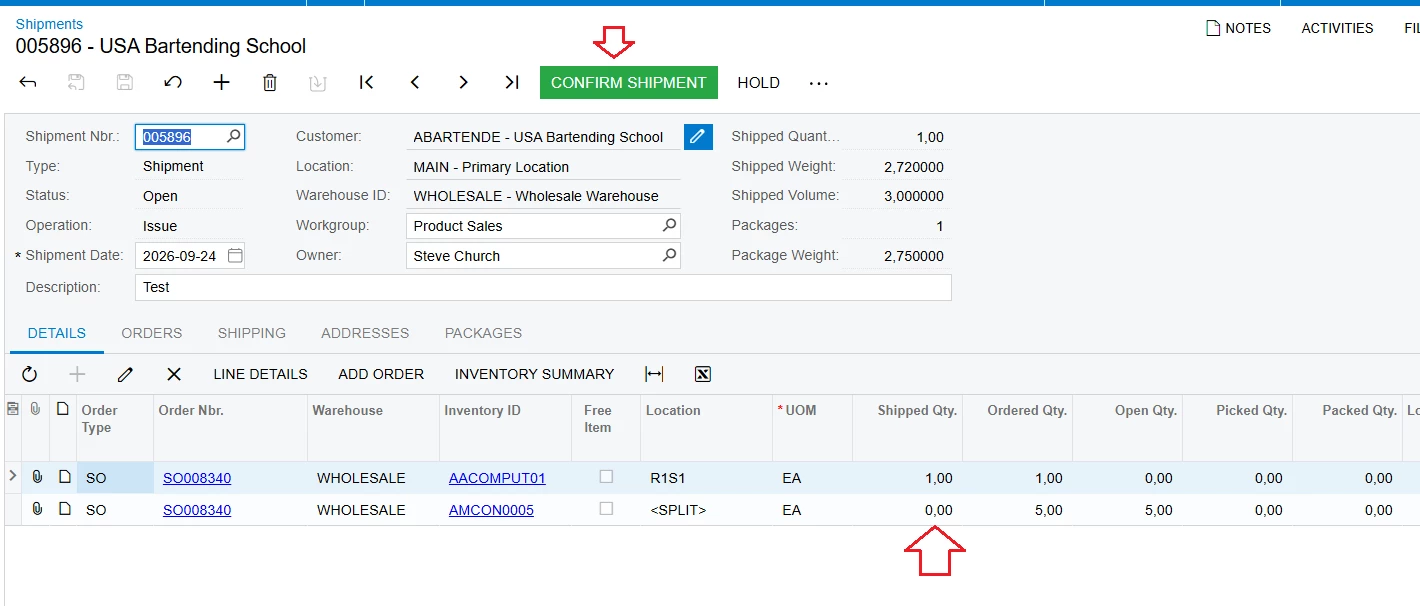
Click "Confirm Shipment."


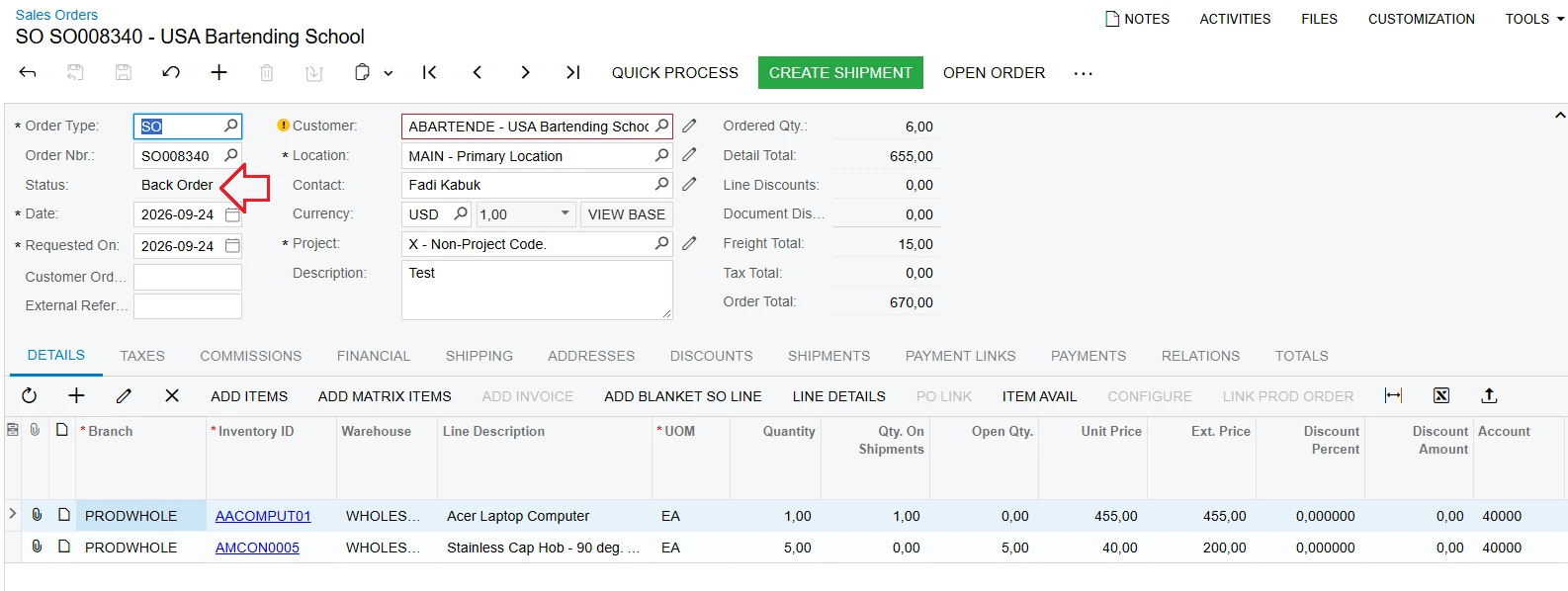
Step 3: Return to the SO screen => The status will appear as "Back Order".


Best Regards,

NNT


mohammadnawaz51
Varsity I
Forum|alt.badge.img+7

@Avishka Check if the below check box is enabled.

Create Zero Shipments

A check box that indicates (if selected) that a shipment can be created even if there are no available items for any lines.We do not recommend selecting this check box if in your organization, shipments are generally created automatically by using the Process Orders (SO501000) form.This check box is available only if the

Inventory

feature is enabled on the Enable/Disable Features (CS100000) form.