Question

Sending photos to customers

  • June 3, 2026
  • 3 replies
  • 46 views

  We have started taking photos of the goods that get shipped from every order we send.  We use a tablet with the Acumatica app on it to take and upload the photos.  Is there an option or customization that can be done to send out the photos in batches much like invoices that we run at the end of the day and are all sent out as a batch?  We don’t want the photos to be sent to the same email address invoices get sent to.  We are really hoping that we could send all the photos as batches to the email addresses we  send the sales order confirmations to.  Is this something that is possible or just wishful thinking?  

3 replies

Samvel Petrosov
Jr Varsity III
Forum|alt.badge.img+9

Are these photos getting attached to the shipment or invoice?

These sounds like a customization. I don’t recall any out of the box functionality that can do this.

The closest will be to configure a business event that will generate email notifications and try to attach/embed these images into that email notification. But I think there will be some challenges related to the file names as I assume the file names are not constant and will change.


valentynbeznosiuk
Jr Varsity I
Forum|alt.badge.img+4

Hi ​@Mbrand 

As far as I know, there is no out-of-the-box way to automatically pull all (or selected) attachments from a Shipment and include them in an email.

That said, this is fully achievable through customization, and the final approach would depend on your requirements. For example:

  • Include each attachment as a separate email attachment.

  • Combine all attachments into a single PDF and attach it to the email.

  • Apply filtering logic, or add a manual selection step to include only specific files.

A typical solution would involve a custom action (potentially available on the Process Shipments screen for automation purposes) that generates and sends an email based on an Email Template. The recipient could be pulled from the Customer profile, Shipment, Sales Order owner, or any other relevant source.

From a technical perspective, there are very few limitations. The solution can be tailored to almost any workflow, with the main considerations being implementation effort and business justification.


  • Freshman I
  • June 3, 2026

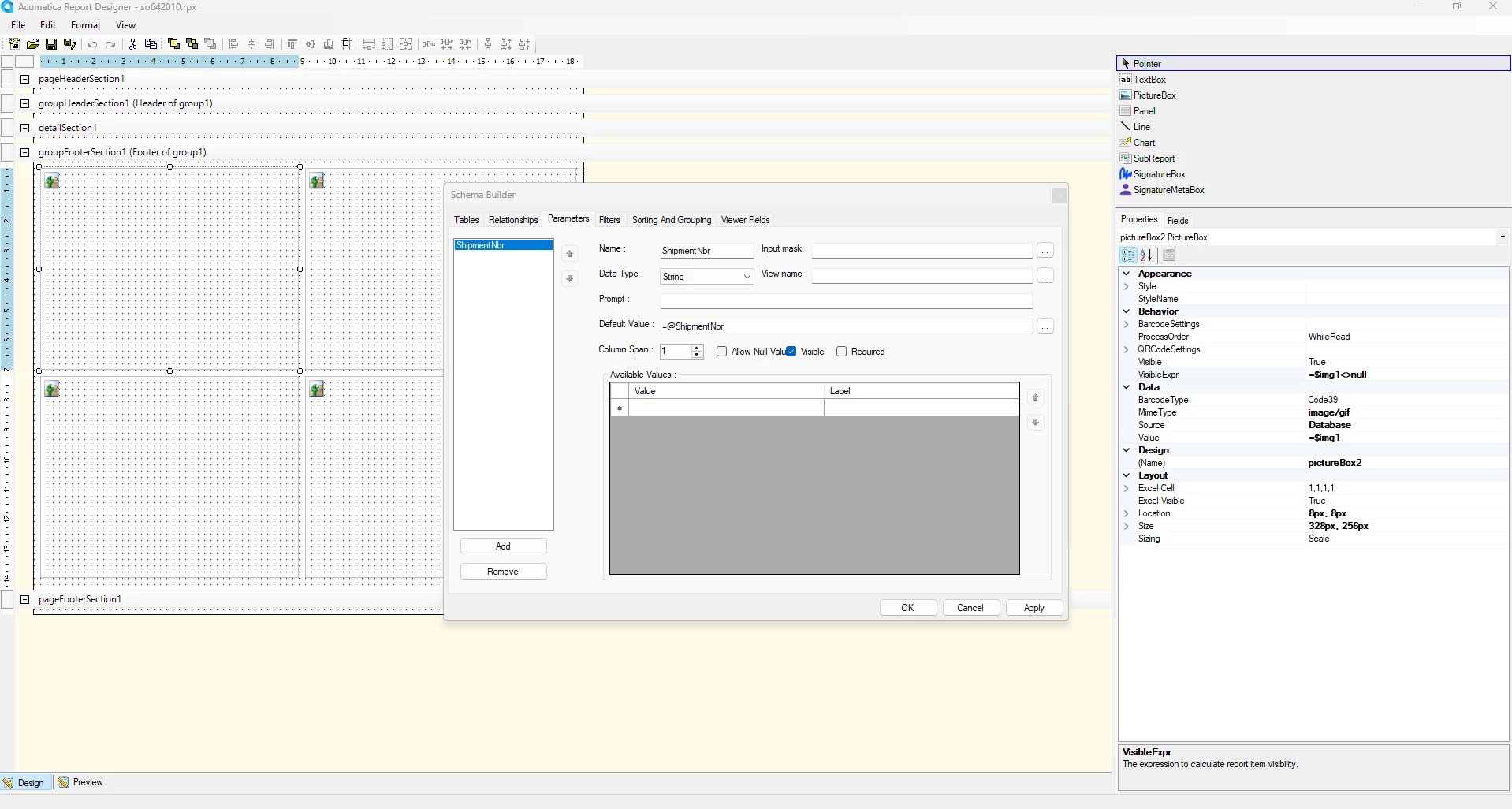
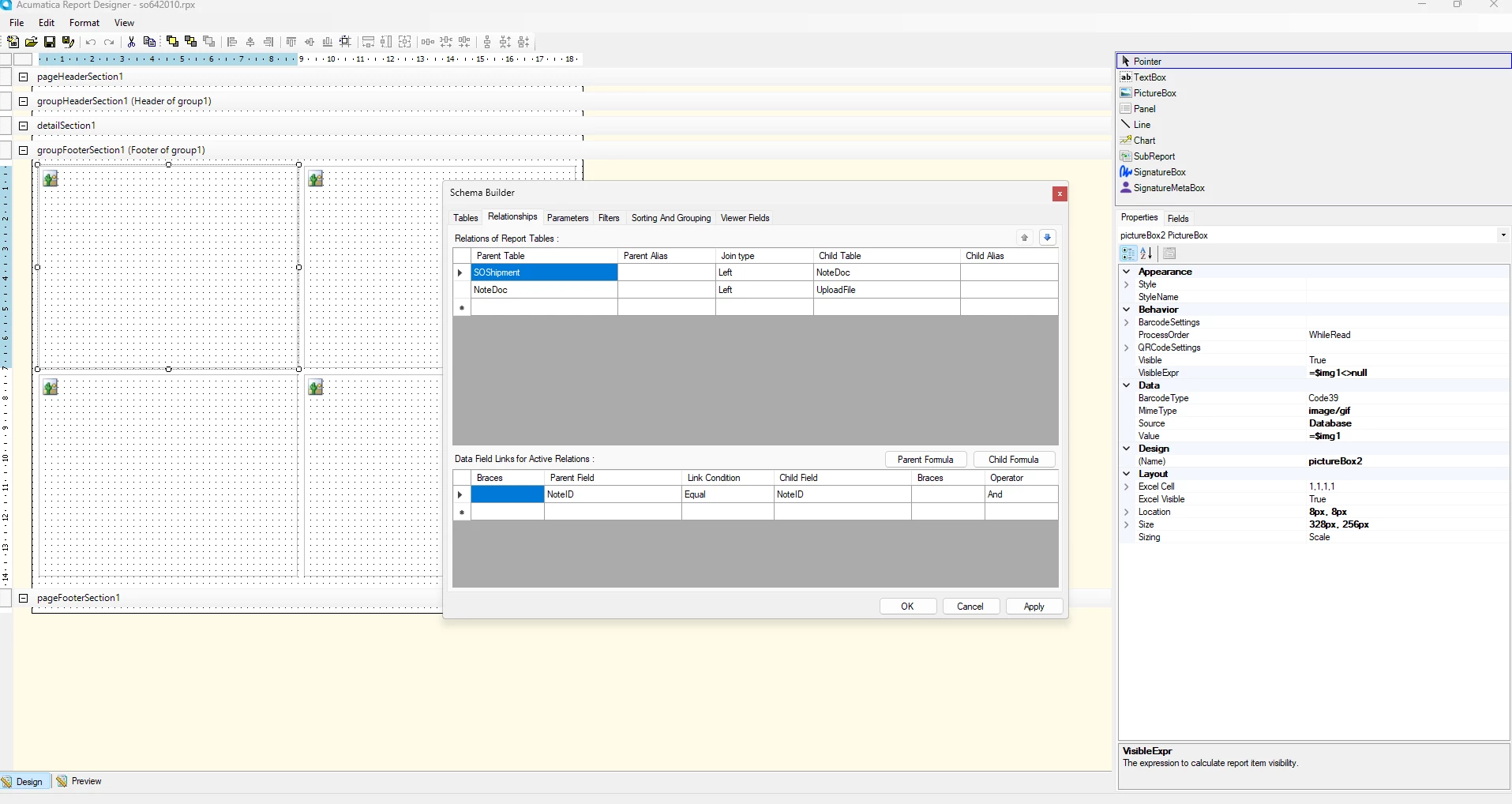
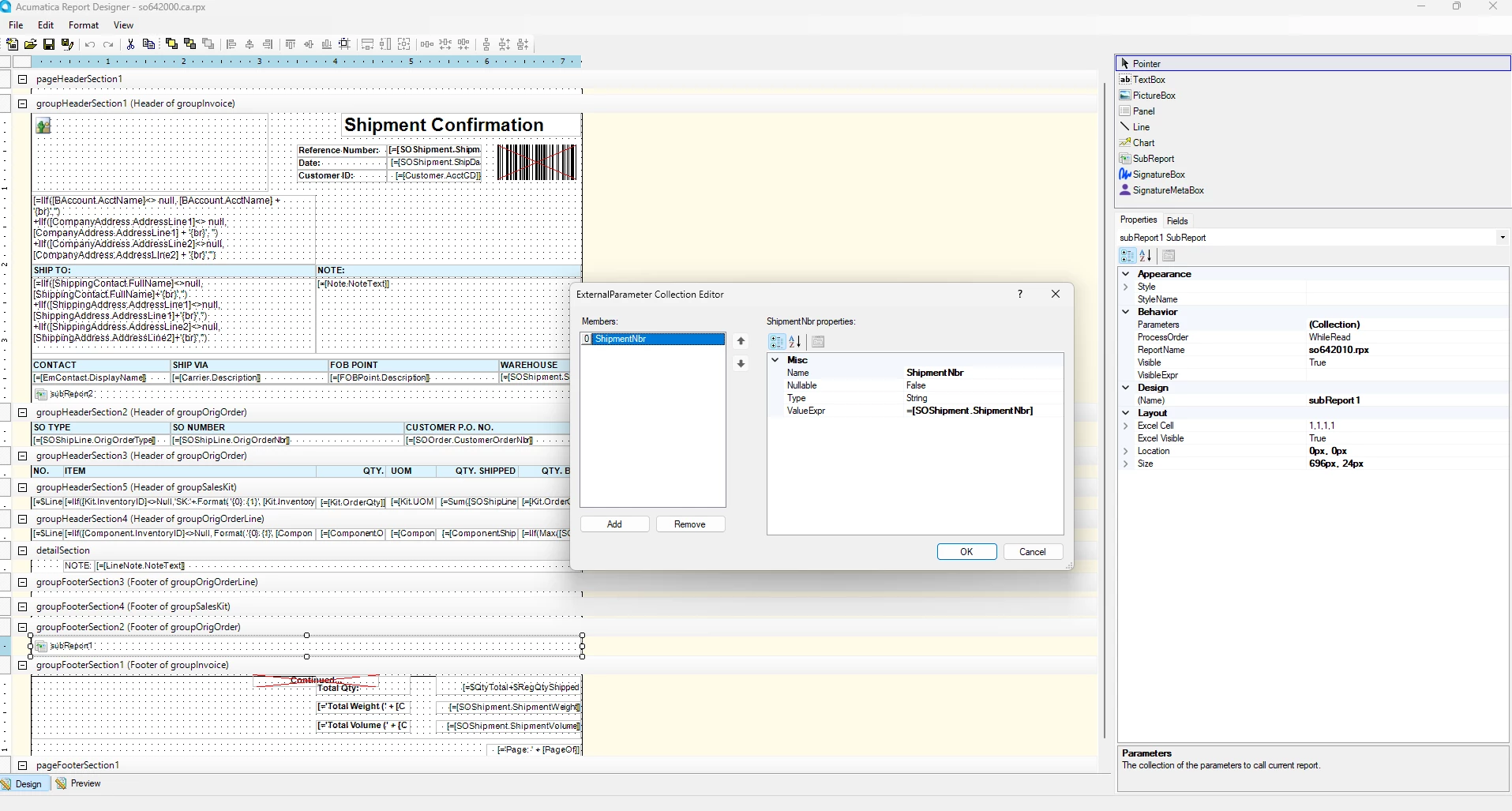
We have accomplished that by adding photos to the Shipment Confirmation that is sent to the customer. 

In the shipment screen the photos are added to files and from there a SubReport pulls them and place in the report/pdf.