Answer

Scheduled Automation Not Triggering

  • February 12, 2025
  • 10 replies
  • 545 views

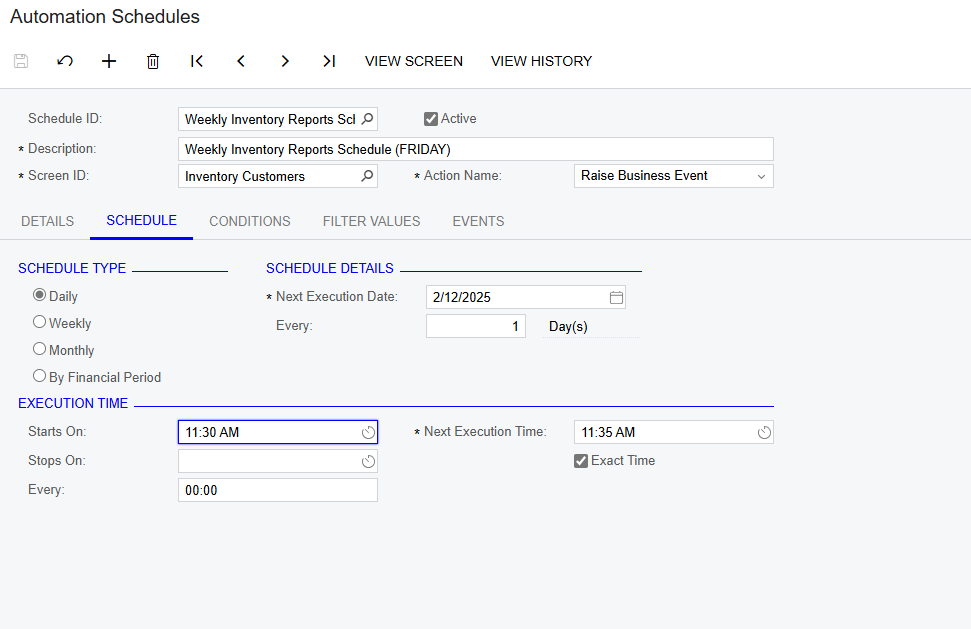
I am running into this problem, and I can’t seem to find a clear answer online anywhere. I am trying to set up an automation that will trigger a business event to send an email once a week to our customers. However, I can’t get the actual scheduled automation to trigger in order to even test that the business event and email are working the way I want them to. I’ll attach a couple screenshots of how the automation is set up:
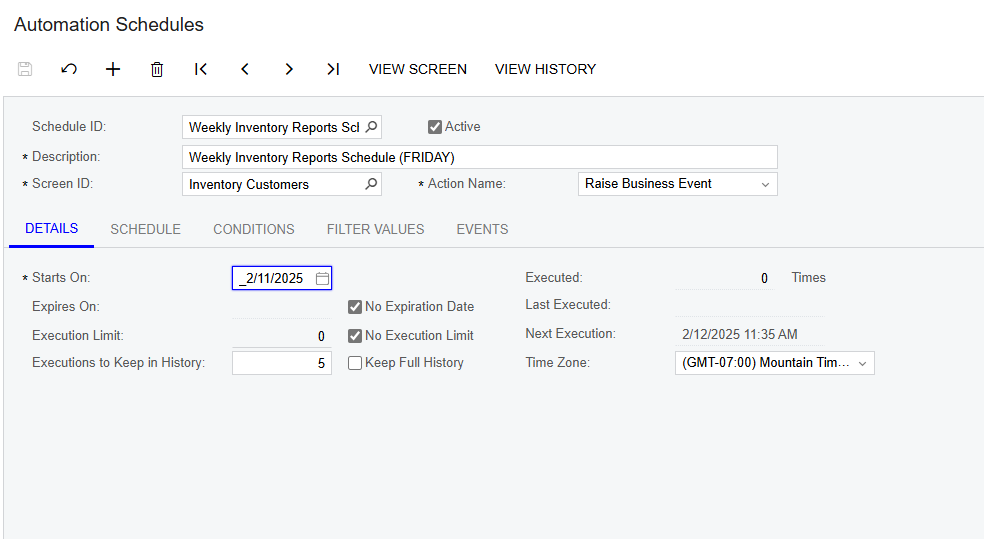
Details Screen
Schedule screen

Conditions and filter values are both blank
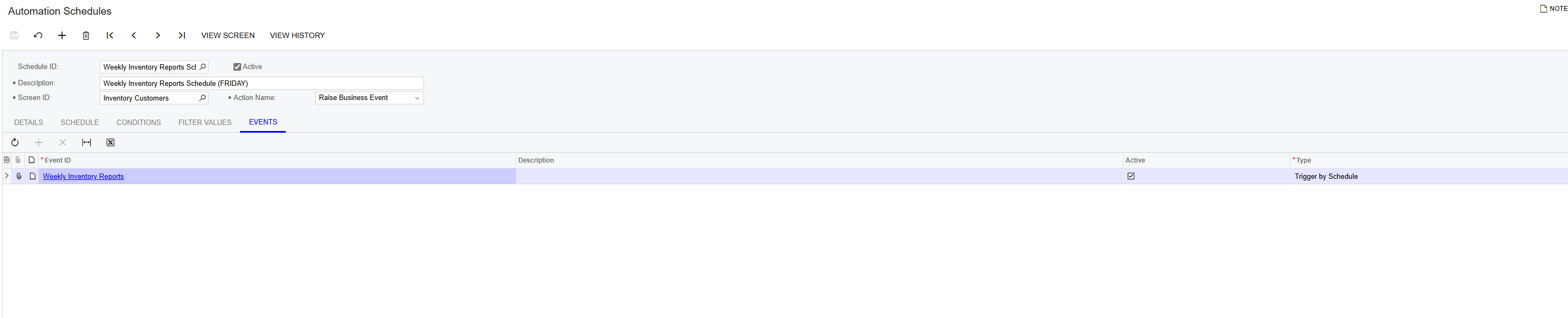
Events tab
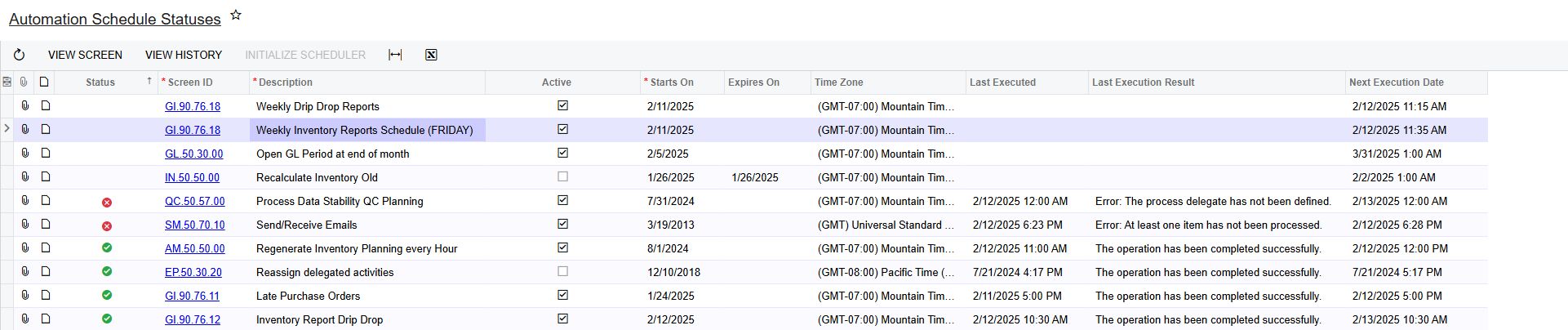
Automation Schedule Statuses Page

And here is the Schedule Statuses page which also shows my automation as not having the green checkmark next to it.


Thank you in advance for any help and please let me know if there’s any additional information I can provide.


Best answer by ranjithduraisamy72

@Patryk Please check the Automation Schedule status Screen and Initialize scheduler. If this doesn't works then try Restart application from the apply update screen. I faced the same problem and restart application helped me to get this issue fixed.

10 replies

hkabiri
Acumatica Moderator
Forum|alt.badge.img+8
  • Acumatica Support Team
  • February 13, 2025

@Brockchapman Check if uncheck Exact Time helps as this field makes sure the automation only triggers at designated time and if that time is passed it may not trigger. Sometimes uncheck active, save and check it again may help. I also can recommend Reset Caches on Apply Updates. if previous tips did not help.


  • Freshman I
  • February 21, 2025

Experiencing the same problem after upgrading to 24R2 (build 208). Our historically created automation schedules created prior to the upgrade continue to execute. Newly created automation schedules do not trigger.


Attempted to check/clear exact time, de-activate/re-activate, deleted the BE and started fresh, etc. I also verified that the admin profile can view the related GIs and screens just in case it was a security issue and confirmed everything is visible.


Forum|alt.badge.img+12
  • Acumatica Support Team
  • February 24, 2025

Hi ​@Patryk 

Please share the GI’s of the new Business events that are not working. You may start a separate thread to review. Ensure the GI’s does not have grouping, aggregate functions used. 

Regards,


Forum|alt.badge.img+2

@Patryk Please check the Automation Schedule status Screen and Initialize scheduler. If this doesn't works then try Restart application from the apply update screen. I faced the same problem and restart application helped me to get this issue fixed.


Forum|alt.badge.img
  • Jr Varsity II
  • April 14, 2025

Restarting the application did not work for me. Changing the next execution time and deactivating/reactivating helped.


astormo40
Freshman II
  • Freshman II
  • July 29, 2025

We ran into this issue with a client. The root cause was that they had a second processing node (second URL) and the Initialize Scheduler action needed to be completed in both in order for automation processes to run. 


jo70
Freshman II
Forum|alt.badge.img
  • Freshman II
  • October 17, 2025

Our customer recently got an upgrade to 2025 R1, as well as switching their URL domain - after the upgrade which went great, one of the Automation Schedules which runs every 5 minutes to send email stopped working. We have created a new one, we have restarted applications & reset caches but it is still not working. It doesn’t seem to keep the ‘Next Execution Date’ updated and there is no history occurring. Any other suggestions would be greatly appreciated. :)


Forum|alt.badge.img+2

@jo70 are you still facing the issue? Did you Tried Initialize scheduler.


jo70
Freshman II
Forum|alt.badge.img
  • Freshman II
  • October 23, 2025

@ranjithduraisamy72 - thanks for the follow up. Yes the Automation Schedules screen (SM205030) and clicking on Initialize Scheduler action - did the trick! Thanks again.


Forum|alt.badge.img+2

@jo70 Did that trick worked or you still facing the issue.