We are looking at changing our warehouse location naming convention. Is it possible to rename current locations in bulk? Or will we need to transfer products to new locations?
The former would be preferable so we don’t have thousands of unusable locations stored in the warehouse in Acumatica.
Best answer by DConcannon
@mikeho It is possible to rename warehouse locations directly in the Warehouse screen. You can also update location names in bulk with an import scenario. LocationCD is displayed in the warehouse screen and is editable. In the import scenario, you will designate the line you want to modify by its existing LocationCD and then update LocationCD with the new location name. There are many community posts on how to updated existing lines in a grid.
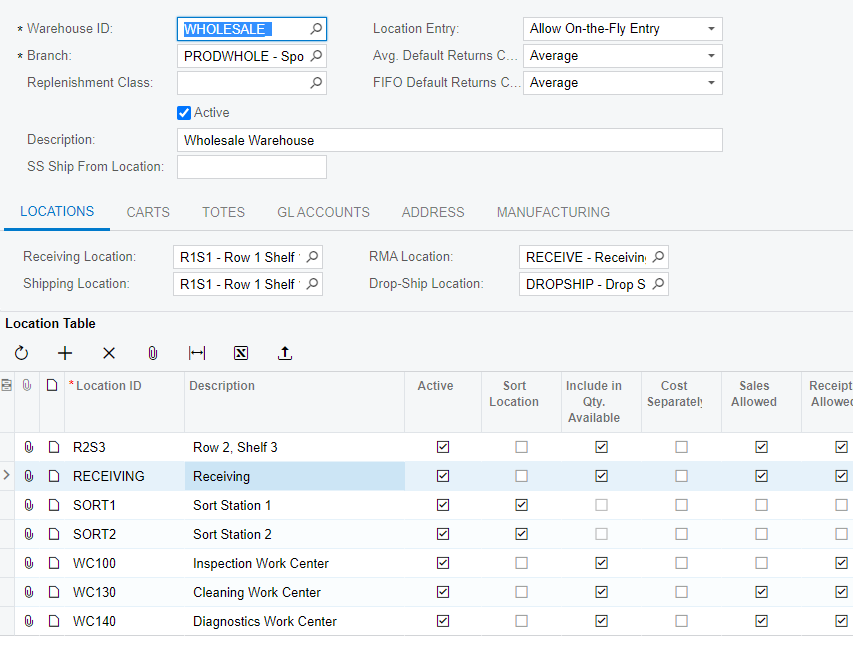
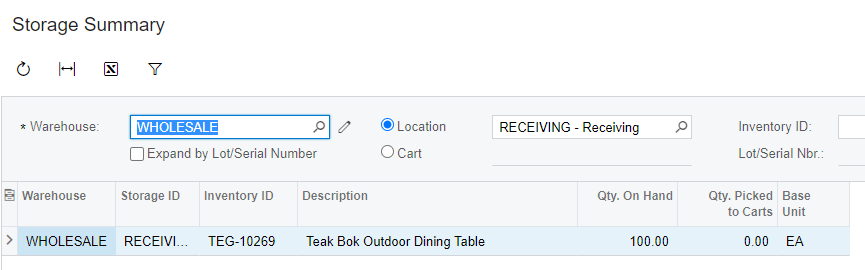
I tried it out in the demo data and it looks like you can change the Location ID in the following manner and it does not require doing transfers of products. I think it might need to be done in the user interface for it to work properly but here’s what worked for me. I chose a Location ID from the WHOLESALE warehouse called RECEIVING which has an item with quantity stored there.
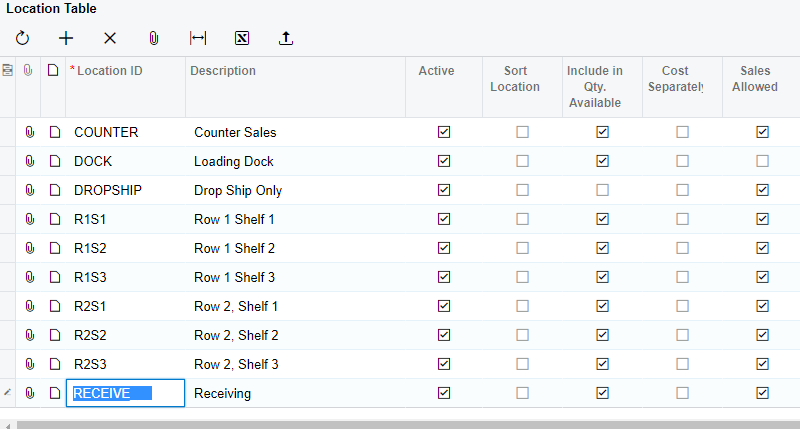
Next, I changed the Location ID right in the Location Table grid from RECEIVING to RECEIVE.
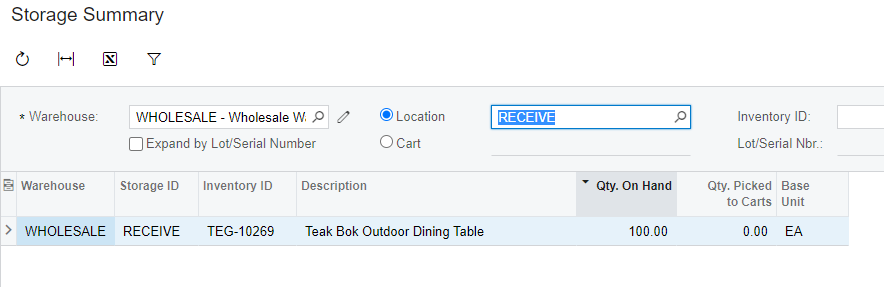
After that, I went back to the Storage Summary to confirm that it has reflected the same Qty on Hand at the renamed Location ID.
@mikeho It is possible to rename warehouse locations directly in the Warehouse screen. You can also update location names in bulk with an import scenario. LocationCD is displayed in the warehouse screen and is editable. In the import scenario, you will designate the line you want to modify by its existing LocationCD and then update LocationCD with the new location name. There are many community posts on how to updated existing lines in a grid.