Answer

Passing Reference Number to UPS via Shipping Integration

  • July 18, 2025
  • 7 replies
  • 128 views

kevinpopeck
Jr Varsity III
Forum|alt.badge.img

Does anyone know if it’s possible to pass a reference number from Acumatica to UPS? I’m looking to pass an order number or some other field that can handle free text to UPS “Reference 1” and “Reference 2” fields so that it prints on the label.

I’d be open to using any integration option (ShipEngine, EasyPost, and standard Acumatica Shipping integration) as long as I can pass a reference number.


Best answer by Jeff96

You can pass that through Custom Ref 1 and 2 on the packages tab in a shipment.


7 replies

Jeff96
Captain II
Forum|alt.badge.img+4
  • Captain II
  • Answer
  • July 18, 2025

You can pass that through Custom Ref 1 and 2 on the packages tab in a shipment.


kevinpopeck
Jr Varsity III
Forum|alt.badge.img
  • Author
  • Jr Varsity III
  • July 21, 2025

That’s exactly what I was looking for. Thank you so much ​@Jeff96 !


  • Freshman I
  • August 5, 2025

Is there a way to auto populate the Custom Reference Number 1 or 2 with the Sales Order Number or Customer Order Number?


Forum|alt.badge.img
  • Captain I
  • August 5, 2025

Hi ​@darin42,

That will need to be done via Customization Project. That is not something that can be pulled in via configuration. 


Forum|alt.badge.img
  • Jr Varsity III
  • September 9, 2025

@rkenna ,


Do you have the customization code for this? or willing to help to do the customization?


Forum|alt.badge.img
  • Captain I
  • September 17, 2025

Hi ​@Dawood and ​@darin42

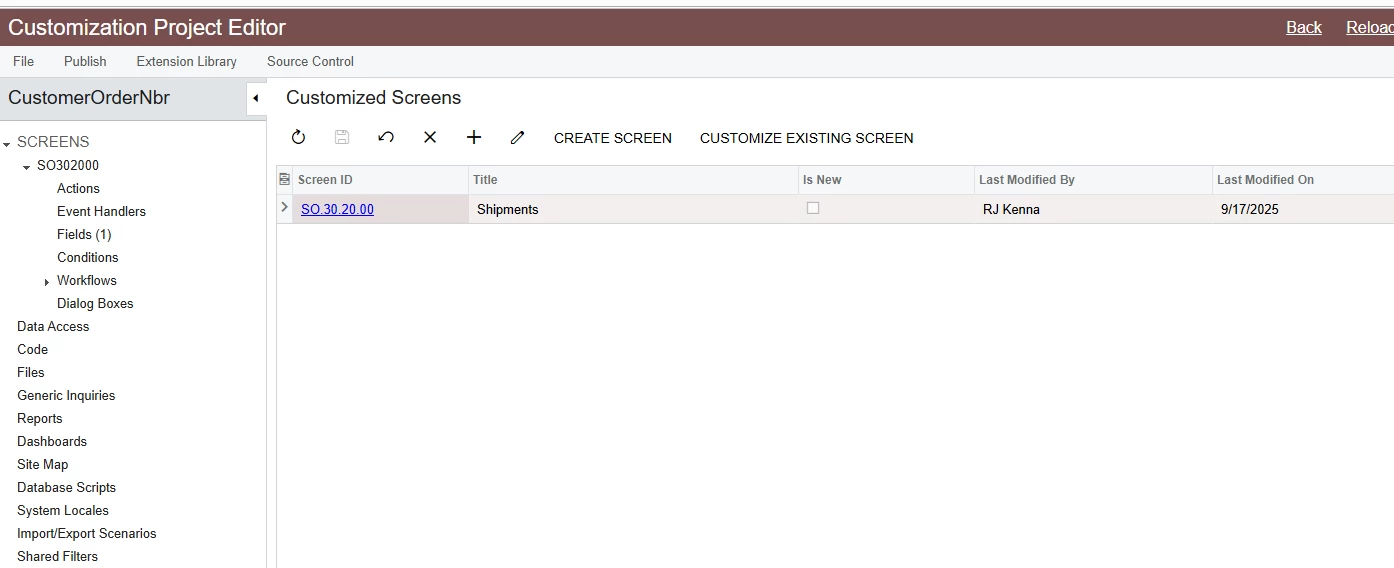
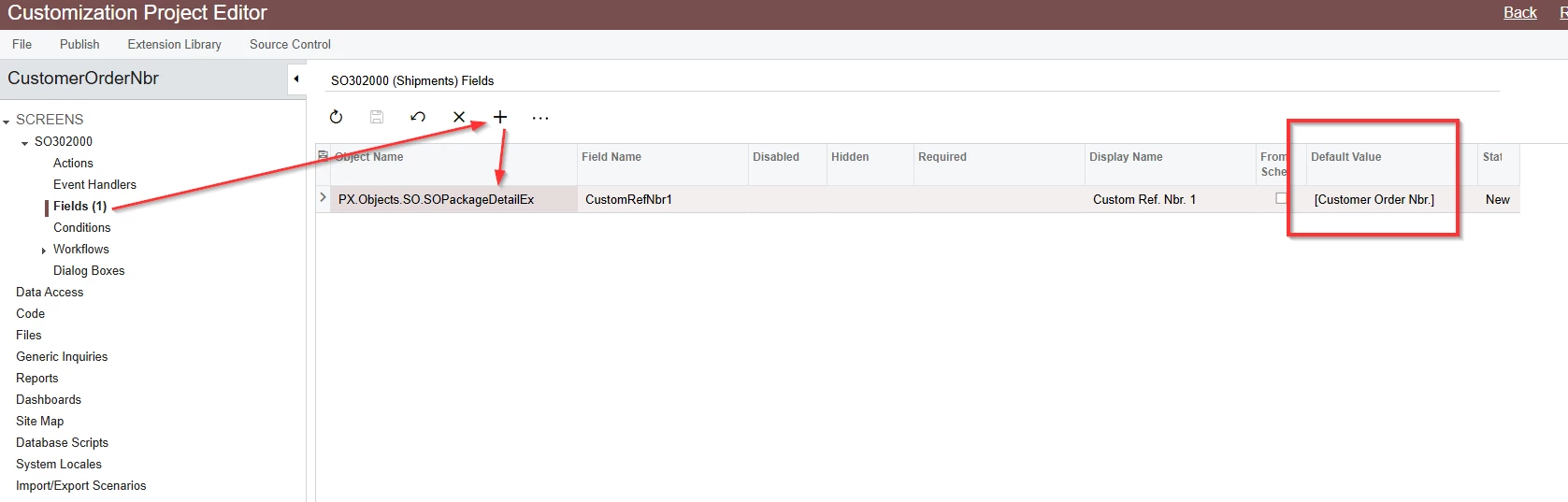
Simply add the Shipments screen in a Customization Project

> Add a Field for the CustomRefNbr1>  Add the default Value

Not sure if this will work for you with different versions, but here you go to try this project.


Forum|alt.badge.img
  • Captain I
  • September 22, 2025

Hi ​@darin42 and ​@Dawood,


Did the above response help resolve your issue?

Thanks,
RJ