Solved

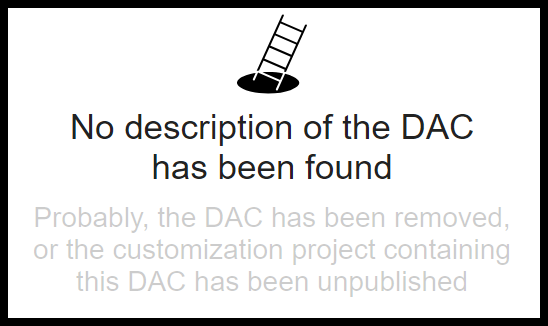
No description of the DAC has been found

  • November 20, 2024
  • 8 replies
  • 212 views

Forum|alt.badge.img+5

I have not experienced this before.  I am logged in as ADMIN with customizer etc. roles.

I cannot get anything to come up in the DAC browser.

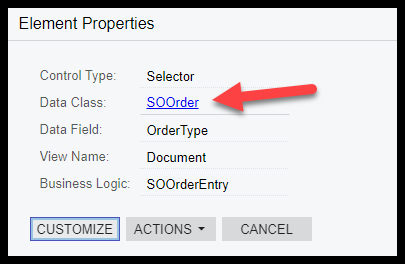
This is just an example.  I cannot open any DAC.

Click here:
 

Best answer by ltussing03

This was the resolution:

“This issue is typically resolved by either a Reset Caches or Restart Site (from the Apply Updates screen). These should be done outside of business hours to avoid any impact on active users in the system.”

8 replies

Forum|alt.badge.img+5
  • Author
  • Captain II
  • November 20, 2024

It didn’t collect all of my images:


Chris Hackett
Community Manager
Forum|alt.badge.img
  • Acumatica Community Manager
  • January 23, 2025

Hi ​@ltussing03 were you able to find a solution? Thank you!


Forum|alt.badge.img+5
  • Author
  • Captain II
  • Answer
  • January 23, 2025

This was the resolution:

“This issue is typically resolved by either a Reset Caches or Restart Site (from the Apply Updates screen). These should be done outside of business hours to avoid any impact on active users in the system.”


Forum|alt.badge.img
  • Freshman II
  • June 17, 2026

But what causes this?  I hadn’t seen it before until we upgraded to 26r1 last week.  It was hit or miss for a while until it just stopped working for any DACs or Searches.


Forum|alt.badge.img+5
  • Author
  • Captain II
  • June 17, 2026

I see it typically when there are customizations involved.  Generally, goes away and stays away after customs aren’t being published anymore.


MShields61
Jr Varsity III
Forum|alt.badge.img
  • Jr Varsity III
  • June 17, 2026

I am having the same issue on a 25R2 site, discovered today. There have not been any recent upgrades or publications since patch was applied on 6/10.


WillH
Semi-Pro II
Forum|alt.badge.img+4
  • Semi-Pro II
  • June 17, 2026

@MShields61 
Based on ​@ltussing03 ‘s comment above, I’d be auditing the Customization code to make sure there’s nothing strange in DAC declarations.

But I’m not currently using 26r1 so the above is a place to start rather than something I know works.


MShields61
Jr Varsity III
Forum|alt.badge.img
  • Jr Varsity III
  • June 17, 2026

Im using 25R2. Customizations review was the next step however -  I checked System monitor and there was a site restart last night, that was not scheduled or planned that also appeared to cause some other errors.  This is a client site, I was in today doing some  work for them and stumbled accross the DAC issue.

I restarted the site and reset caches, it took about 10 minutes for the DACS to show up but they are there now and the site is performing better than it was earlier.