

I came across an interesting issue in the Modern UI today that I thought would be worth sharing with the community.
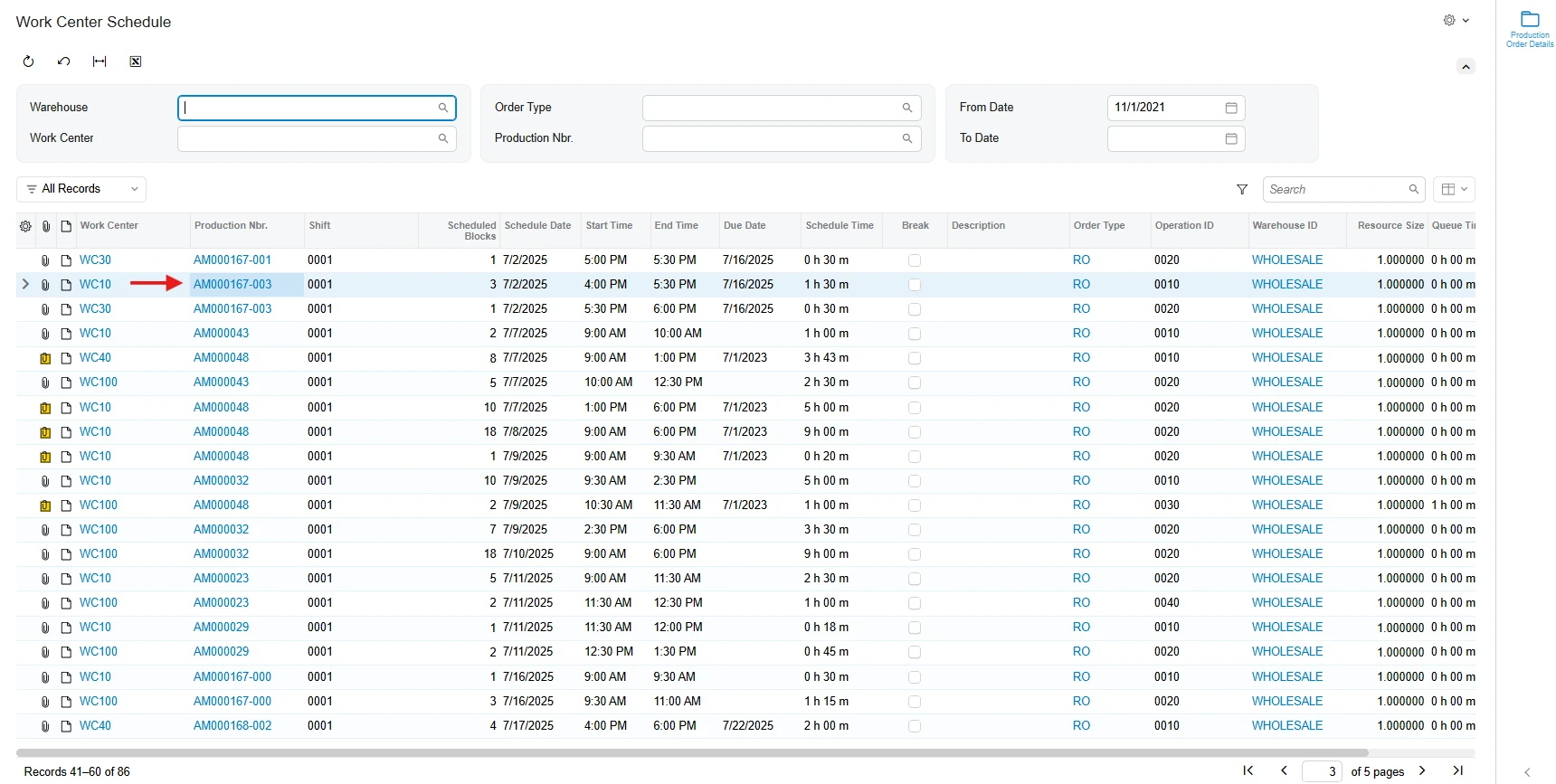
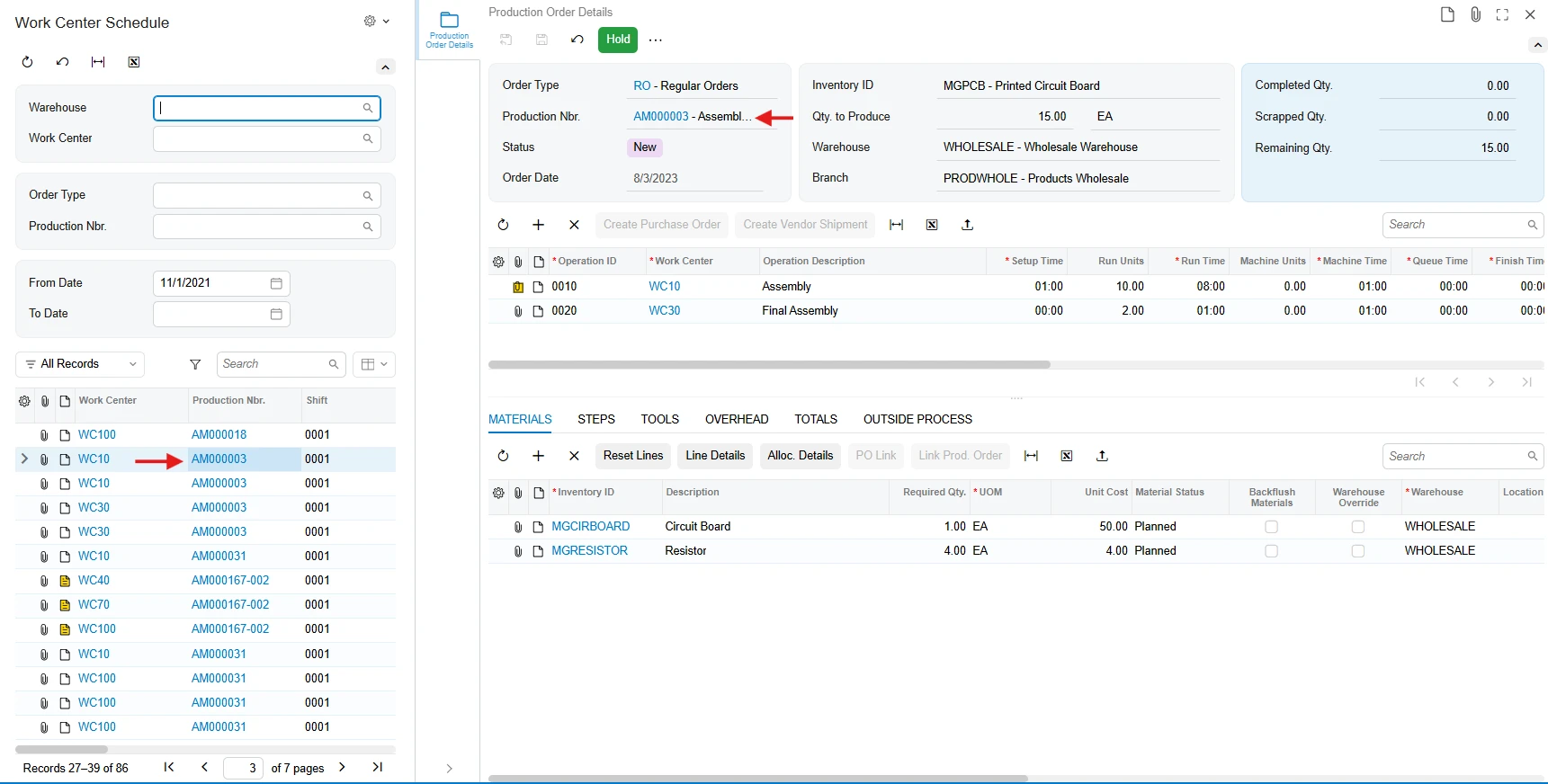
When running a Generic Inquiry with parameters arranged in multiple columns, opening the side panel can cause the grid to lose its current selection and select a different record instead.
How to reproduce:
- Run a Generic Inquiry with multiple pages of results and parameters arranged in more than one column.
- Navigate to the 2nd or 3rd page.
- Select a record from the top few rows.
- Open the side panel.
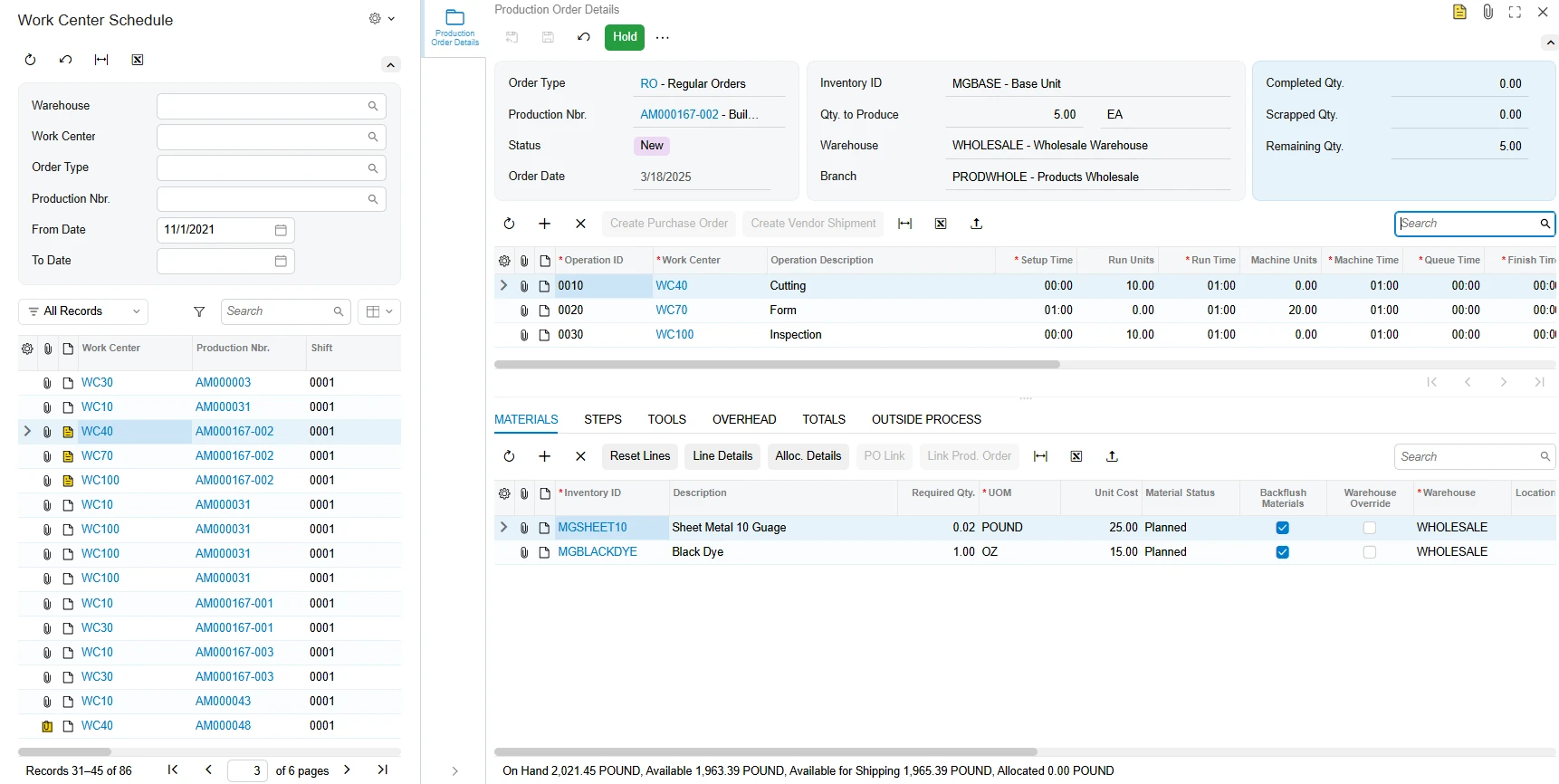
You would expect the side panel to display details for the selected record. However, the grid selection changes to a different record, while the side panel may still display the originally selected record.
It appears that when the side panel opens, Modern UI adjusts the parameter layout to accommodate the available space. This causes the grid to realign, and the selected row can shift to a different record.
Workaround:
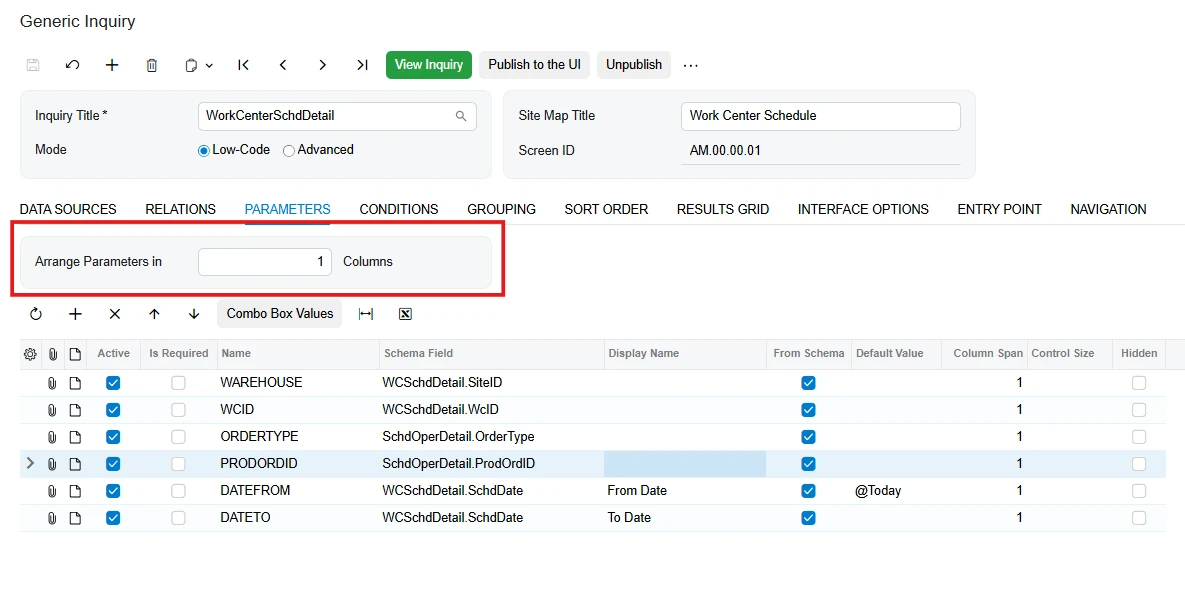
Arrange all GI parameters in a single column. This prevents the parameter layout from adjusting when the side panel opens, and the grid selection appears to remain consistent.
Has anyone else experienced this behavior? Is there a better workaround, or is this something that needs to be addressed in Modern UI?
Screenshots for reference