Linkcommand for location column in Orders tab on CR303000 (business account)

  • Jan 28, 2021 3:10 PM UTC
  • 5 replies
  • 550 views
  • Translate All

Forum|alt.badge.img

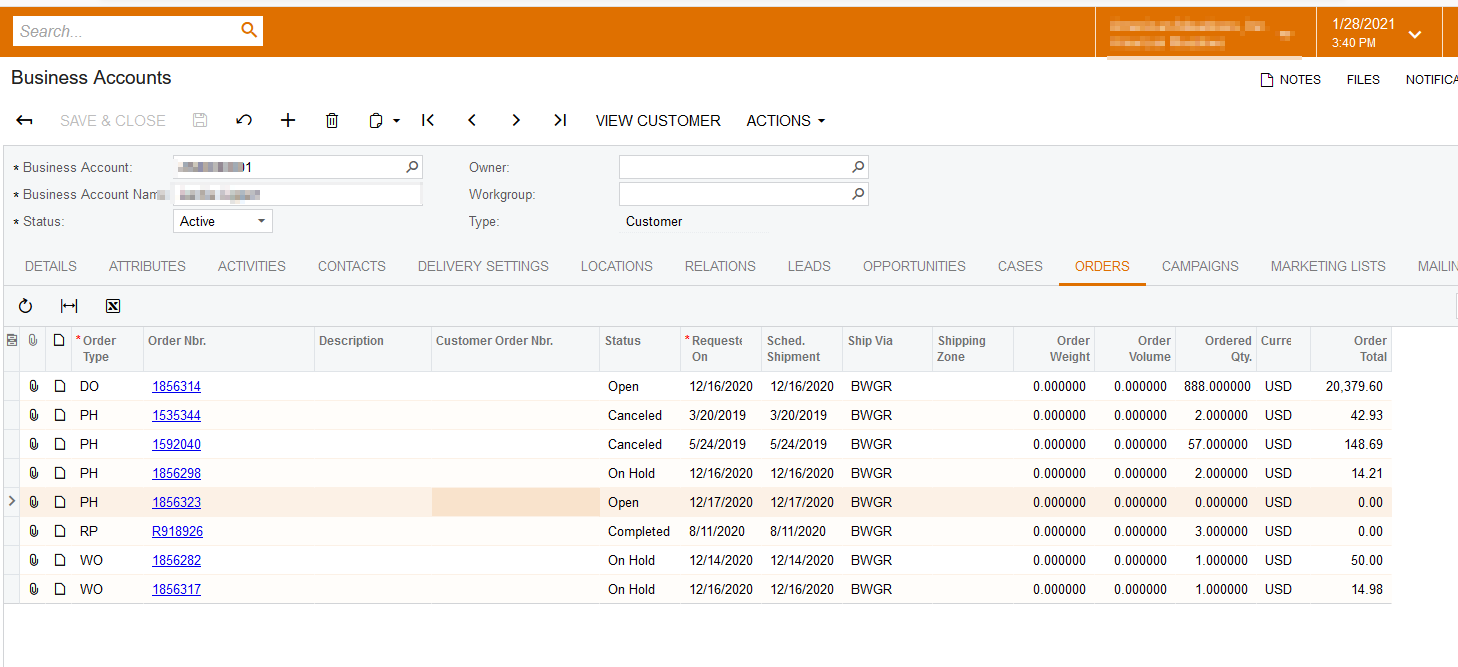
When clicking on the locationID in Orders grid on screen CR303000, system redirect to location screen, but not loading correct customer location.

5 replies

Naveen Boga
Captain II
Forum|alt.badge.img+20
  • Captain II
  • Jan 28, 2021 3:42 PM UTC

@woodyg84 

I don’t see any “Location ID” field under the “Orders” tab grid in Business Accounts screen. Is that Location ID field customized field ?


Translate

Forum|alt.badge.img
  • Author
  • Jr Varsity III
  • Jan 28, 2021 4:05 PM UTC

It is possible that those 2 fields customized into Orders grid. But why linkcommand is not working like LocationS grid?

Translate

Naveen Boga
Captain II
Forum|alt.badge.img+20
  • Captain II
  • Jan 28, 2021 4:29 PM UTC

In the Locations tab, when I click on “Location ID” it is redirecting to the “Customer Locations” screen, but I didn’t find any “Location ID” field under “Orders” tab.  Attached screenshot in above comment for your reference.

Translate

Forum|alt.badge.img
  • Author
  • Jr Varsity III
  • Jan 28, 2021 5:05 PM UTC

Thanks a lot, Naveen.

I see the differences now. LocationID in the locations tab is using locationCD datafield, locationID in orders tab is added through customization project and using customerlocationID datafield from orders view. Both are using locations_viewdetails command to redirect to customer locations screen. 

Where can I find the code for locations_viewdetails?

Translate

Naveen Boga
Captain II
Forum|alt.badge.img+20
  • Captain II
  • Jan 29, 2021 5:06 AM UTC

@woodyg84 

Below is the sample example to add “Link Command” to the grid field.

https://stackoverflow.com/questions/26387291/how-to-create-a-hyperlink-user-field

Hope this helps!!

Translate