Answer

How to tree structure for selector field in acumatica

  • September 23, 2022
  • 5 replies
  • 288 views

Forum|alt.badge.img

Hi Team,

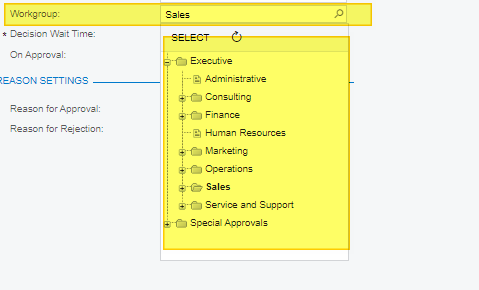
Maya i know how to create “Tree structure “ for a customized selector field in acumatica. Please help me on this.

Sample like this:
 

Regards,

Ramya

Best answer by Naveen Boga

Hi @ramya15  Hope this link helps you.

https://www.acumatica.com/blog/a-tree-with-a-view/


5 replies

Manikanta Dhulipudi
Captain II
Forum|alt.badge.img+15

Hi @ramya15 

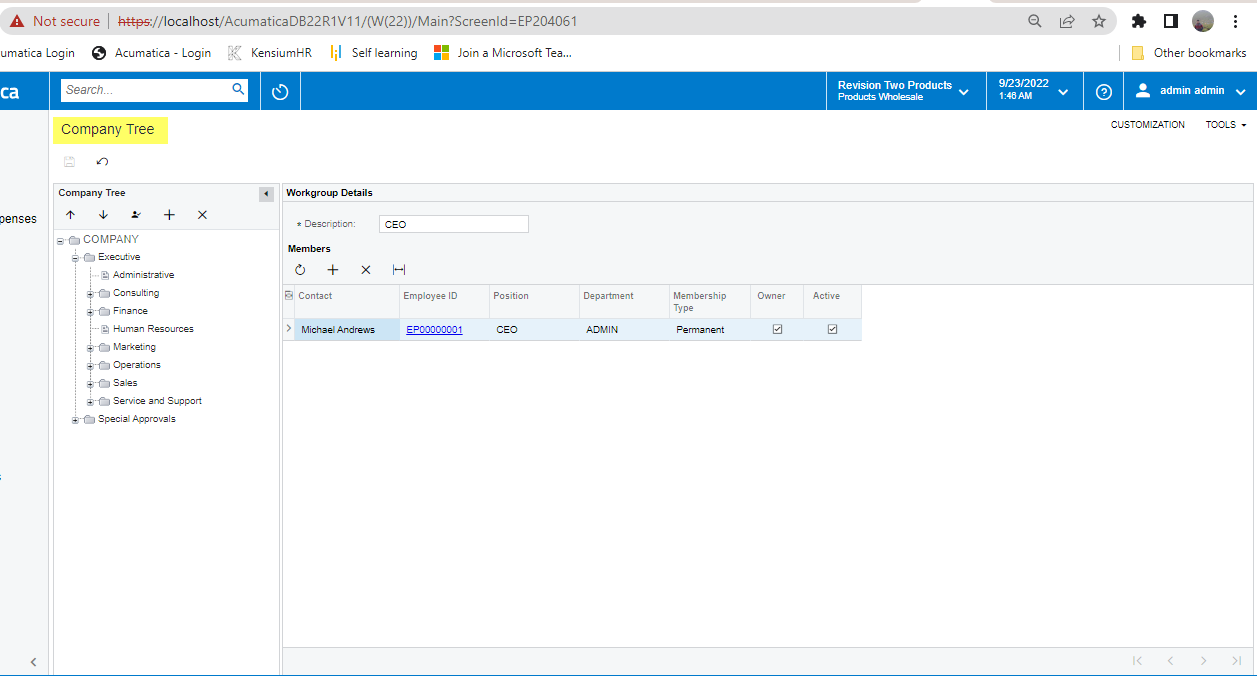
Company tree can be created in below highlighted screen


Forum|alt.badge.img
  • Author
  • Jr Varsity III
  • September 23, 2022

Hi @manikantad18 ,

I already created a customized screen with tree structure for my new selector field.

But this field is showing as normal selector field instead of Tree structure. Do i need to create any Attributes?

Because when i check the Wrokgroup selector field it is using the attribute called”[PXCompanyTreeSelector]”.


Could you please how can achieve this.


Regards,

Ramya


Manikanta Dhulipudi
Captain II
Forum|alt.badge.img+15

Hi @manikantad18 ,

I already created a customized screen with tree structure for my new selector field.

But this field is showing as normal selector field instead of Tree structure. Do i need to create any Attributes?

Because when i check the Wrokgroup selector field it is using the attribute called”[PXCompanyTreeSelector]”.


Could you please how can achieve this.


Regards,

Ramya

Hi Ramya


Could you please share your company tree?

Thanks


Naveen Boga
Captain II
Forum|alt.badge.img+19
  • Captain II
  • Answer
  • September 24, 2022

Hi @ramya15  Hope this link helps you.

https://www.acumatica.com/blog/a-tree-with-a-view/


Forum|alt.badge.img
  • Author
  • Jr Varsity III
  • September 26, 2022

Hi @Naveen Boga ,

Thanks.. I will check on this.


Regards,

Ramya