For some reason, having the Customizer role is not enough to get you into editing a Customization Project (which does not seem intuitive). While it gives access to the Customization Project screen, it does not allow a User to actually go in and edit the Customization Project.
I don’t want to give the User the Admin role, but does anyone know what is needed to edit the Customization Projects themselves.
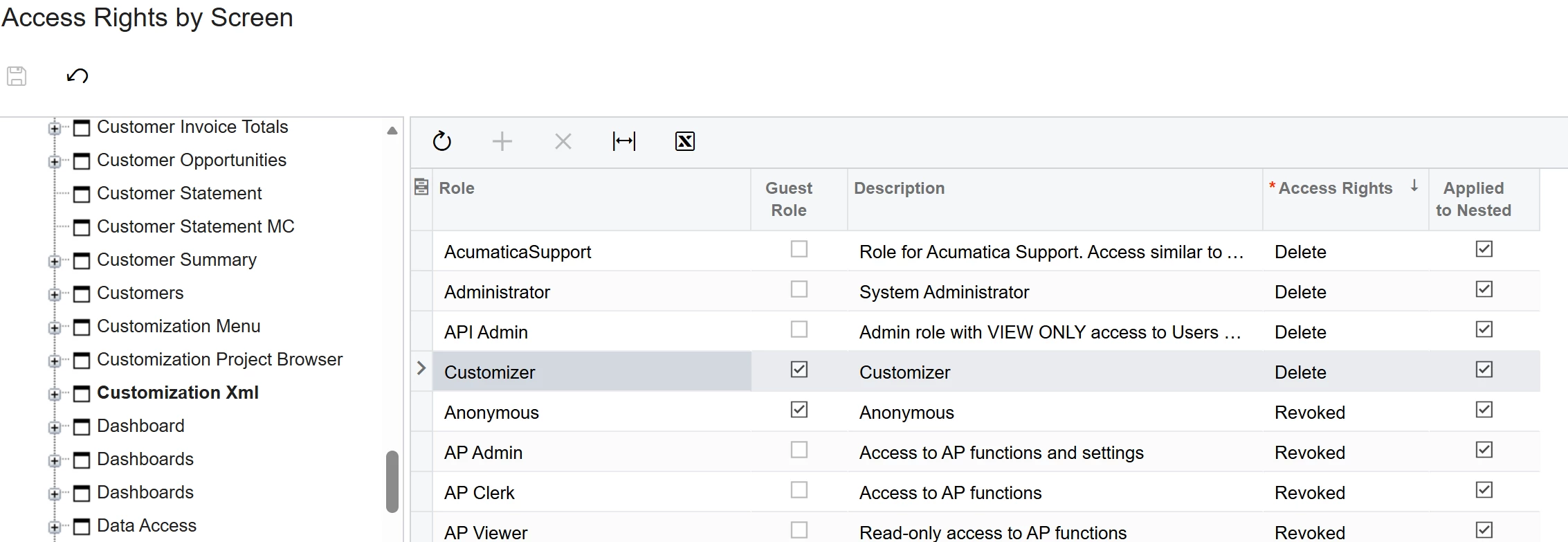
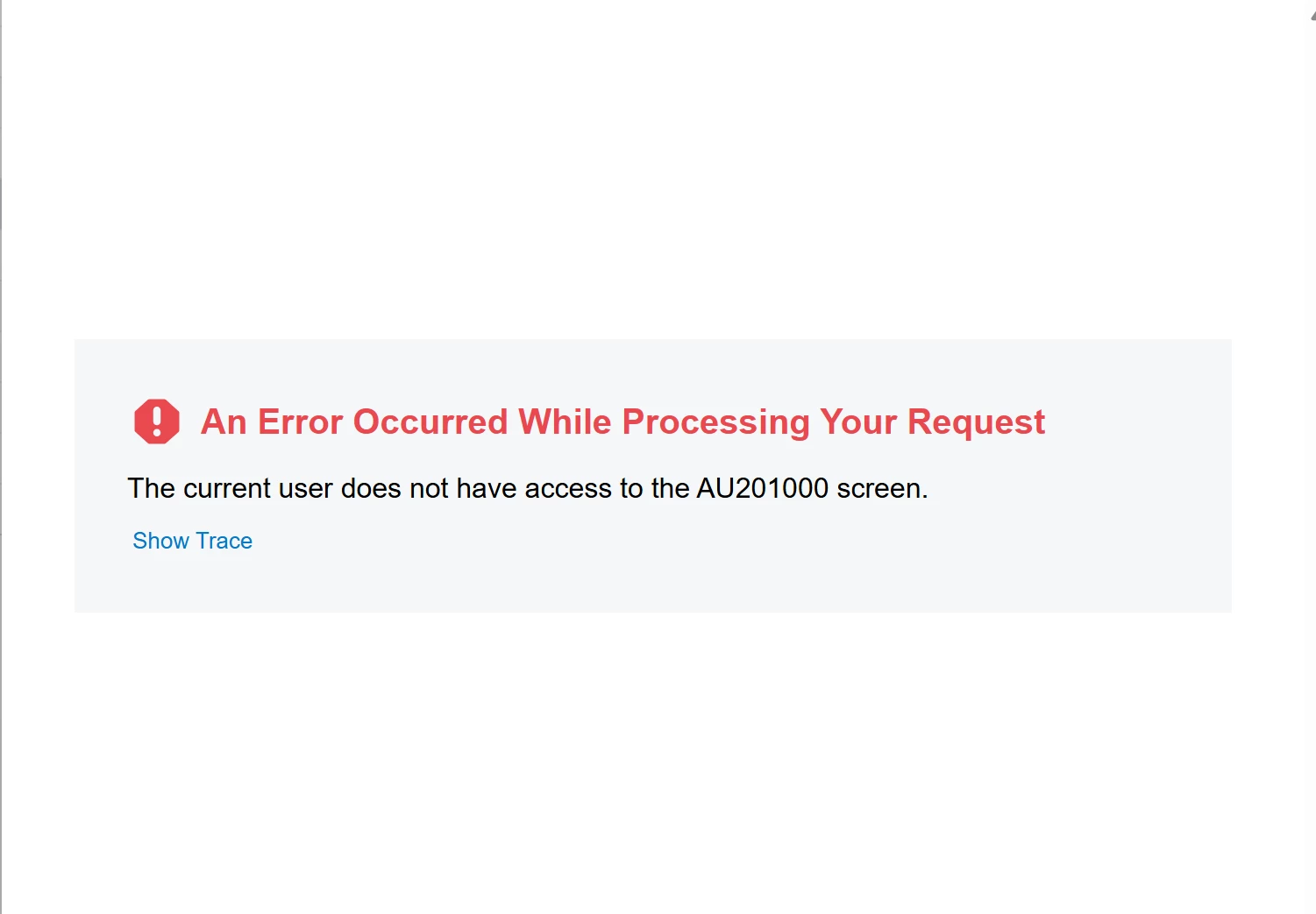
I tried giving Delete access doing under Hidden>Customization Xml, but it opens the project in a new tab, with an error.
Don’t think it should be this hard, but not sure what I am missing.
Cheers,
RJ
Best answer by rkenna
Thanks @DasunPerera91 and @Marat43 for your responses. I did a whole long investigation into this, and it brought me to confirming why Acumatica has it setup the way they do. I wanted to share with the community for future users who might be curious about this also.
The Customizer role gives access to the Customization Projects screen, but it throws an error when trying to click into a Customization Project to edit one.
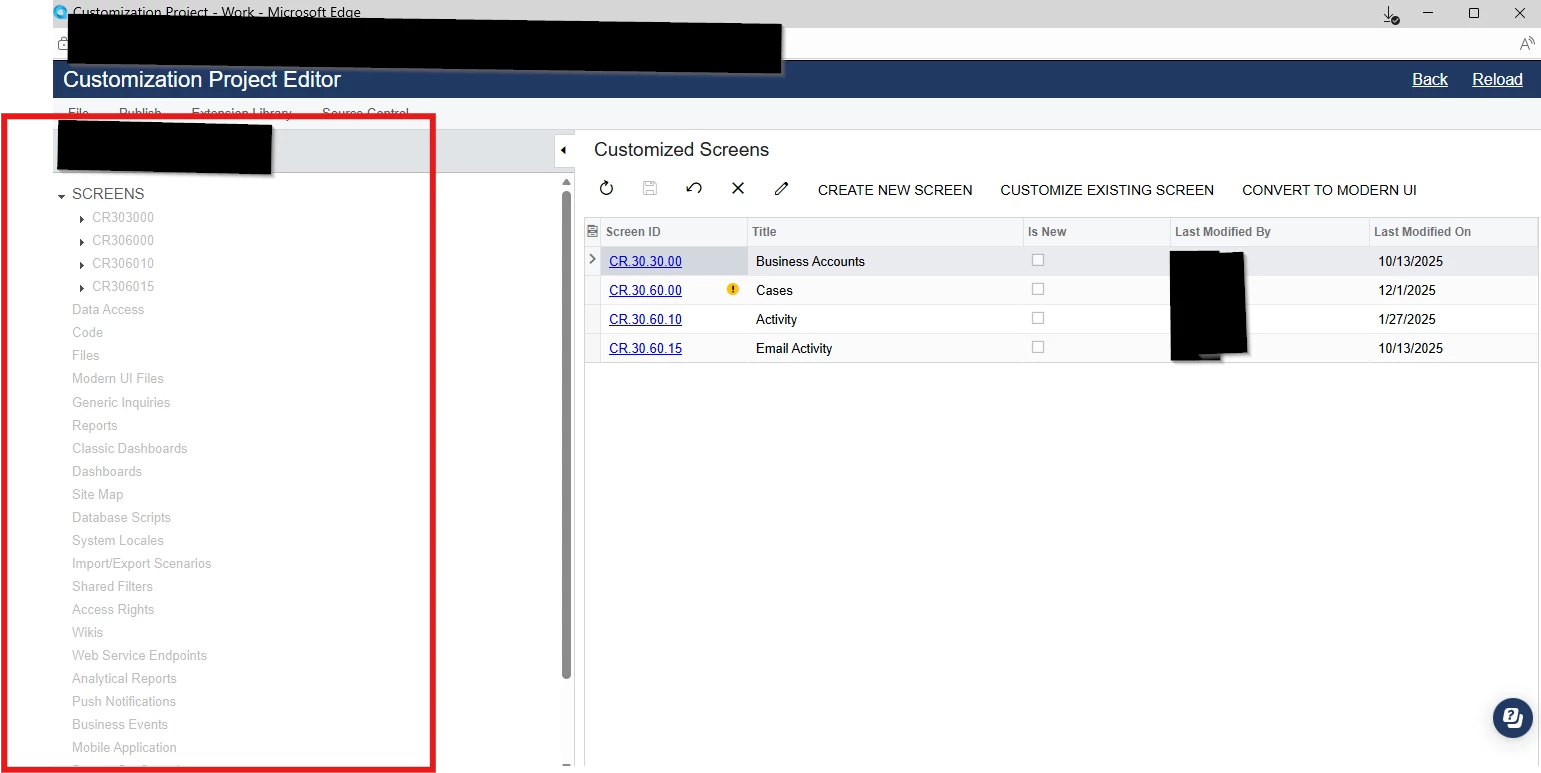
After finding where this AU201000 screen was, called “Screens” under the Hidden section of the Access Rights, I originally thought I could just give access to be able to Edit the project, but even once I did that, it still had everything greyed out on the left side.
I then went in and found all these access rights on the left side panel and gave access, and that is when it hit me that it needs the Admin Role, the actual screens themselves that are being edited.
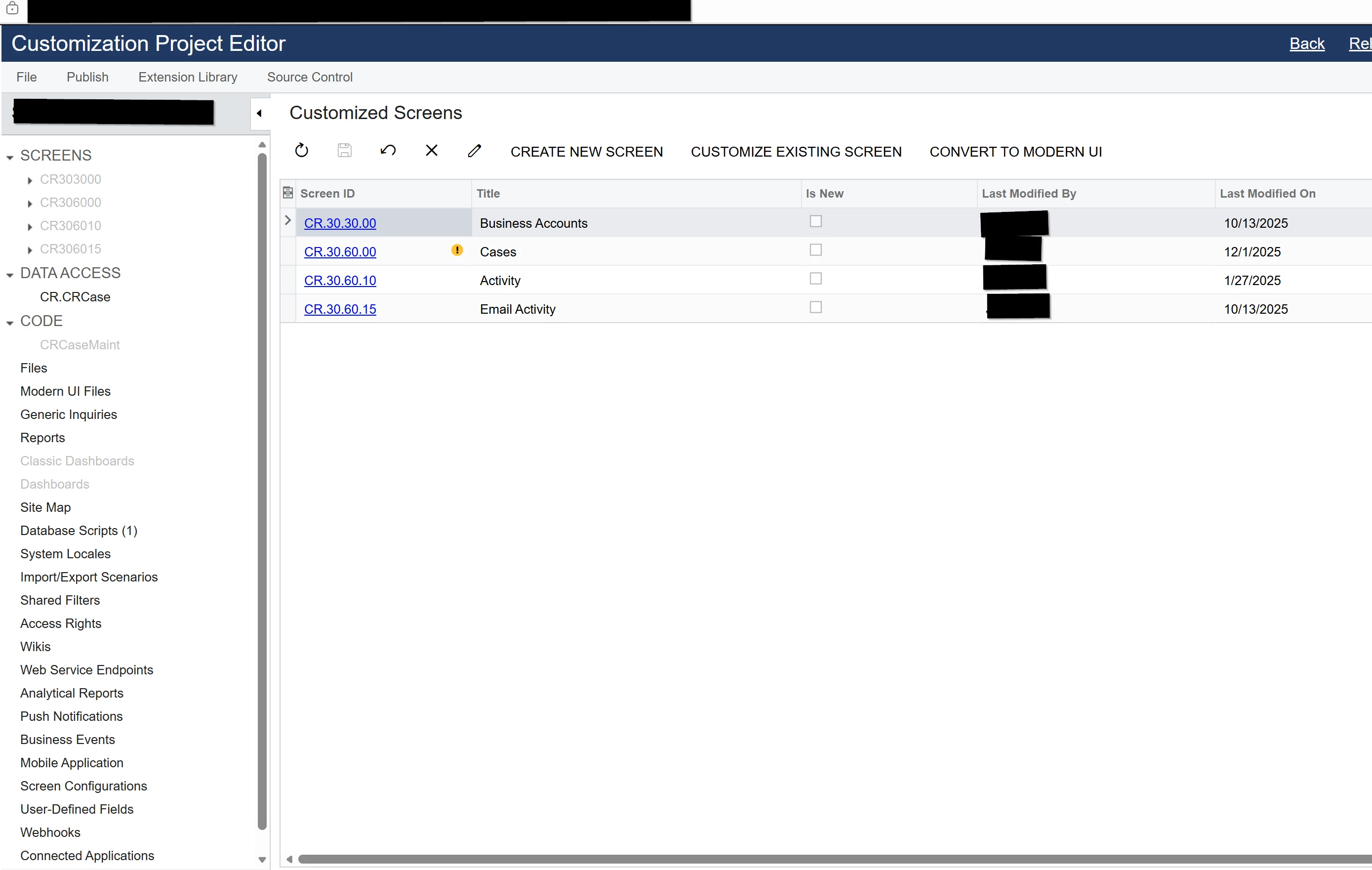
A Customization Project needs to be able to access the screens themselves that are being edited (see how they are still greyed out on the left side), and then it made sense why the Customizer role could see Customization Projects, but not be able to edit them without the Admin Role. The Admin is what gives access to all the screens; thus, making the Customizer not sufficient to edit the projects themselves. It needs the Admin role to be sufficient.
@rkenna You also need to grant access to the Customization Project Browser screen in Access Rights by Screen. Without that permission the user can open the Customization Projects screen but won’t be able to actually edit the project.
Thanks @DasunPerera91 and @Marat43 for your responses. I did a whole long investigation into this, and it brought me to confirming why Acumatica has it setup the way they do. I wanted to share with the community for future users who might be curious about this also.
The Customizer role gives access to the Customization Projects screen, but it throws an error when trying to click into a Customization Project to edit one.
After finding where this AU201000 screen was, called “Screens” under the Hidden section of the Access Rights, I originally thought I could just give access to be able to Edit the project, but even once I did that, it still had everything greyed out on the left side.
I then went in and found all these access rights on the left side panel and gave access, and that is when it hit me that it needs the Admin Role, the actual screens themselves that are being edited.
A Customization Project needs to be able to access the screens themselves that are being edited (see how they are still greyed out on the left side), and then it made sense why the Customizer role could see Customization Projects, but not be able to edit them without the Admin Role. The Admin is what gives access to all the screens; thus, making the Customizer not sufficient to edit the projects themselves. It needs the Admin role to be sufficient.