Hello Experts, I am stuck in one of the approval process i am creating Purchase approval with two levels
1 level- No conditions, and have two user any one approves the document it will be approved.
2 level- having two user and condition (If Amt. < 50,00000) any one of the user from level 2 approves the document it gets approved.
having single user in which (Amt.> 50,00000) single user assigned to it will approves the document.
Best answer by aminerd
Hello @vishalsharma49
Thanks for sharing!
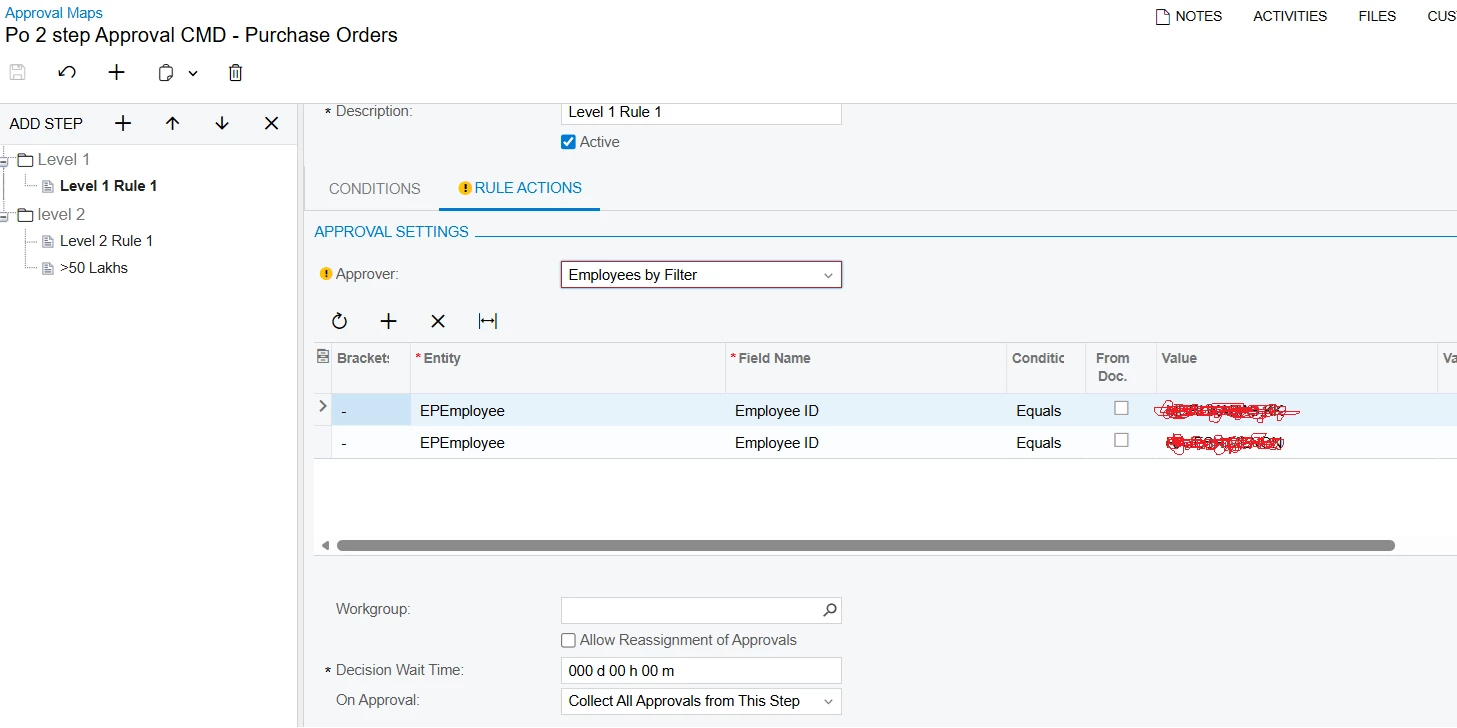
On the rule actions tab for level 1 you have the On Approval action set to Collect All Approval from this step. By Acumatica definition,
Collect All Approvals from This Step
After one approver approves the record, the system waits until other appointed approvers (if any) also approve the record.
If only one employee needs to approve before moving to the next step, try changing that action to Complete Step. By Acumatica definition,
Complete Step
After one approver approves the record, the system proceeds to the next step without following the remaining rules in this step (if any).If multiple employees are selected based on the conditions in the Employee Filter table, the system will require approval from all the listed employees regardless of the value specified in the Operator column of the filter table.
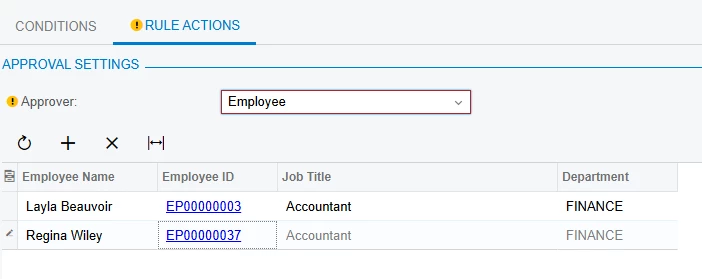
Also, rather than using the Approver Employees by filter, you can call out the specific employee IDs using Employee. Example:
Hi @vishalsharma49 are you combining these two conditions in one step (your level 2)
having two user and condition (If Amt. < 50,00000) any one of the user from level 2 approves the document it gets approved.
having single user in which (Amt.> 50,00000) single user assigned to it will approves the document.
Can you provide a screenshot to your current set up conditions and approvers for this approval map?
Also, using a Workgroup ID could be helpful for your approvers rather than selecting specific users. When using a workgroup ID, anyone in that workgroup could approve a document.
Hi @vishalsharma49 are you combining these two conditions in one step (your level 2)
having two user and condition (If Amt. < 50,00000) any one of the user from level 2 approves the document it gets approved.
having single user in which (Amt.> 50,00000) single user assigned to it will approves the document.
Can you provide a screenshot to your current set up conditions and approvers for this approval map?
Also, using a Workgroup ID could be helpful for your approvers rather than selecting specific users. When using a workgroup ID, anyone in that workgroup could approve a document.
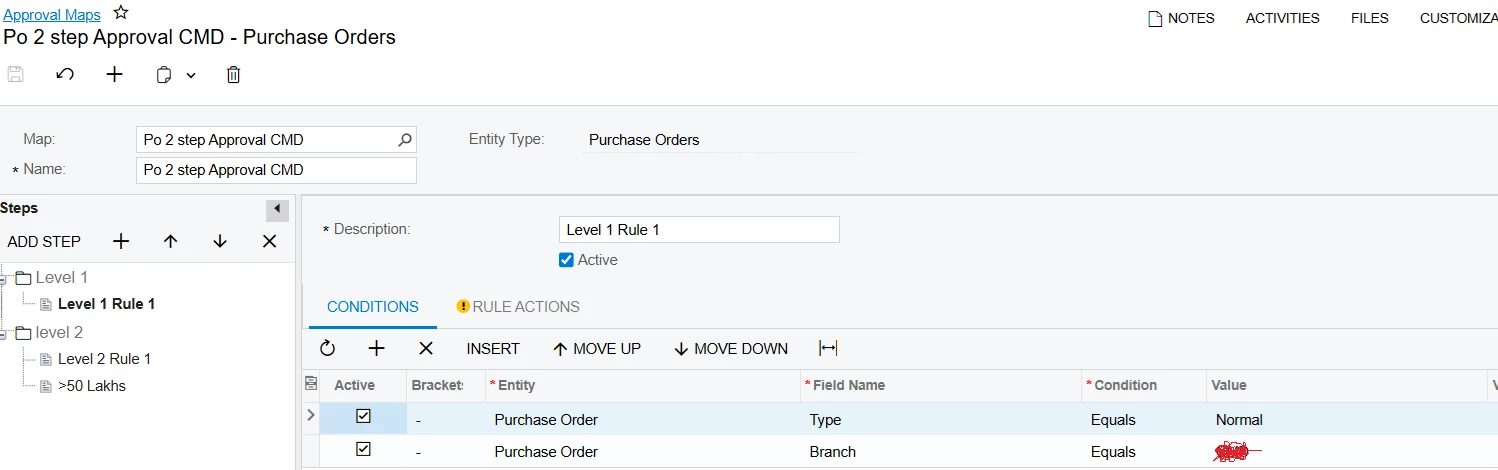
Hi @DasunPerera91 & @aminerd attached the screenshots of the approval but still its not working when i am creating purchase order its considering only level 1 employees
On the rule actions tab for level 1 you have the On Approval action set to Collect All Approval from this step. By Acumatica definition,
Collect All Approvals from This Step
After one approver approves the record, the system waits until other appointed approvers (if any) also approve the record.
If only one employee needs to approve before moving to the next step, try changing that action to Complete Step. By Acumatica definition,
Complete Step
After one approver approves the record, the system proceeds to the next step without following the remaining rules in this step (if any).If multiple employees are selected based on the conditions in the Employee Filter table, the system will require approval from all the listed employees regardless of the value specified in the Operator column of the filter table.
Also, rather than using the Approver Employees by filter, you can call out the specific employee IDs using Employee. Example: