


Hello, I am trying to figure out if it is possible to create a blank scenario with the demo trial mode of Acumatica ERP R2 for testing and development purposes. I work for a company that is considering using Acumatica services but wants a more thorough understanding of what the platform has to offer. I have created an instance and toyed around with the U100 dataset using the A150 guide…. but beyond that I have not had much more hands-on involvement with using the system. Any help would be appreciated!
Solved
How to Create a Blank Acumatica Instance?
Best answer by Dipak Nilkanth
Hi
While creating the instance from acumatica wizard , don't select anything in insert data column while creating tenant. This will create an blank instance without any data and settings.
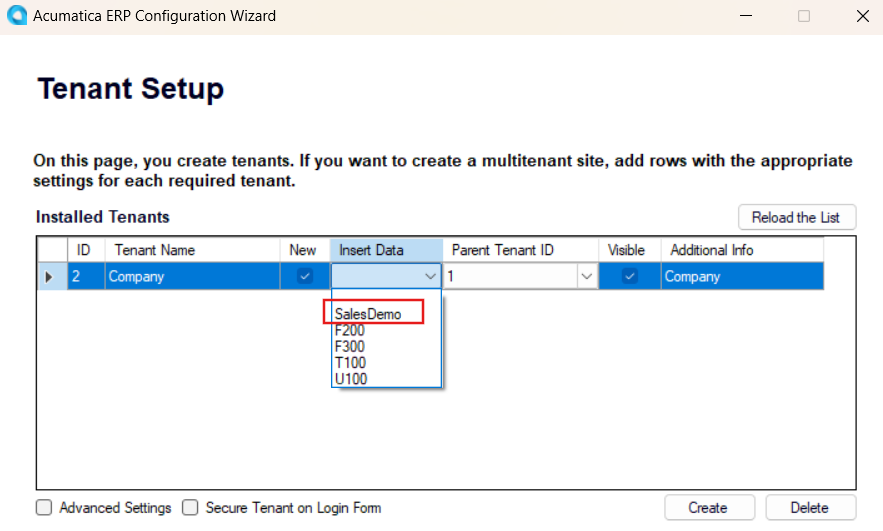
In above image, I selected Sales demo data, here you can leave it as blank.
Hope, it helps!





Enter your E-mail address. We'll send you an e-mail with instructions to reset your password.