Question

Grid Column filters

  • Nov 16, 2026 2:31 PM UTC
  • 4 replies
  • 30 views
  • Translate All

Forum|alt.badge.img+1

Would be very useful to have a function that shows which columns have filters and the ability to quickly “Clear All Column Filters”.

Maybe something on the column chooser with a tab showing current filters and a button to remove filters.

For grids with large numbers of columns it’s very difficult to find and clear all the filters or even know there are column filters to begin with.

Thank you

 

4 replies

darylbowman
Captain II
Forum|alt.badge.img+17

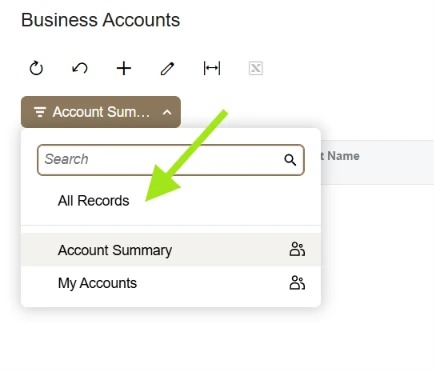
If you’re talking about GI filters, I think that’s the purpose of ‘All Records’:


Translate

Forum|alt.badge.img+1
  • Author
  • Freshman II
  • Nov 16, 2026 10:42 PM UTC

I’m talking about GI filters, grids on screens, basically anywhere there’s a grid.


The All Records filter is often used with column filters. 

These stay even if switch off a view and then come back to it.

Column filters are tied to a View Filter so you could have many different column filters set and not realize it.


Steps to recreate:

With All Records selected, set a column filter (my example was Sales Order with a Status column filter). 

Then switch to another filtered view.  The newly selected view doesn’t have any column filters.

Then switch back to All Records.  The column filter applied to that view originally is back.


Originally this was functionality was for grids where there are no “filters” at the grid level such as Sales Order Detail Lines.

But now, discovering that the View Filters have their own column filters, you can have filters you don’t remember putting there.

At least they don’t survive a login session.


Translate

KrunalDoshi
Pro II
Forum|alt.badge.img+9

Hi ​@ggnabasik47,

There is currently no out-of-the-box option to clear all column filters at once across grid views, unless you are using a separate custom filter that provides this functionality.

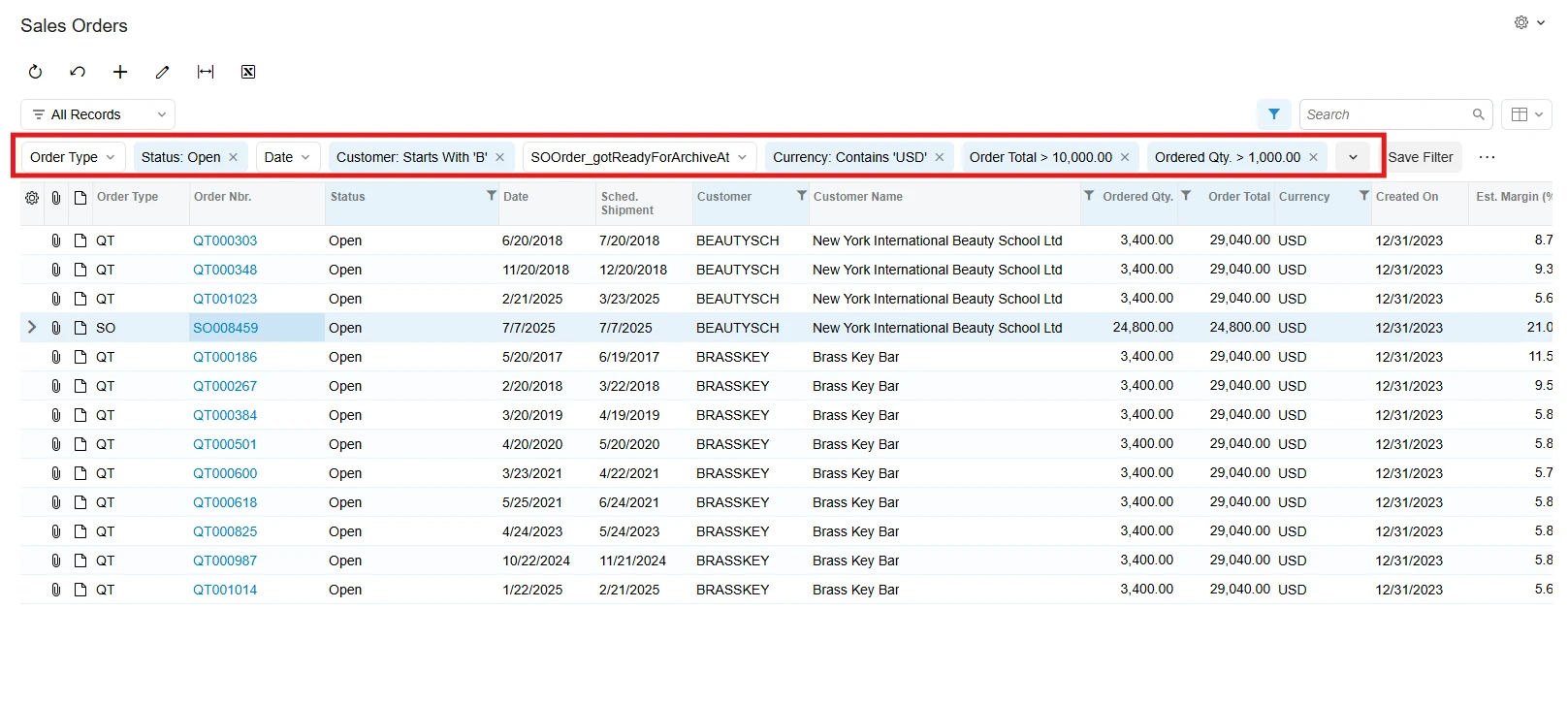
However, you can identify the applied column filters displayed at the top of the grid and clear them individually as needed.

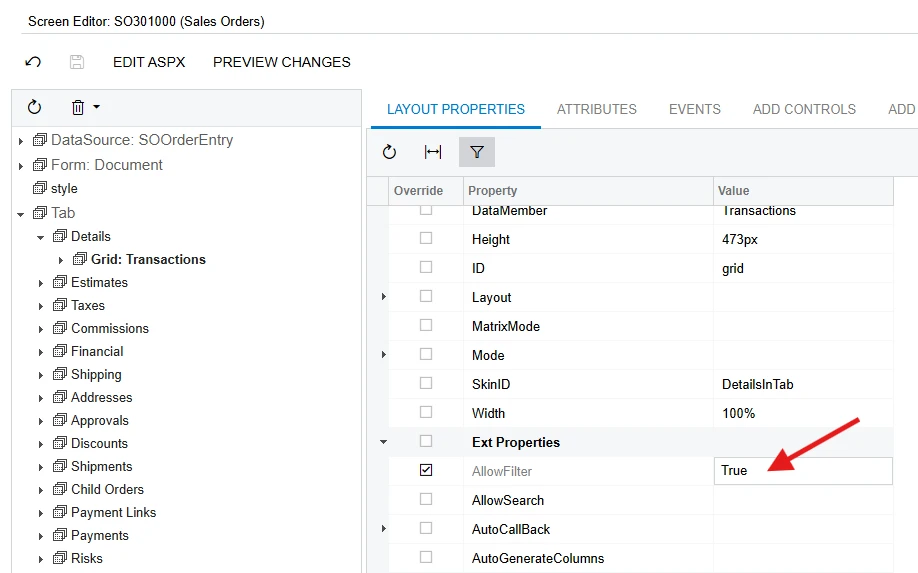
For detail-line grids, you can customize the screen to display the applied column filters at the top of the grid. Depending on the scenario, this may also require extending the DAC.

You can try adding the [PXFilterable] attribute to the detail view declaration:

[PXFilterable]
public SelectFrom<YourDetailDAC>
.Where<YourDetailDAC.docNbr.IsEqual<Filter.docNbr.FromCurrent>>
.View DetailsView;

That said, I agree it would be very useful to have this functionality available consistently across all screens and detail grids, especially when working with multiple saved views.

I would encourage you to submit this as a product enhancement idea on the Acumatica Community Ideas page. This would give other community members an opportunity to vote for it and help bring more visibility to the request.

Thanks for sharing this suggestion!


Translate

darylbowman
Captain II
Forum|alt.badge.img+17

However, you can identify the applied column filters displayed at the top of the grid and clear them individually as needed.


This☝🏼

Translate