

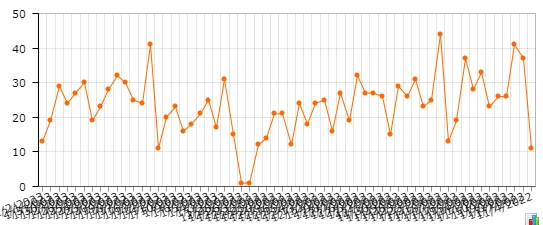
Is there a way to fix the overlapping dates on dashboard widgets without reducing the maximum number of records displayed? This became an issue after an upgrade to 2022R2.



Is there a way to fix the overlapping dates on dashboard widgets without reducing the maximum number of records displayed? This became an issue after an upgrade to 2022R2.
Best answer by MayomiRodrigo36
This issue has already been considered to be fixed in a future upgrade of 22R2 and 23R1
For the time being, you can try out the below workarounds.
Note - Increasing this number more than 25 can cause Y axis label overlapping

No account yet? Create an account
Enter your E-mail address. We'll send you an e-mail with instructions to reset your password.
