Solved

Execution Timeout - Bank Deposits

  • Nov 20, 2026 3:48 PM UTC
  • 5 replies
  • 17 views
  • Translate All

Forum|alt.badge.img

Hello All

We are a PCS deployment running 26R1 Build 26.101.225.4

Recently, my Finance team has been having issues with processing bank deposits. When clicking ‘Add Payments’, they receive an 'Execution Timeout Expired' message (see screenshot for details).

Has anyone come across this before and is there a known fix, please?

Thanks

Amit
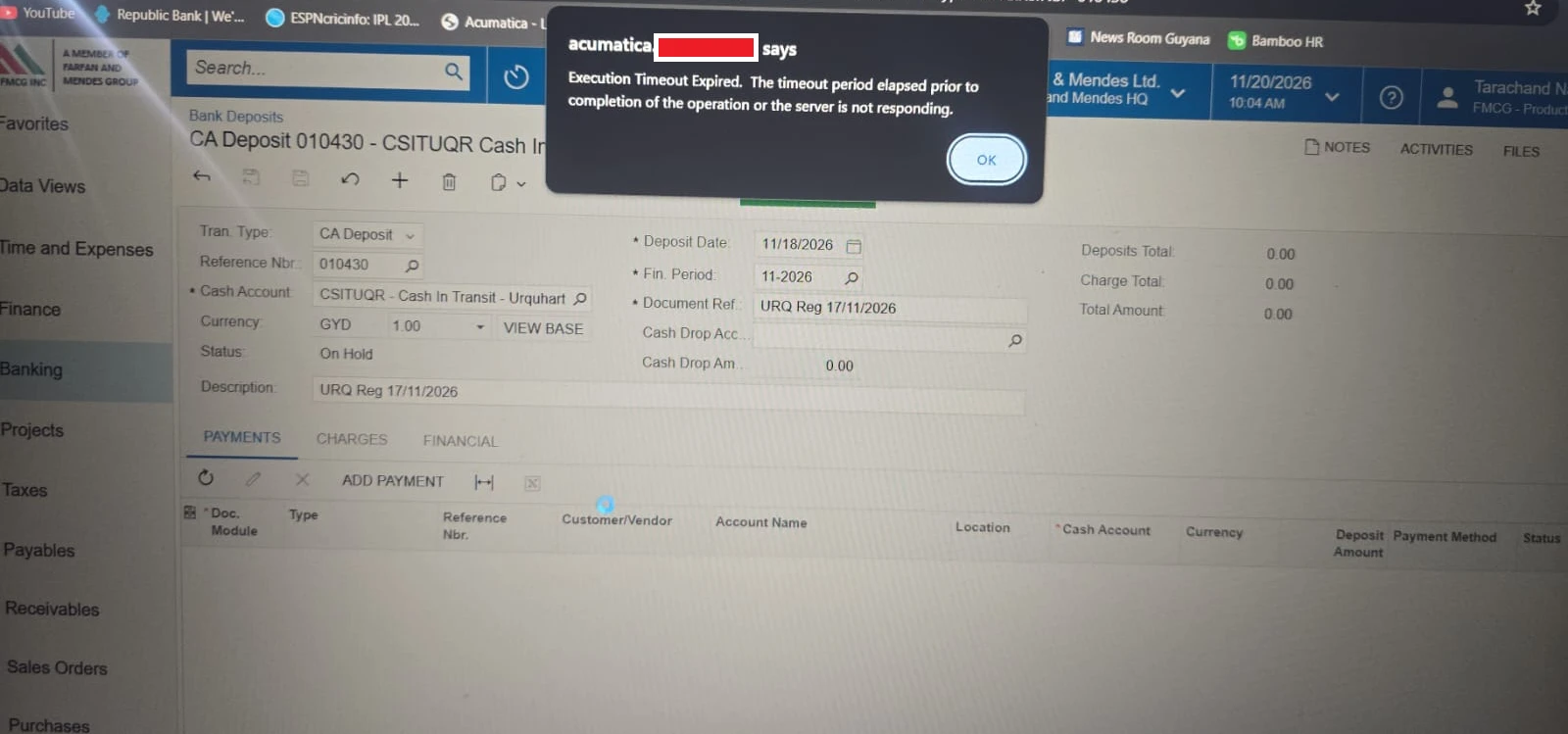
When ‘Add Payment’ was clicked, the cursor circled for a bit and then the message popped up


Best answer by Manikanta Dhulipudi

​@asingh This is a Known issue, please reach out to Acumatica to apply scipt. I came across this for multiple customers.

View original

5 replies

Manikanta Dhulipudi
Captain II
Forum|alt.badge.img+16

​@asingh This is a Known issue, please reach out to Acumatica to apply scipt. I came across this for multiple customers.

Translate

Forum|alt.badge.img
  • Author
  • Freshman I
  • Nov 20, 2026 4:00 PM UTC

Hi ​@Manikanta Dhulipudi 

Thanks for reaching out. Do you by chance know if there is any information available on the root cause of this issue, please? 

I upgraded from 25R1 to 26R1 on November 7th and patched from 26.101.225 to 26.101.225.4 on November 16th. Deposits were working fine for the users until yesterday.

Thanks

Amit

Translate

Manikanta Dhulipudi
Captain II
Forum|alt.badge.img+16
AC-377582: On the Bank Deposits (CA305000) form, when a user opened the Add Payment dialog box and filtered the payment list by a specific clearing account, the request could take an excessive amount of time and eventually fail. In this case, the system displayed the following error message: Execution Timeout Expired. The timeout period elapsed prior to completion of the operation or the server is not responding. The issue could also occur when filtering payments by the same cash account.


Workaround: Contact your Acumatica support provider to receive workaround instructions and assistance with using them.

<=26.100.0175

Unresolved
Translate

KrunalDoshi
Pro II
Forum|alt.badge.img+9

Hi ​@asingh,

In many cases, this may be related to a SQL query taking longer than the configured timeout, and it could resolve itself if the issue is temporary (for example, due to database load or blocking).

If the issue persists, I would first check whether there is any customization affecting the Add Payments process.

Since you are running PCS, you may also have the ability to increase the SQL query timeout (queryTimeout) in the web.config .

You can refer to this link for increasing  queryTimeout

Hope this helps!

Translate

Forum|alt.badge.img
  • Author
  • Freshman I
  • Nov 20, 2026 4:28 PM UTC

Thanks for reaching out ​@KrunalDoshi. I’ll try to replicate the issue in my test environment and see it that will help to resolve the issue. Also, we don’t have customizations for banking or addding payments.

Thanks

Amit

Translate