Answer

Error when publishing eSign package

  • April 22, 2025
  • 5 replies
  • 114 views

Forum|alt.badge.img

Hi,

I’m publishing an eSign customization package in a sandbox (version ). The process validates successfully, then gives the following error on publication. Everything publishes OK without that package selected.
 

What does it mean?

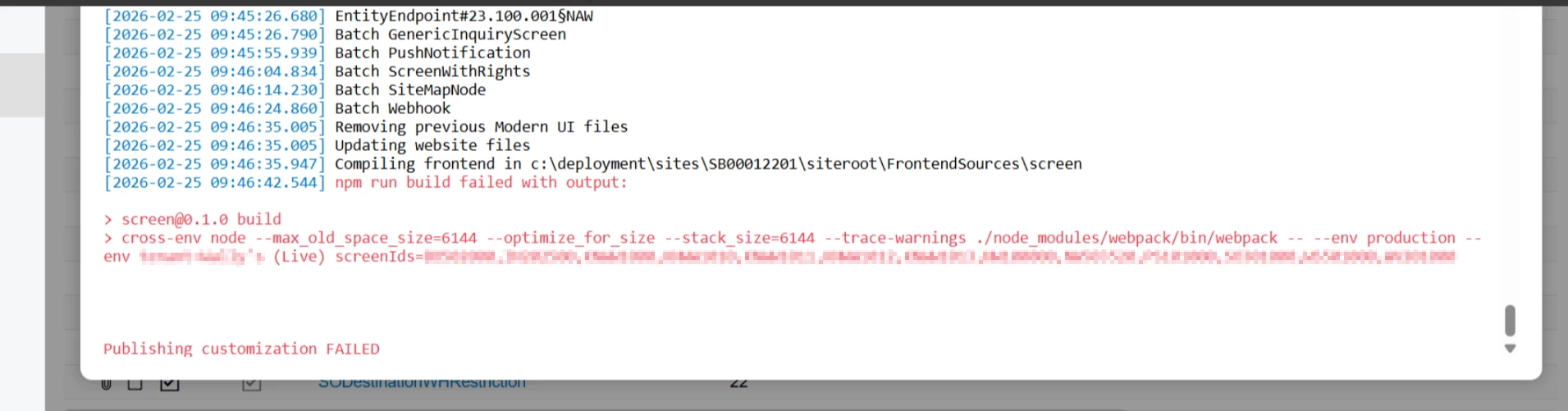
[2025-04-22 23:34:06.571] npm run build failed with output:> screen@0.1.0 build> cross-env node --max_old_space_size=6144 --optimize_for_size --stack_size=6144 --trace-warnings ./node_modules/webpack/bin/webpack -- --env production --env tenant=[REDACTED] screenIds=SM202510Publishing customization FAILED


Best answer by aiwan

@tonym68 

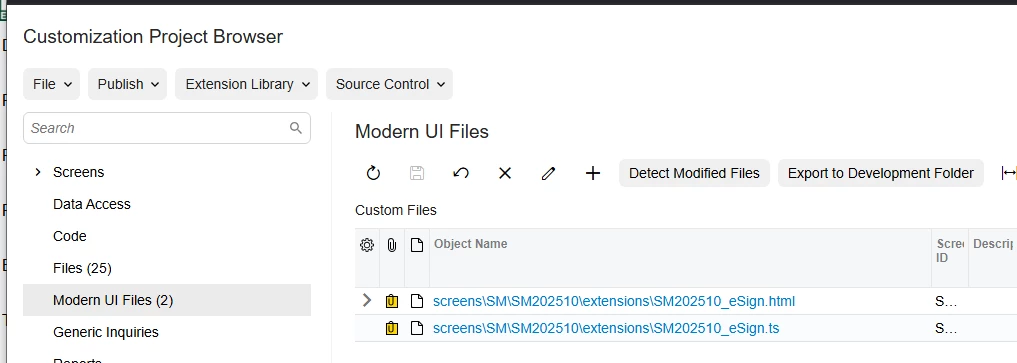
Has the package got any Modern UI files attached?

5 replies

Forum|alt.badge.img
  • Author
  • Jr Varsity III
  • April 23, 2025

Oops. Acumatica version: 24.210.0019


Forum|alt.badge.img+8
  • Captain II
  • Answer
  • April 26, 2025

@tonym68 

Has the package got any Modern UI files attached?


Forum|alt.badge.img
  • Author
  • Jr Varsity III
  • May 10, 2025

@tonym68 

Has the package got any Modern UI files attached?

It did and I corrected. Thanks!


I’m getting this same error and I do have Modern UI Files. What was the resolution? If I run the npm build from the command line I don’t get any errors. This is 2024r211.


lauraj46
Captain II
Forum|alt.badge.img+8
  • Captain II
  • July 29, 2025

We are seeing the same error.  I deleted the Modern UI files from the project and then was able to publish it successfully.