

Question

Email Sales Order or Purchase Order from Mobile App

  • January 15, 2026
  • 3 replies
  • 42 views

Is there a way to email the Purchase Order or Sales Order directly from the mobile app?

We have several people who are using the mobile app to create either purchase or sales orders and need to send it to the customer/vendor immediately upon creation. However, the option to email the PO or SO isn’t on the main screen. Is it hidden somewhere or do we have to add it somehow?
 

3 replies

Forum|alt.badge.img
  • Jr Varsity III
  • January 27, 2026

Hello ​@BrittLass ,

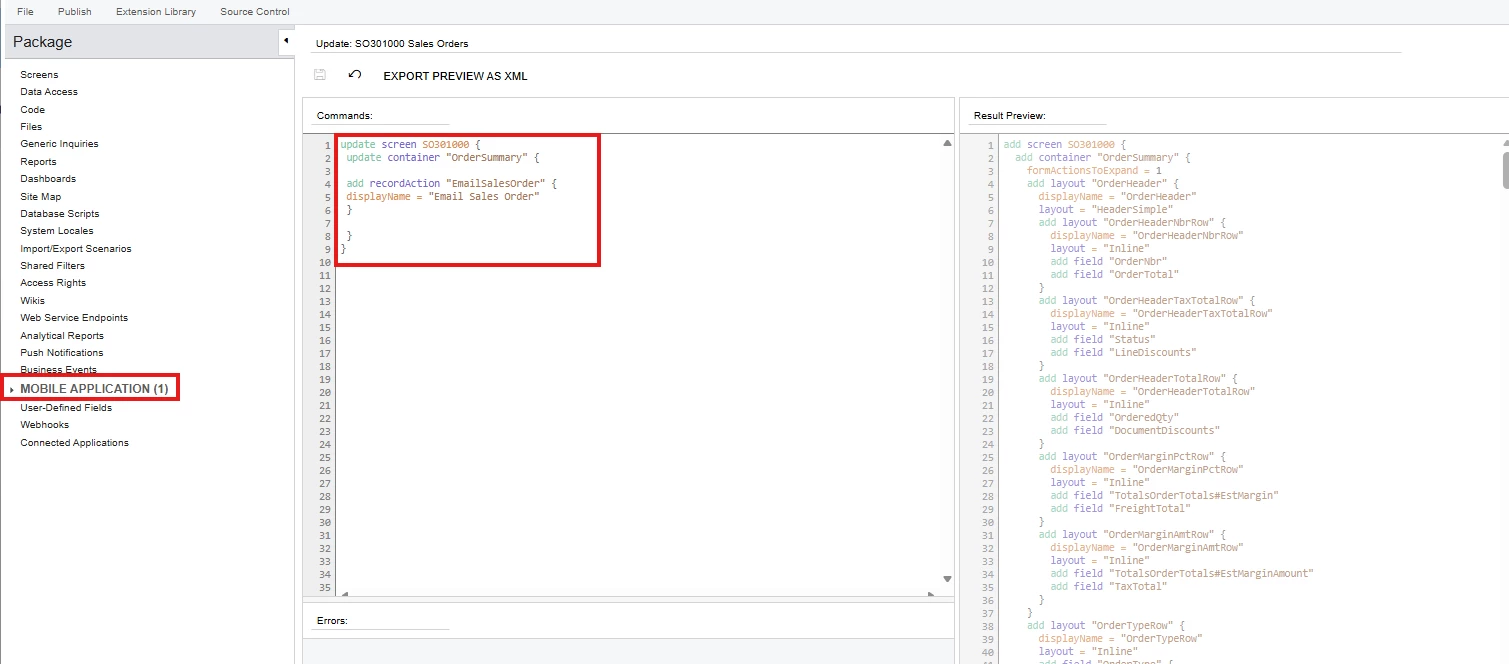
To add buttons to a screen in the mobile app, you need to customize this in the package.

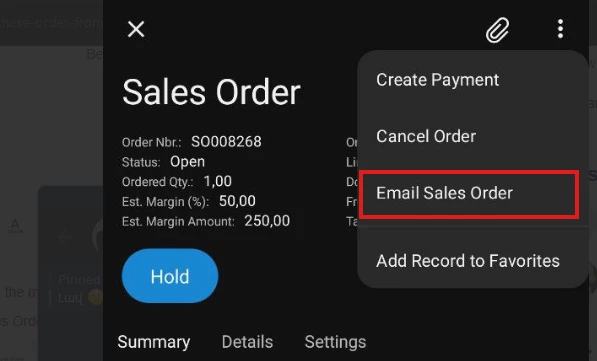
For example, the “Email Sales Order” button can be added to the Mobile Sales Order screen in this way.


After this customization, you need to publish the package.
After clicking this button, the email will be added to the “All Emails” screen.
 

Regards,

Vard


  • Author
  • Freshman I
  • January 27, 2026

Thank you! Where would I find the place pictured in your screenshots? I’m still relatively new to Acumatica and don’t know where to find everything for customizations.


Forum|alt.badge.img
  • Jr Varsity III
  • January 27, 2026

Thank you! Where would I find the place pictured in your screenshots? I’m still relatively new to Acumatica and don’t know where to find everything for customizations.


For more details on customizing mobile screens, please refer to the attached guide.

Regards,
Vard