Question

Depreciation of Assets Dating Back

  • August 24, 2026
  • 2 replies
  • 10 views

Hi,

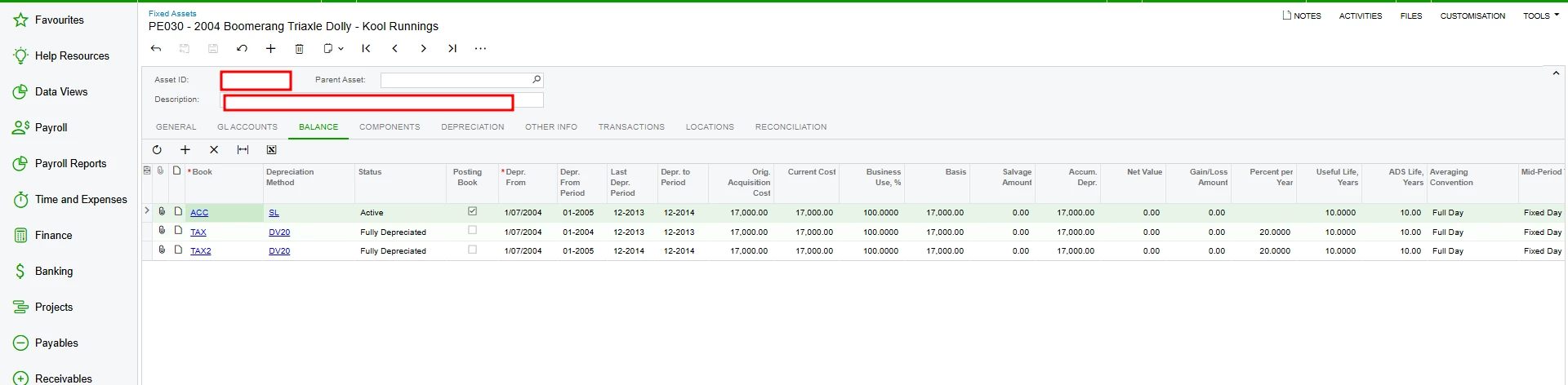
When the system was implemented, existing assets were brought on & brought forward depreciation, it looks like a number of assets are trying to post the depreciation back to origin inception which predates the system.

This depreciation all needs to be posted in June 2026, how can I force this into June 2026?



2 replies

Forum|alt.badge.img+5
  • Jr Varsity II
  • August 24, 2026

Hi ​@Avishka ,

Can you try below Suggestions-

Option 1: Adjust the Depreciation History on the Asset
1. Go to Fixed Assets > Manage > Fixed Assets
2. On each affected asset, check the Depreciation History tab
3. Ensure the Placed-in-Service Date and Depreciation Start Date reflect the migration date, not the original inception
4. Set the Last Depreciation Period so the system knows where to start posting from
Option 2: Use the "Current Period" Setting
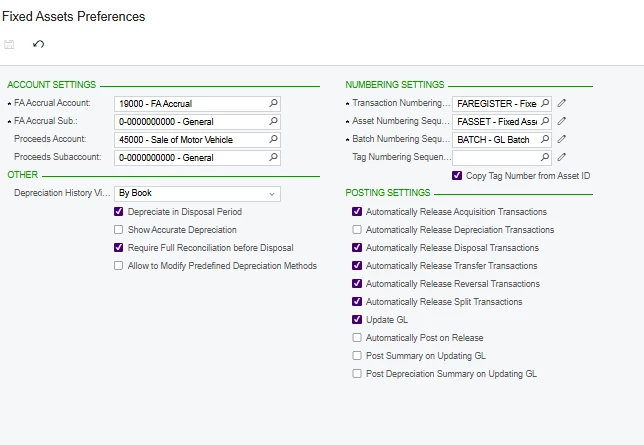
1. Under Fixed Assets > Preferences > Fixed Asset Preferences, check the setting that controls which period depreciation is posted to
2. Ensure the Book on the asset is configured with the correct current period (June 2026 / 06-2026)


Hope above helps!!


  • Author
  • Freshman I
  • August 25, 2026

Hi ​@Rakshanda,

Thank you for the reply in regards to the Options that you have provided;

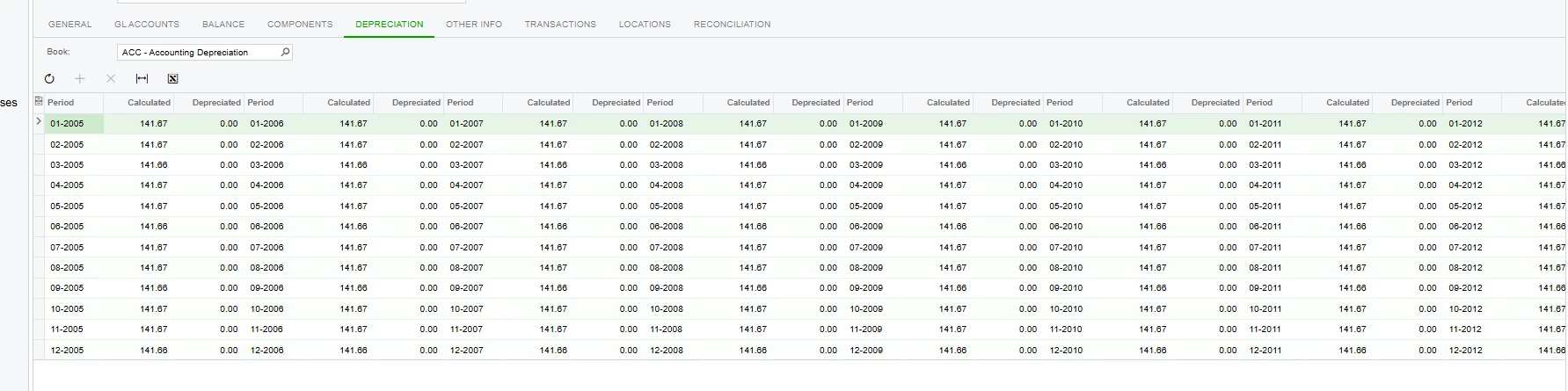
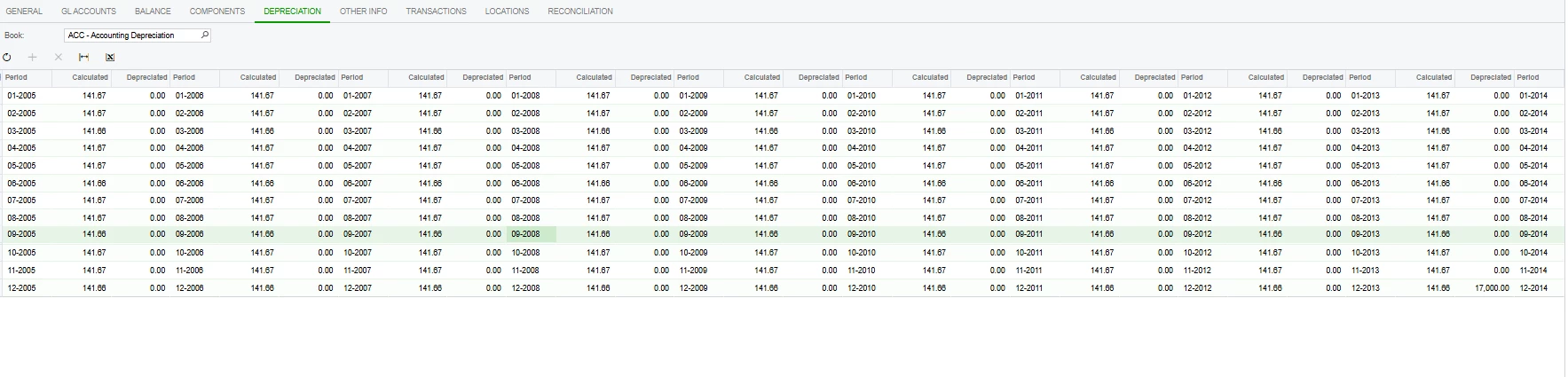
  1. Please see the depreciation tab of one of the Assets as below


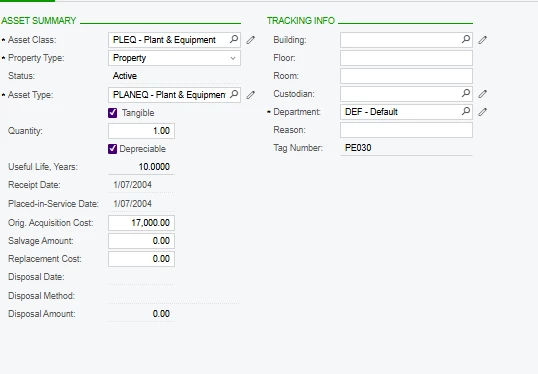
  1. Please the Fixed Asset Preferences