Answer

Broken Link in Email Template

  • October 10, 2024
  • 5 replies
  • 202 views

Forum|alt.badge.img

Hi! I have read through topics below and am still having issue with inserting link for an email template I created. 

How to add a link to the email template | Community (acumatica.com)

Dynamic link for Task email template | Community (acumatica.com)


I want this link to be able to navigate back to an Acumatica Screen. This is what I have in the template: ((GeneralInfo.notificationSiteUrl))/Main?ScreenId=EP301000&ExpenseClaim.RefNbr=((ExpenseClaim.RefNbr))

This is what it looks like when the email is sent: 
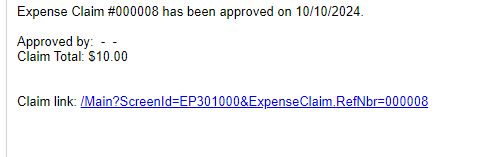
I have also tried copy and pasting the URL into the template, but even though the RefNbr would change each time, when you click on the link, it always takes you back to the claim screen where the I copied the URL.

Any ideas on how to fix this link?

Thanks!

Best answer by dsimmerly

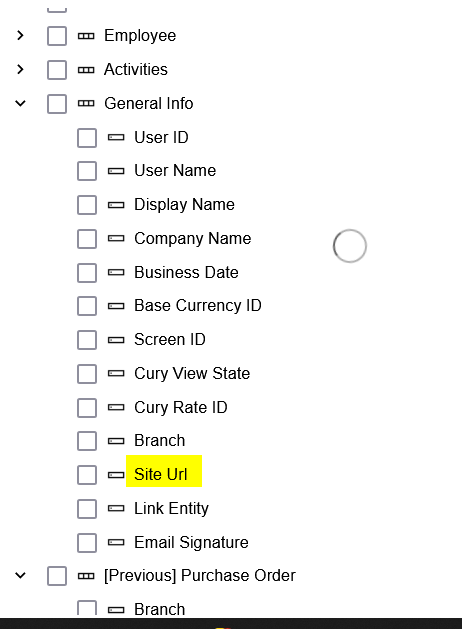
here is a KB article on this topic


5 replies

Manikanta Dhulipudi
Captain II
Forum|alt.badge.img+15

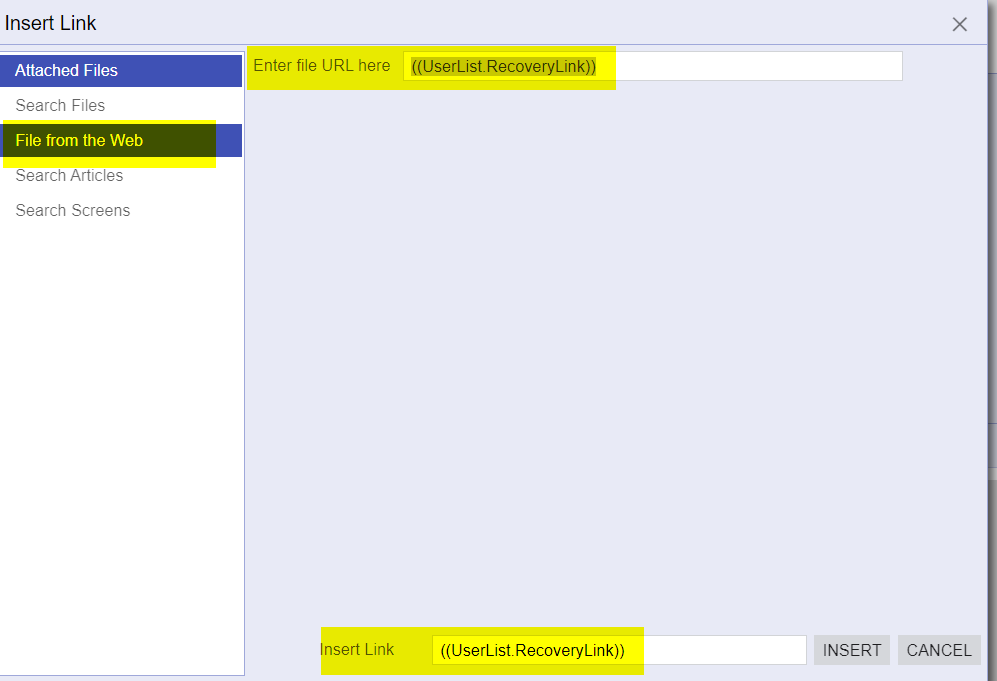
Hi @jzhu Did you inserted the link as shown below


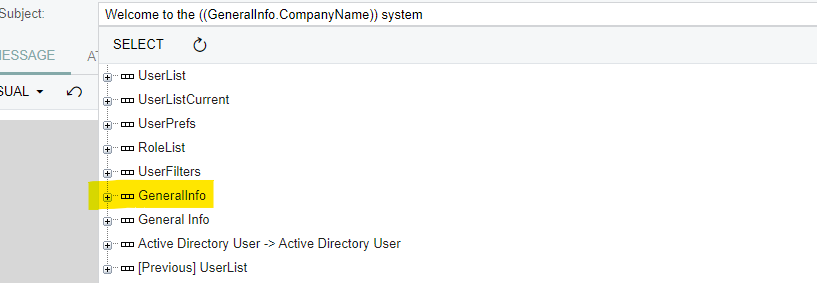
Please refer standard Acumatica email template User Welcome Notification


Forum|alt.badge.img
  • Author
  • Semi-Pro III
  • October 10, 2024

HI @Manikanta Dhulipudi 

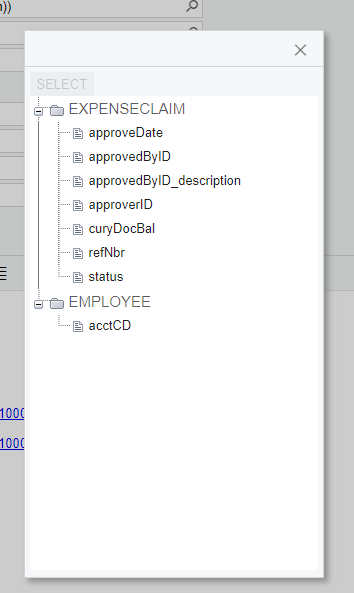
I think this may be the reason why my link does not work… I do not have the GeneralInfo section for the email template I created. That’s why the ((GeneralInfo.notificationSiteURL)) section of my link does not work. 

How do I add more sections to select from? Is it based on the screen that the template is related to? 


dsimmerly
Pro I
Forum|alt.badge.img+1
  • Pro I
  • Answer
  • October 10, 2024

here is a KB article on this topic


Manikanta Dhulipudi
Captain II
Forum|alt.badge.img+15

Hi @jzhu 


Forum|alt.badge.img
  • Author
  • Semi-Pro III
  • October 11, 2024

HI @Manikanta Dhulipudi and @dsimmerly 

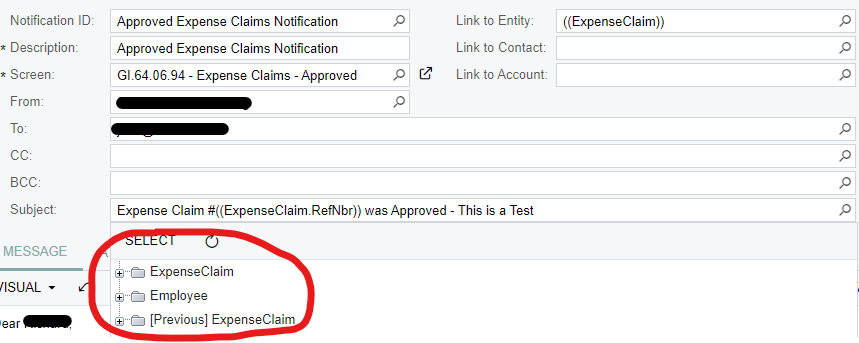
I was able to get the link to work with the KB article @dsimmerly sent. However, I am wondering why I don’t see the General Info field that is in @Manikanta Dhulipudi screenshot? All I can choose from is in the screenshot below… How can I add more section and fields to choose from? Thanks!