

Answer

Amount of stock item in 2 step transfer displaying 0(zero)

  • February 14, 2023
  • 3 replies
  • 79 views

Forum|alt.badge.img+3

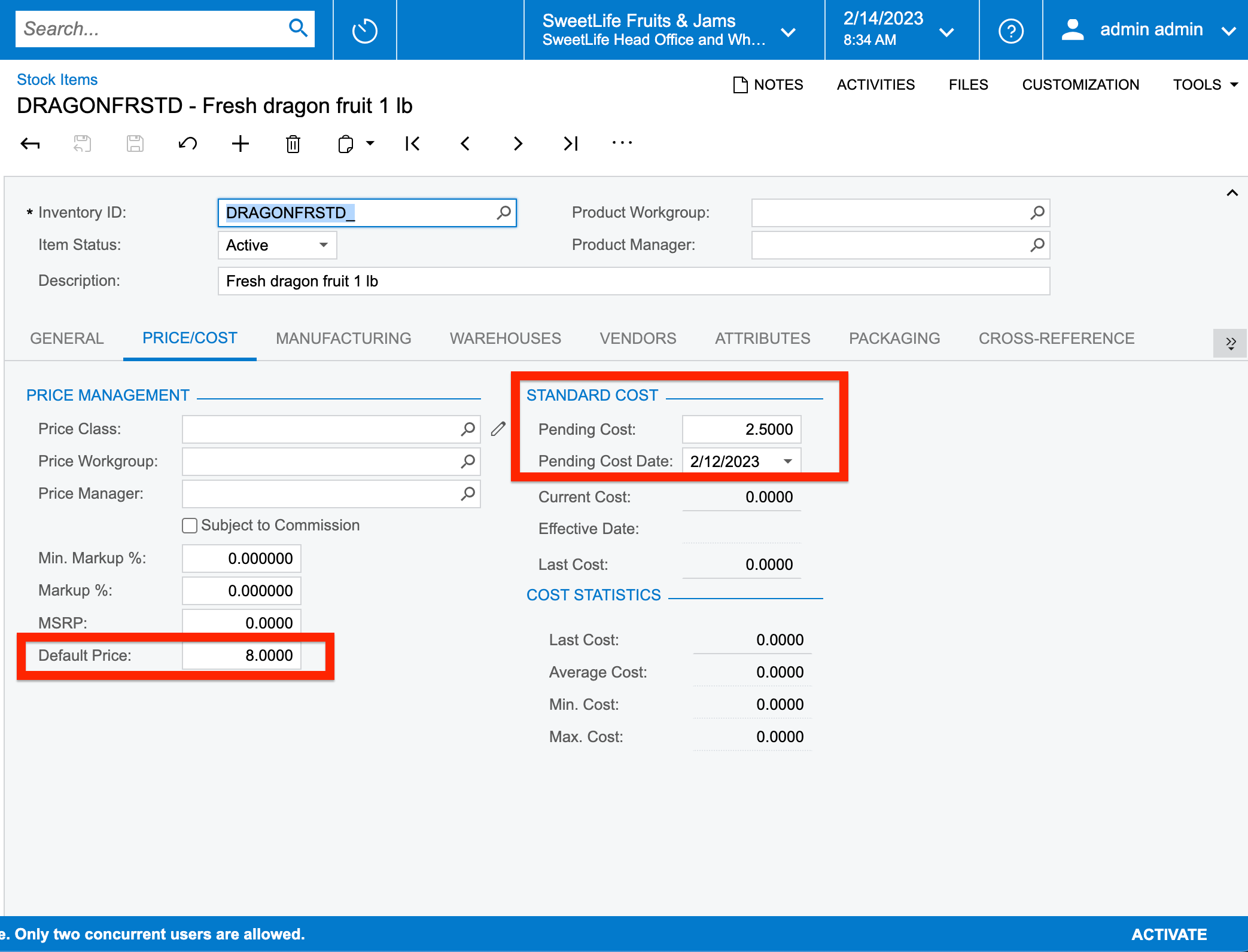
I have created a stock item with Standard Valuation Method and have updated the pending cost and default prices as shown below:


But upon processing 2 step transfer, the total (COGS) costs aren’t getting calculated.
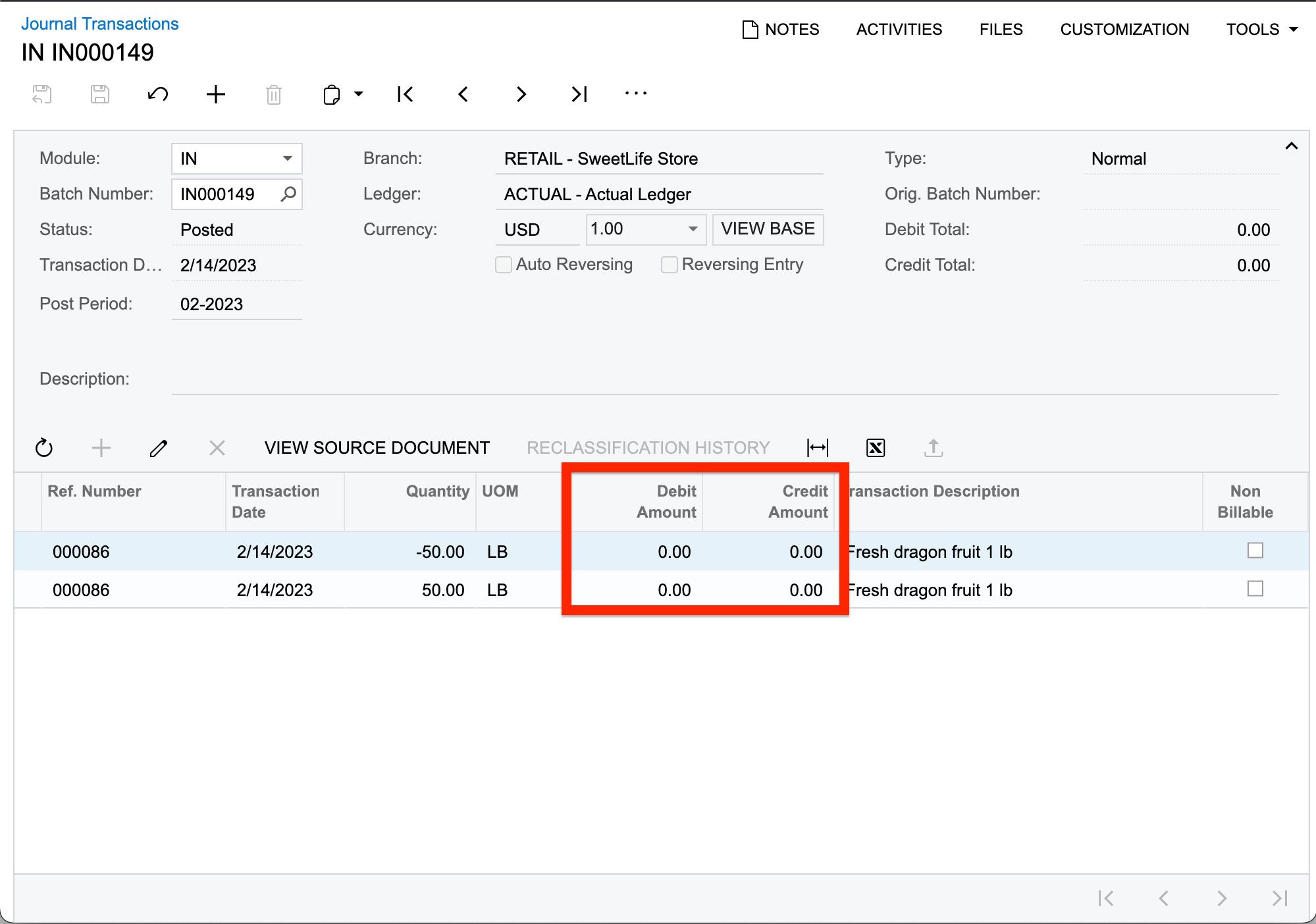


Kindly guide me out if I am missing out something here.
Best answer by darylbowman

You’ll notice in the ‘Standard Cost’ section of Stock Items, right underneath the red box, the ‘Current Cost’ is $0. This is your problem.

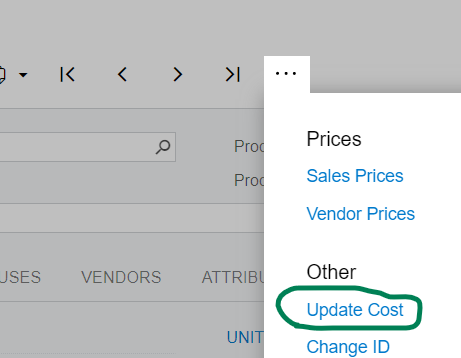
In order to move a ‘Pending Cost’ into the ‘Current Cost’, you need to use the ‘Update Cost’ action.


3 replies

darylbowman
Captain II
Forum|alt.badge.img+15
  • Answer
  • February 15, 2023

You’ll notice in the ‘Standard Cost’ section of Stock Items, right underneath the red box, the ‘Current Cost’ is $0. This is your problem.

In order to move a ‘Pending Cost’ into the ‘Current Cost’, you need to use the ‘Update Cost’ action.


Forum|alt.badge.img+3
  • Author
  • Captain II
  • February 17, 2023

You’ll notice in the ‘Standard Cost’ section of Stock Items, right underneath the red box, the ‘Current Cost’ is $0. This is your problem.

In order to move a ‘Pending Cost’ into the ‘Current Cost’, you need to use the ‘Update Cost’ action.


Thank you @darylbowman . It is now resolved.


darylbowman
Captain II
Forum|alt.badge.img+15

Happy to help!

