Question

WMS Rec and Put Away / Serialized Item

  • May 20, 2026
  • 7 replies
  • 41 views

dales60
Freshman II
Forum|alt.badge.img

I am a little rusty on my WMS config

I am testing WNS Rec and Put Away with Serialized item

I have PO with qty 5 of a serialized item

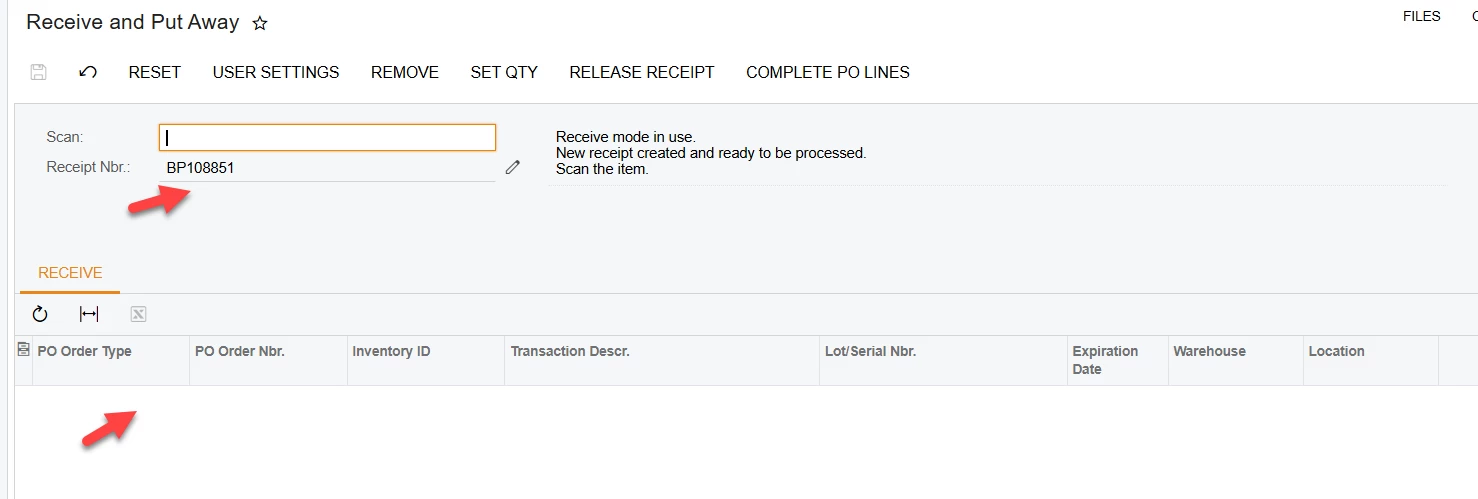
When using Rec and Put away in browser I enter the PO / a Receipt is created but the item does not display - why?

When I review the receipt it has used the default qty but did not generate serial numbers why?


7 replies

AntonDegtyarev27
Acumatica Employee
Forum|alt.badge.img

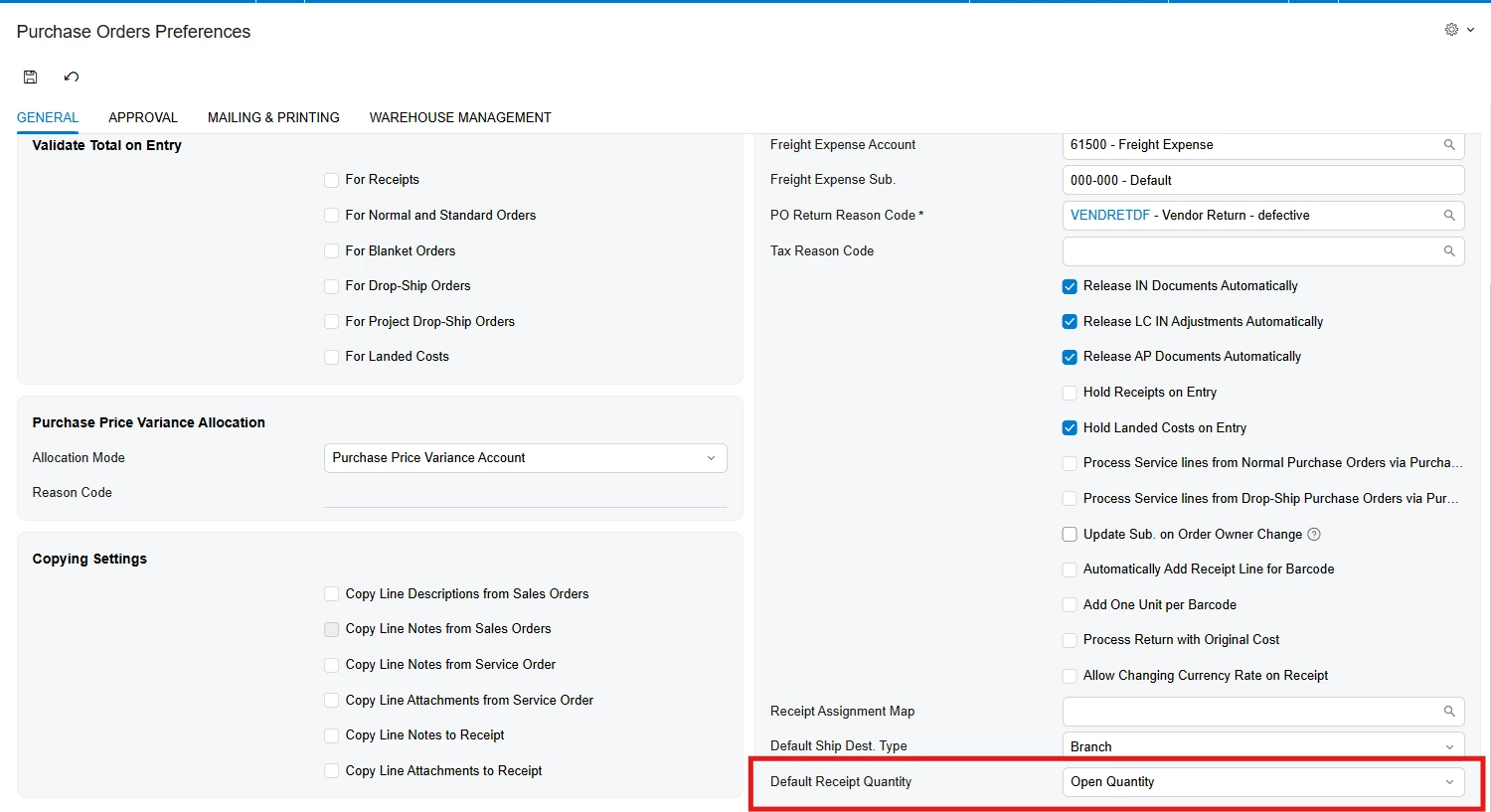
@dales60 please check this setting on the Purchase Orders Preferences form. Looks like it is Zero.
 

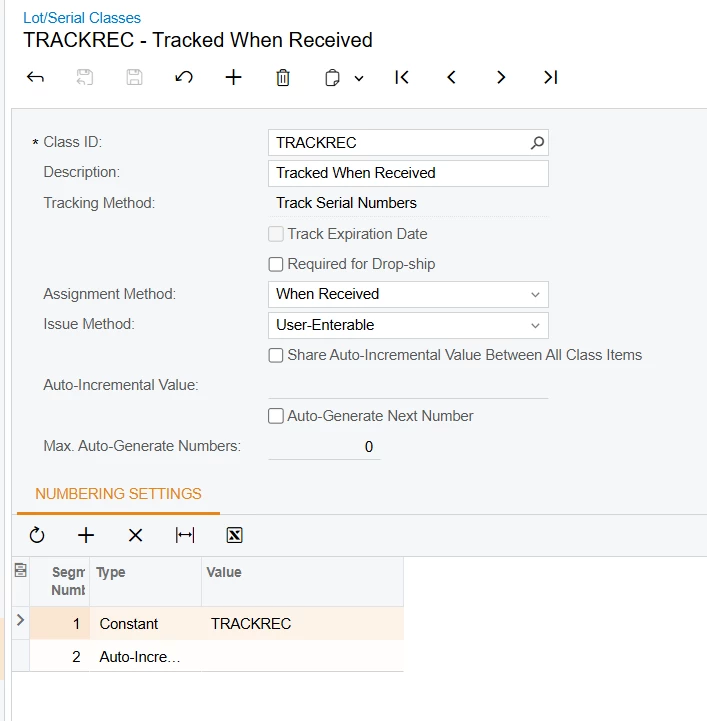
Also please share the settings of the Lot/Serial class of this item. 


dales60
Freshman II
Forum|alt.badge.img
  • Author
  • Freshman II
  • May 21, 2026

@AntonDegtyarev27 

I changed the default rec qty and result is the same, blank screen after receipt created

Here is Lot ser class


AntonDegtyarev27
Acumatica Employee
Forum|alt.badge.img

@dales60 please recreate the purchase receipt after changing this setting. If if doesn’t help please show the Line Details opened for this line on the Receipts form. 

What release do you have?

P.S. Receive and Put Away supports Zero default quantity since 25R2 so in newer releases it works with both values of this setting. 


dales60
Freshman II
Forum|alt.badge.img
  • Author
  • Freshman II
  • May 21, 2026

@AntonDegtyarev27 25R1


AntonDegtyarev27
Acumatica Employee
Forum|alt.badge.img

@dales60 got it, this setting was not supported in Receive and Put Away in 25R1.

So please try with a receipt created after the setting change - the system should create line splits for serial-tracked items and they should be displayed in Receive and Put Away from the very beginning.

Also, please note that if you scan a purchase order instead of a purchase receipt and there are more than 15 lines in the order, Receive and Put Away creates receipt lines on the fly when you scan an item from the purchase order. 

The message 'New receipt is created' suggests that you scanned an order, not a receipt.


dales60
Freshman II
Forum|alt.badge.img
  • Author
  • Freshman II
  • May 21, 2026

I got it working on the browser with no issue 

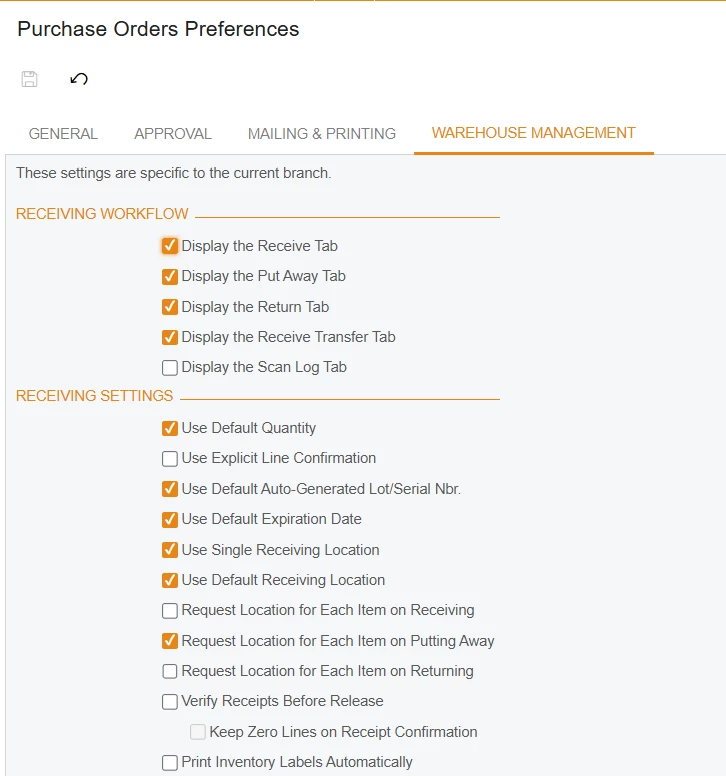
Nos customer “using gun” say they have to “over receive”  not sure how or why.  I guess I need to set a phone app to terst 


AntonDegtyarev27
Acumatica Employee
Forum|alt.badge.img

@dales60 Great that the issue was fixed. They probably still have the setting at Zero value, in that case the system returned an over-receiving error after each scan.