

Answer

Widget for Printing Shipment Confirmation

  • March 12, 2025
  • 3 replies
  • 48 views

Forum|alt.badge.img

How would I go about creating a widget on Shipping Clerks dashboard that identifies if a Shipment Confirmation has NOT been printed.  I would also like to prevent shipment from being confirmed until the shipment confirmation has printed.  What would be the best way to accomplish this.

Best answer by bwhite49

There is a field to identify if the confirmation is printed or not. You can use the attached GI as the widget source.
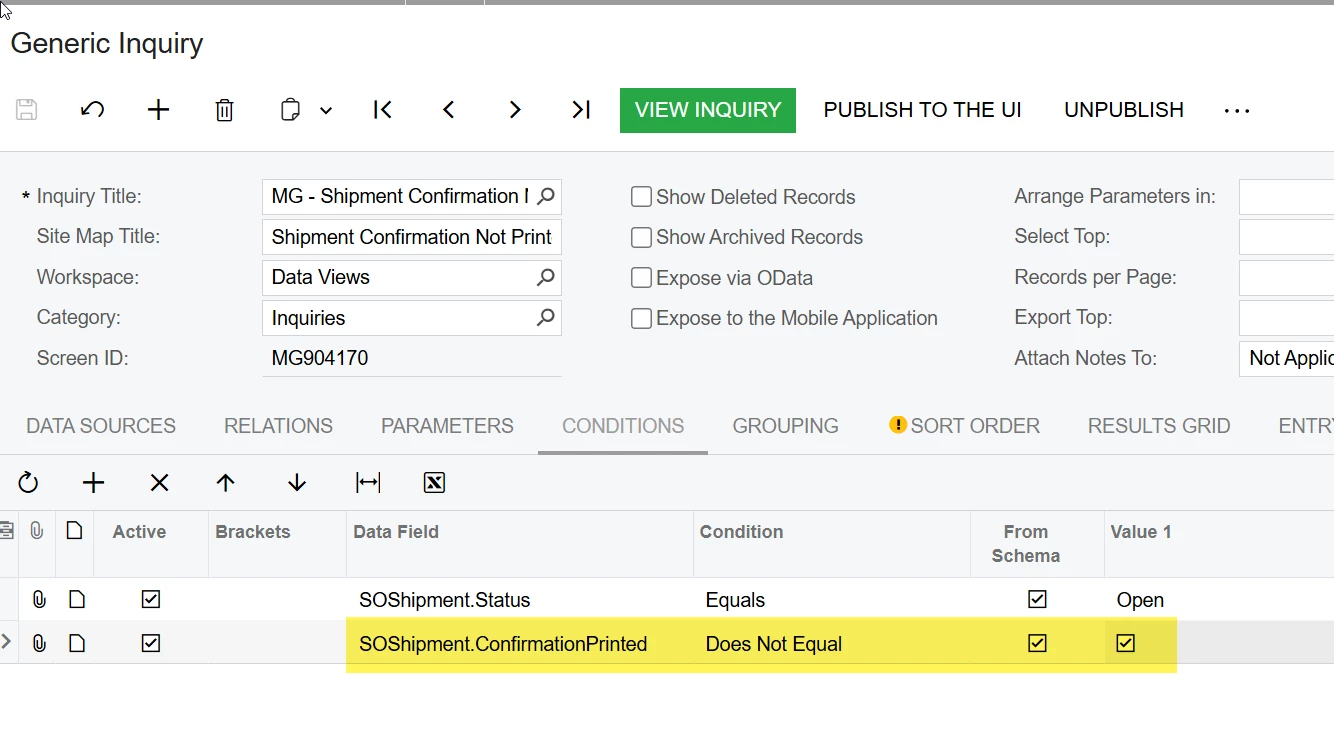
From there you just need to count the number of shipments where the confirmation IS NOT printed.
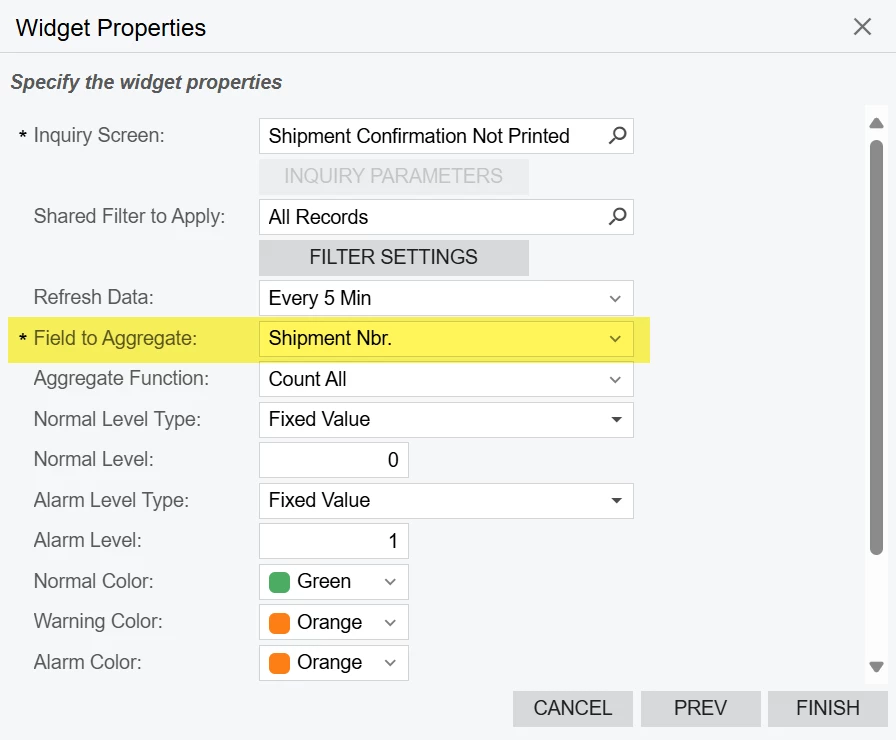

 

3 replies

bwhite49
Captain II
Forum|alt.badge.img+11
  • Captain II
  • Answer
  • March 12, 2025

There is a field to identify if the confirmation is printed or not. You can use the attached GI as the widget source.

From there you just need to count the number of shipments where the confirmation IS NOT printed.


Forum|alt.badge.img
  • Author
  • Jr Varsity III
  • March 12, 2025

great answer for the widget part, thank you seems to be working very well.


bwhite49
Captain II
Forum|alt.badge.img+11
  • Captain II
  • March 12, 2025

Preventing shipment confirmation around that field would be a customization.

You could always work-around that by modifying the user’s work-flow and/or visibility to that action. You could hide the confirmation button on that shipment screen for that user through access rights and force the user to confirm the shipment through a GI processing screen.

The GI processing screen would be a list showing all open shipments where the shipment confirmation printed is check on. The inverse of the list we just created. On that GI you could create a business event that is set up as trigger by action which would have the subscriber of “action execution.” This action execution would be the confirm shipment action. The user would be able to confirm shipments individually or in batches.
