Solved

Where are the Email Security Settings in 2025R2 modern ui?

  • March 16, 2026
  • 14 replies
  • 111 views

Forum|alt.badge.img+1

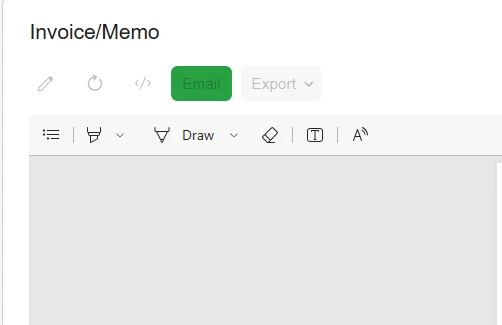
Invoice, click print.  There is a green email button.  For some users it is greyed out.  Where is the security setting for that button?

Best answer by vshashkova

@Russ there is no ability to set access rights for these elements out of the box. 
In the Classic UI, the button was called Send. It was renamed in the New UI.
I also see that Pencil and Export (actually) all the actions are disabled. Is this only happening in Modern UI? 
Are there any customizations related to these actions/reports?

only happening in the Modern UI.  No customizations.  Go back to classic UI, works fine.

It’s probably an issue in the product then, please create a support case so that engineering team could investigate.

14 replies

Samvel Petrosov
Jr Varsity III
Forum|alt.badge.img+9

Could you please add a screenshot of the page and the actions you are referring to?


Forum|alt.badge.img+1
  • Author
  • Jr Varsity II
  • March 16, 2026

screenid   SO303000 and then click Print.  The next screen does not have a screen ID.

/(W(11))/Scripts/Screens/ReportViewer.html?CompanyID=UBPlive&instanceId=


Samvel Petrosov
Jr Varsity III
Forum|alt.badge.img+9

@Russ could you please also share the active Roles for this user?


Forum|alt.badge.img+1
  • Author
  • Jr Varsity II
  • March 16, 2026

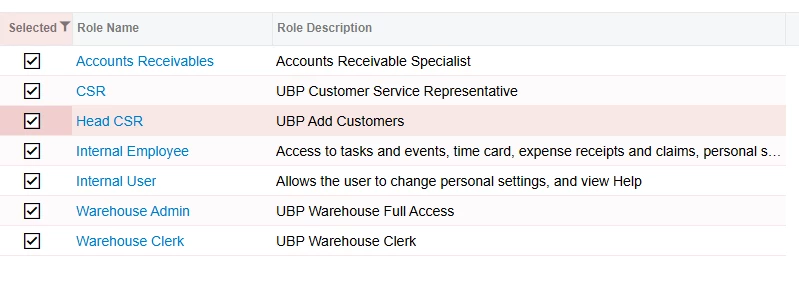
It’s a customer role I created ages ago called CSR.

They also have these Acumatica roles:

Credit

Internal user

internal employee

The user had DELETE access (edit: to screen SO303000).  They can click on the ellipses and hit Email Invoice and it works.  They just can’t use the button to send it via email.


vshashkova
Acumatica Moderator
Forum|alt.badge.img+1
  • Acumatica Moderator
  • March 16, 2026

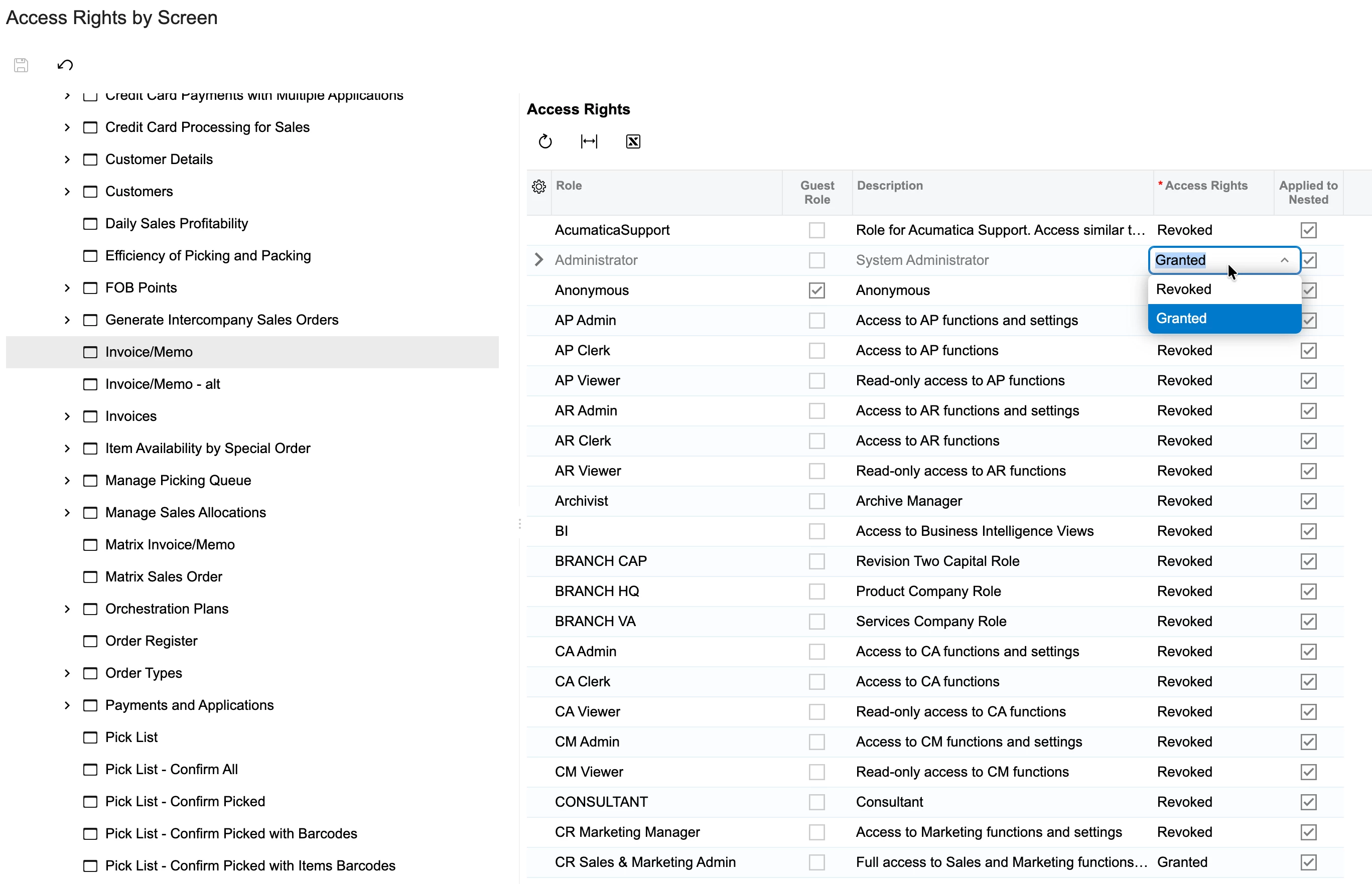
@Russ, what’s the access right for the Invoice/Memo report (in Sales Orders section)? Is it Granted?


vshashkova
Acumatica Moderator
Forum|alt.badge.img+1
  • Acumatica Moderator
  • March 16, 2026

@Russ also, you mention in the title Modern ui, does it work fine for the Classic UI?


vshashkova
Acumatica Moderator
Forum|alt.badge.img+1
  • Acumatica Moderator
  • March 16, 2026

screenid   SO303000 and then click Print.  The next screen does not have a screen ID.

/(W(11))/Scripts/Screens/ReportViewer.html?CompanyID=UBPlive&instanceId=


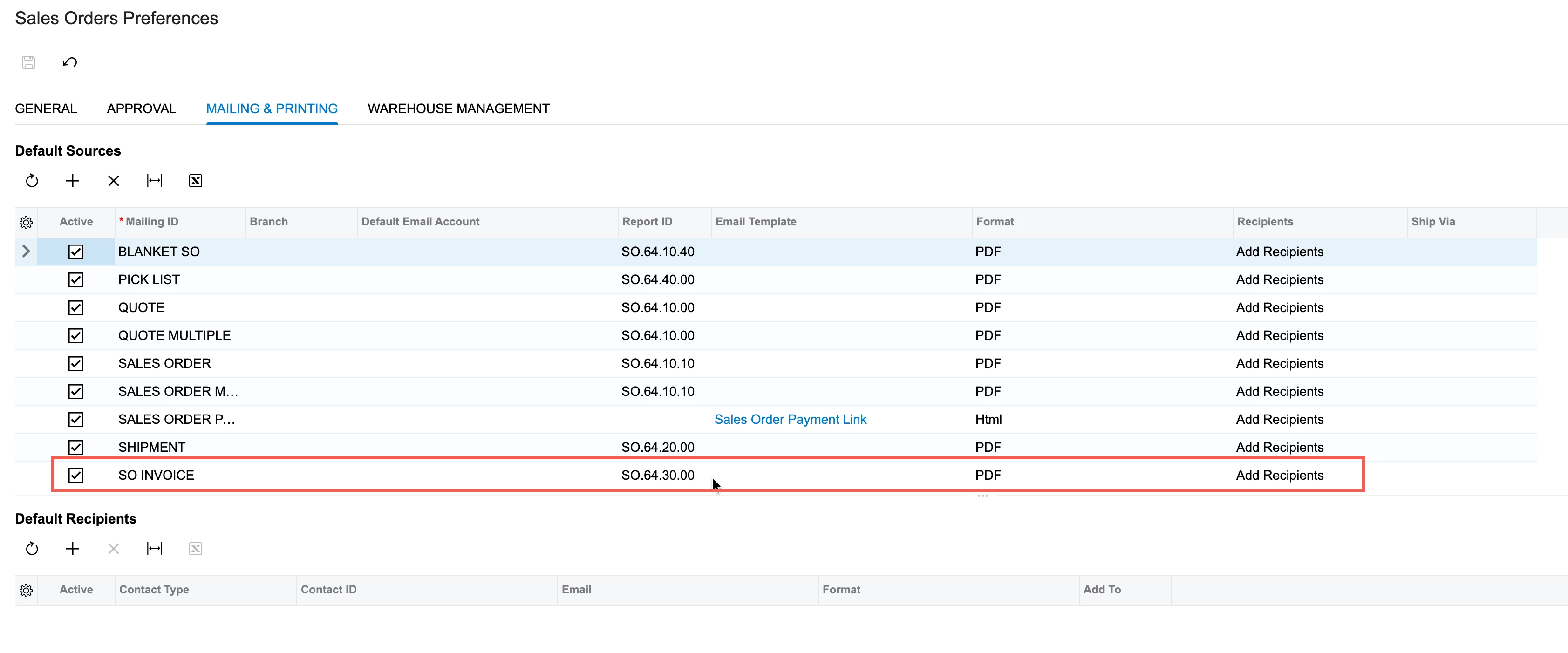
It opens the report that is set on the Sales Orders Preferences form. Most likely it’s SO643000, which goes out of the box. Hence, my question above.


Samvel Petrosov
Jr Varsity III
Forum|alt.badge.img+9

​@Russ, it is really difficult to tell what is off, but I would try switching the user to have out-of-the-box Sales, Internal user, and Internal employee roles. If that fixes the issue, your custom role is most likely explicitly revoking something it shouldn't. If that doesn’t fix the issue, some of the screens/actions in the system may be missing the default configuration and are in the Revoked state.


Forum|alt.badge.img+1
  • Author
  • Jr Varsity II
  • March 17, 2026

@Russ also, you mention in the title Modern ui, does it work fine for the Classic UI?

All roles of the user are marked as Granted .  And this email button doesn’t exist in classic UI.  The user can email invoices in Activities, using the email option under the ellipses (3 dots), just not with this button.


Forum|alt.badge.img+1
  • Author
  • Jr Varsity II
  • March 17, 2026

If I add the Accounts Receivables role, the user has access to the Green Email Button.  Remove that role and the user doesn’t.


Forum|alt.badge.img+1
  • Author
  • Jr Varsity II
  • March 17, 2026

Thanks for everyone’s help.  I still can’t find the root cause.  Copilot AI has spun me around in circles.  

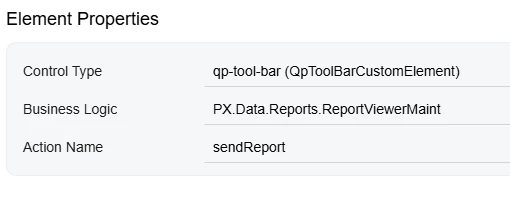
User can email from PO’s, but not from Invoices.  Ctrl + Alt + Click from both screens point to the same place. Can’t determine what controls access to it.


vshashkova
Acumatica Moderator
Forum|alt.badge.img+1
  • Acumatica Moderator
  • March 18, 2026

@Russ there is no ability to set access rights for these elements out of the box. 
In the Classic UI, the button was called Send. It was renamed in the New UI.
I also see that Pencil and Export (actually) all the actions are disabled. Is this only happening in Modern UI? 
Are there any customizations related to these actions/reports?


Forum|alt.badge.img+1
  • Author
  • Jr Varsity II
  • March 18, 2026

@Russ there is no ability to set access rights for these elements out of the box. 
In the Classic UI, the button was called Send. It was renamed in the New UI.
I also see that Pencil and Export (actually) all the actions are disabled. Is this only happening in Modern UI? 
Are there any customizations related to these actions/reports?

only happening in the Modern UI.  No customizations.  Go back to classic UI, works fine.


vshashkova
Acumatica Moderator
Forum|alt.badge.img+1
  • Acumatica Moderator
  • Answer
  • March 18, 2026

@Russ there is no ability to set access rights for these elements out of the box. 
In the Classic UI, the button was called Send. It was renamed in the New UI.
I also see that Pencil and Export (actually) all the actions are disabled. Is this only happening in Modern UI? 
Are there any customizations related to these actions/reports?

only happening in the Modern UI.  No customizations.  Go back to classic UI, works fine.

It’s probably an issue in the product then, please create a support case so that engineering team could investigate.