Solved

View Qty on Hand on PO Line

  • March 19, 2026
  • 4 replies
  • 30 views

nshah90
Freshman II
Forum|alt.badge.img

Is there a way to display qty on hand on the PO line for stock items by warehouse?  This way the user can decide how they would like the product shipped to them based on inventory available.  I am thinking it will be an enhancement but what would be the best approach here to make it seamless.  Thanks!

Best answer by jhalling52

Hi ​@nshah90,

Adding the On Hand Quantity directly to the PO line would require customization. 

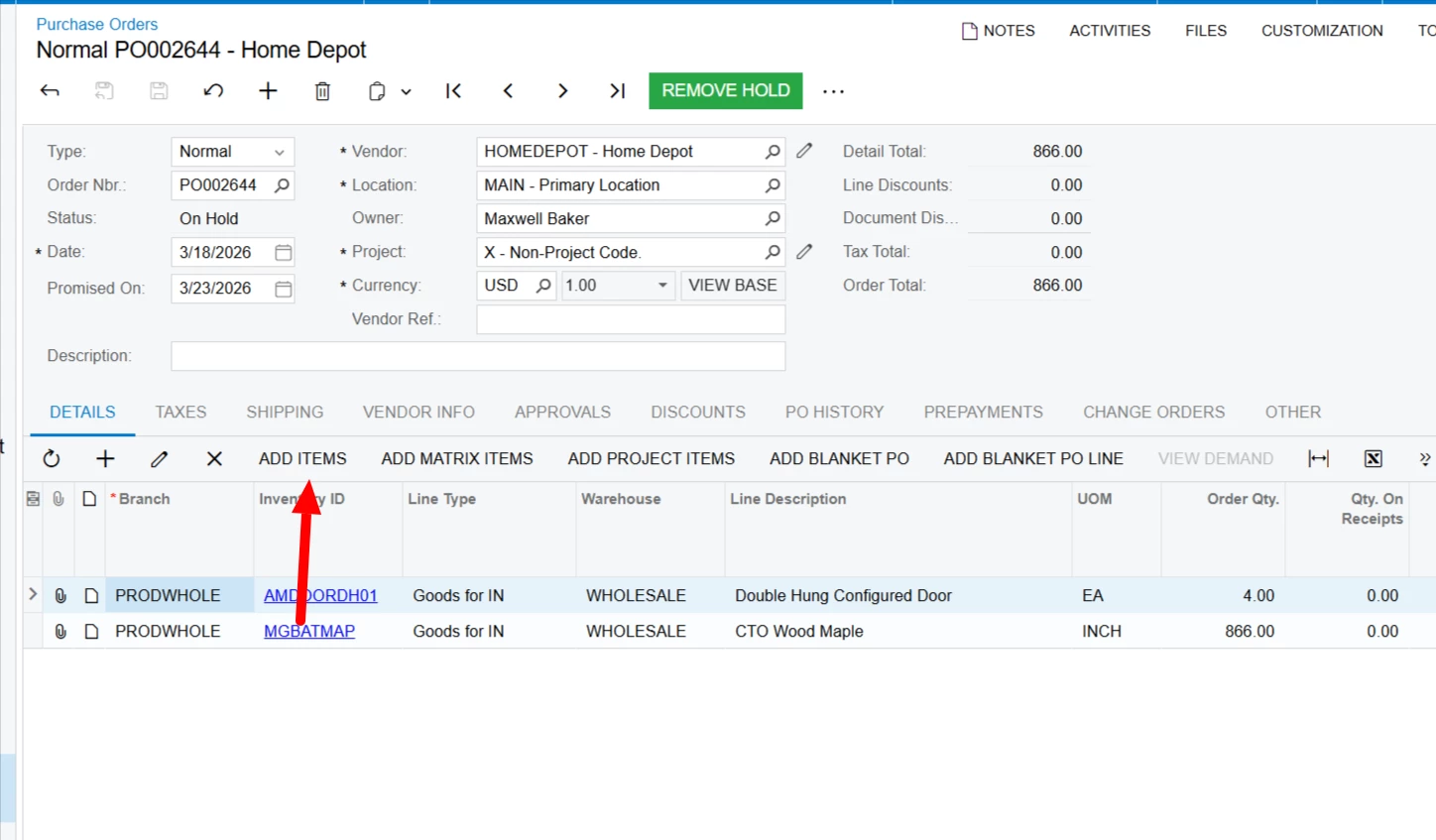
An alternative place to look OOB is the Add Items action on the PO.
 

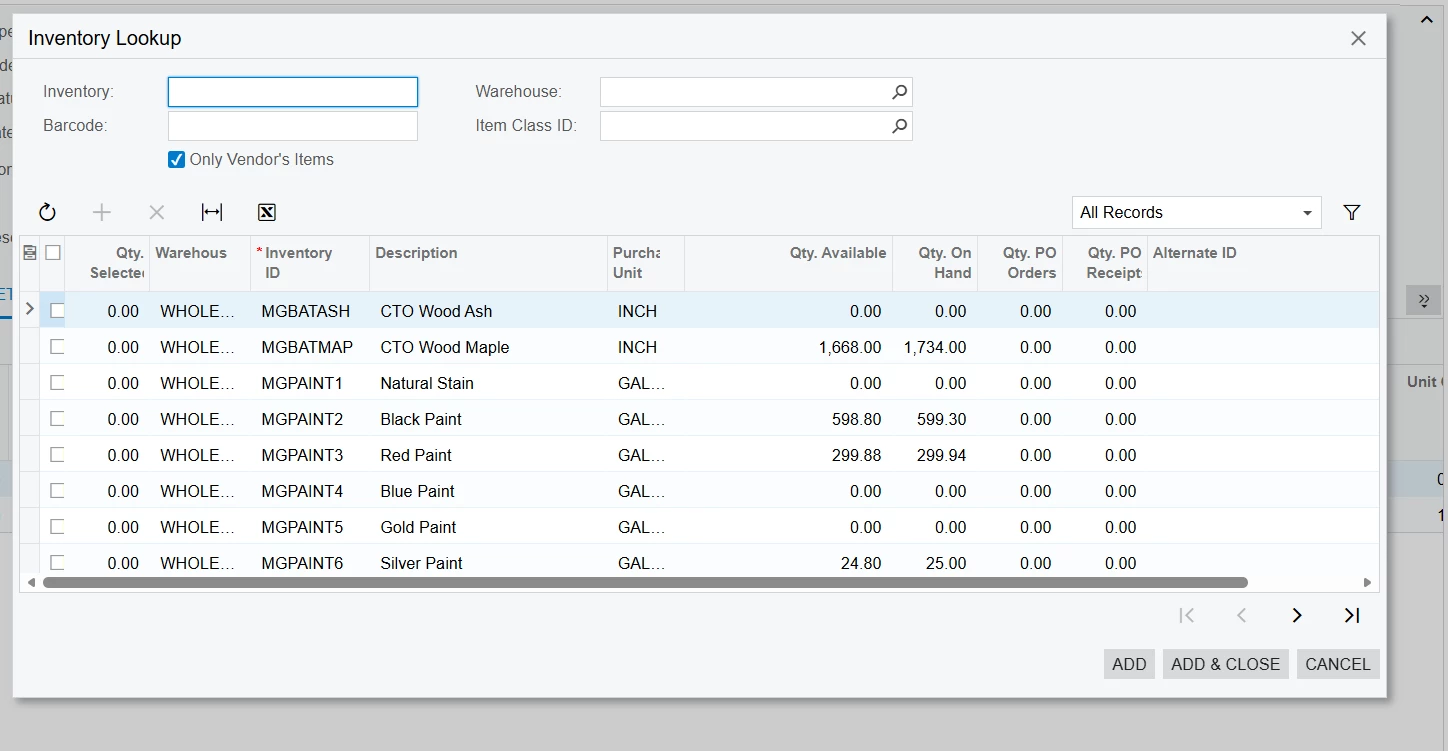
The popup window has Qty On Hand for the Warehouse.
 

4 replies

mohammadnawaz51
Jr Varsity II
Forum|alt.badge.img+6

@nshah90 Can you use the side panel to get the qty available ?


mohammadnawaz51
Jr Varsity II
Forum|alt.badge.img+6

@nshah90 You can create a GI with PX.Objects.IN.INSiteStatus and PO line and add as a side panel.I’ve done a similar one for Purchase order.


jhalling52
Jr Varsity I
Forum|alt.badge.img
  • Jr Varsity I
  • Answer
  • March 19, 2026

Hi ​@nshah90,

Adding the On Hand Quantity directly to the PO line would require customization. 

An alternative place to look OOB is the Add Items action on the PO.


The popup window has Qty On Hand for the Warehouse.



nshah90
Freshman II
Forum|alt.badge.img
  • Author
  • Freshman II
  • March 19, 2026

Thank you ​@mohammadnawaz51 and ​@jhalling52.  I can work with these suggestions.