


Solved

Vendor template contact person

  • October 1, 2020
  • 5 replies
  • 234 views
  • Translate All

TaniaD
Freshman I

Hi there

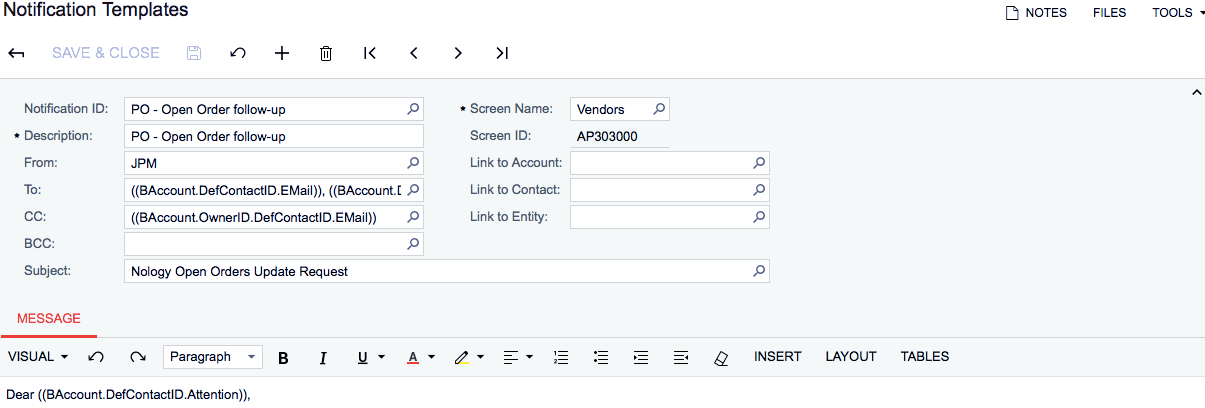
Can someone please assist me...I would like to change the contact person on the below notification template to the Shipper’s Contact under Vendor Purchase Settings. This was set up by a previous colleague and I am new to Acumatica. Thanks so much. Tania


Best answer by Anonymous

Tania,

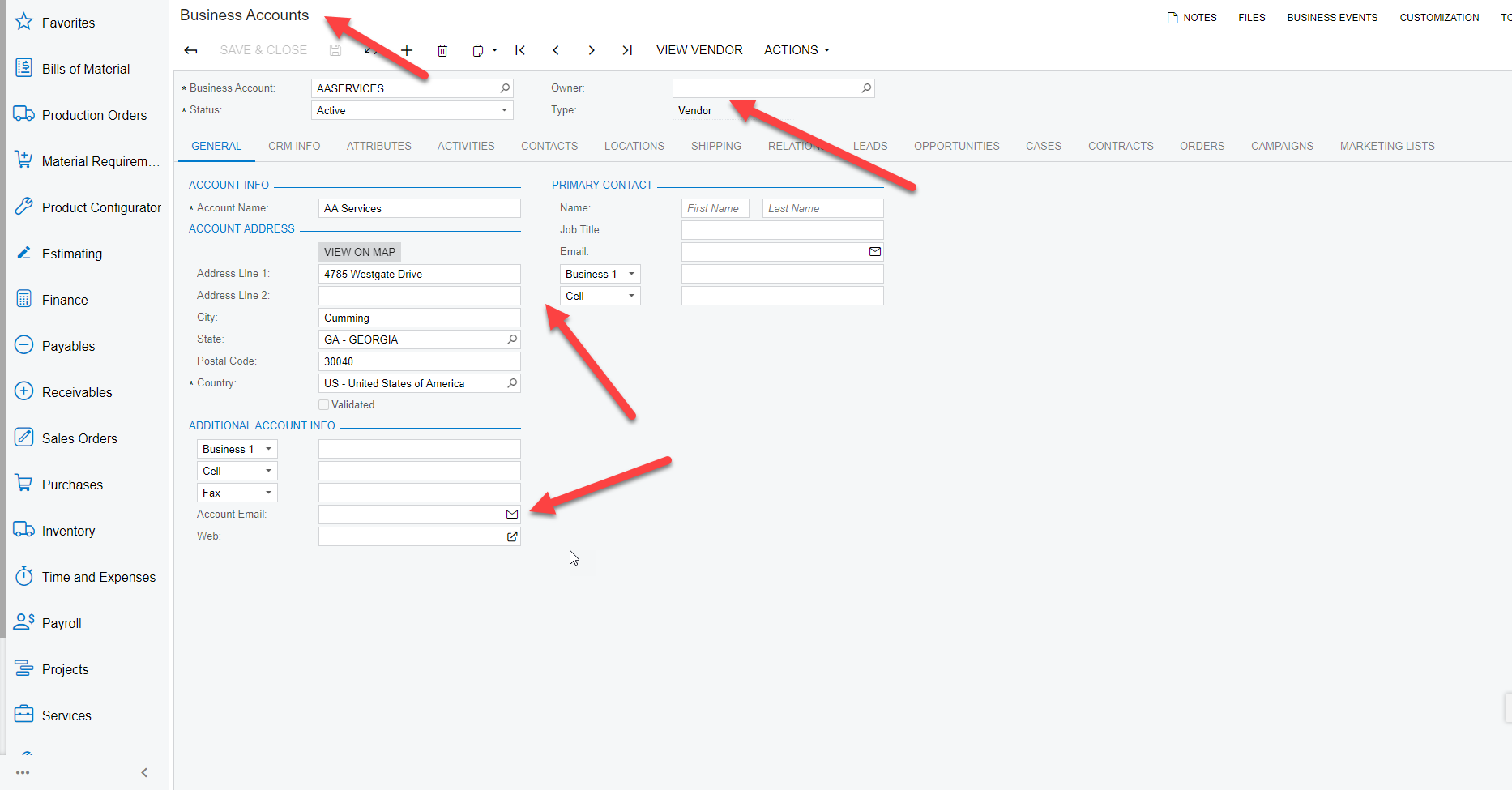
For each Vendor (ScreenID= AP303030) Account in Acumatica, there is an associated Business Account (ScreenID CR303000), It looks like your notification is looking at the email field on that associated business account


View original

5 replies

  • Answer
  • October 1, 2020

Tania,

For each Vendor (ScreenID= AP303030) Account in Acumatica, there is an associated Business Account (ScreenID CR303000), It looks like your notification is looking at the email field on that associated business account


Translate

  • October 1, 2020

As an addition, typically when creating a new vendor from the vendor screen (ScreenID AP303000) it will set those fields on the automatically created associated business account that gets created

Translate

  • October 1, 2020

The Shipper’s Contact (assuming you mean the contact info on the Purchase Settings Tab) means you would need to look that the fields starting with BAccountID.DefLocationContactID  

Translate

TaniaD
Freshman I
  • Author
  • Freshman I
  • October 1, 2020

Thank you very much! A bit confusing when you are new to the system.

Translate

  • October 1, 2020

No problem! The community is here to help!

Translate