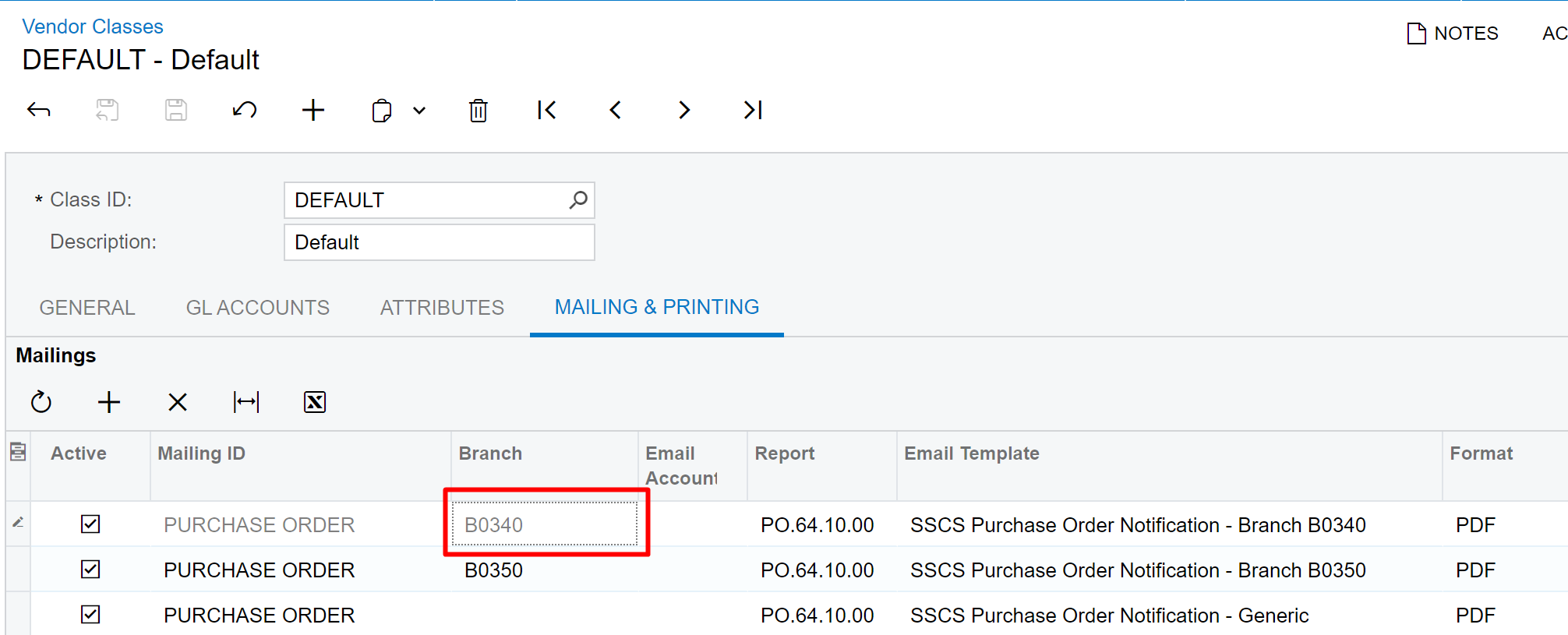
2023r1u13. I’m trying to make a branch specific mailing, but the branch field is grayed out. I have other branch specific mailings that I had previously defined.
Bug or am I doing something wrong?
Thanks,
Brett
2023r1u13. I’m trying to make a branch specific mailing, but the branch field is grayed out. I have other branch specific mailings that I had previously defined.
Bug or am I doing something wrong?
Thanks,
Brett
Best answer by brettnothan9
Found it… This also applies to Vendor Classes. I 1st had to define in Purchase Order Preferences.
AC-170045: In previous versions, in order to configure branch-specific mailing settings, a branch had to be selected in a customer class on the Customer Classes (AR201000) form or in a customer’s mailing settings on the Customers (AR303000) form. The resulting configuration of mailing settings in the customer class or in the customer was not properly validated at the time of configuration. During the sending of an email with the configured mailing settings from a document the following error could occur: There is no active notification source to process the operation.
Fix Description: On the Customer Classes (AR201000) and Customers (AR303000) forms, the Branch column has been added to the lookup table for the Mailing ID column. Now users can select branch-specific mailing settings. The branch-specific mailing settings must be first defined in the area preferences, for example, on the Accounts Receivable Preferences (AR101000) form.
Enter your E-mail address. We'll send you an e-mail with instructions to reset your password.