Question

update order lines with changed requested date

  • August 26, 2024
  • 12 replies
  • 154 views

Forum|alt.badge.img

Hello
As I commented in other post I get this error while I’m trying to import my file. I don’t know how to fix it. 
Any idea?
Thank you.


12 replies

Naveen Boga
Captain II
Forum|alt.badge.img+19
  • Captain II
  • August 26, 2024

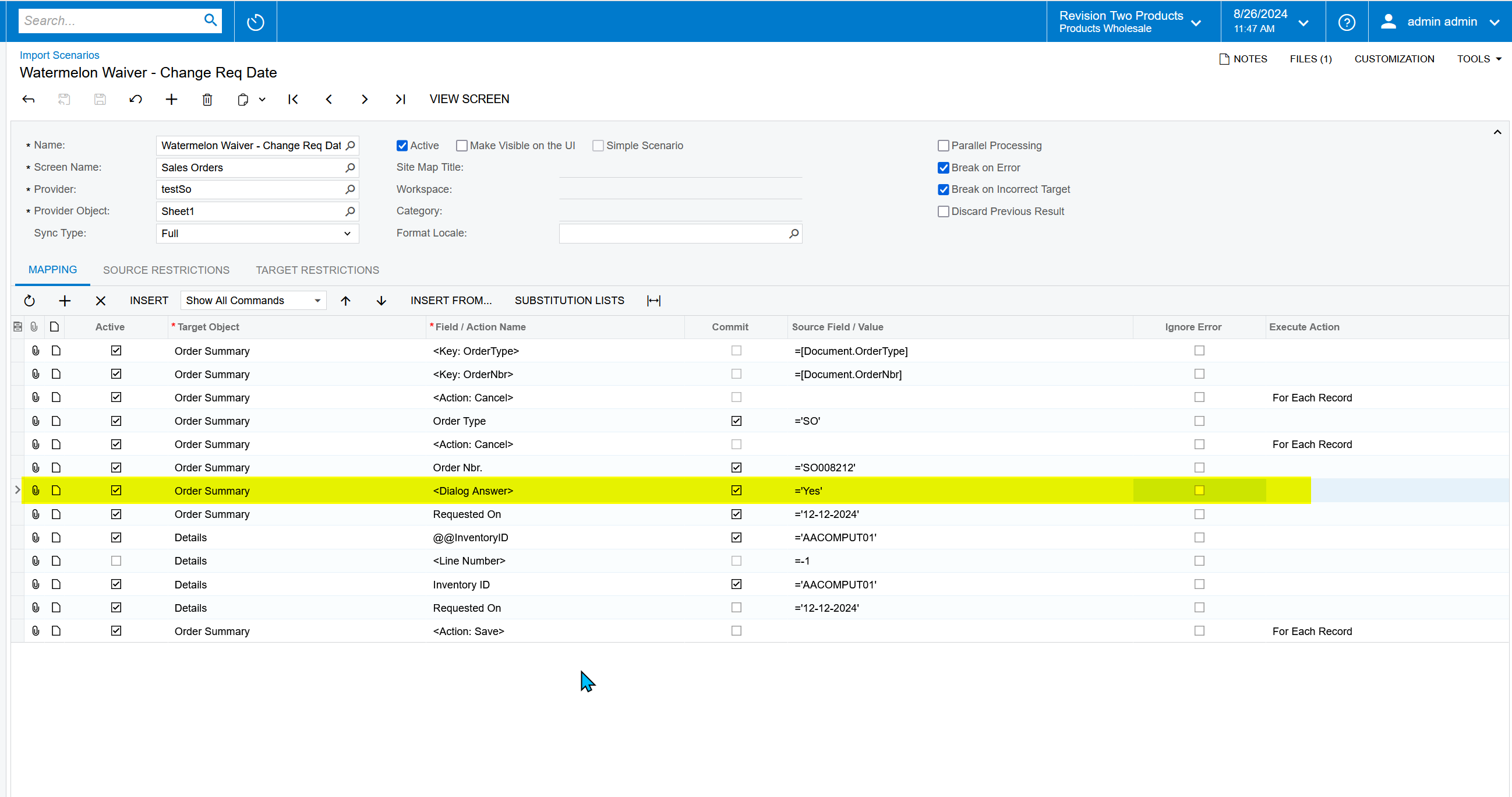
@AFAguilera  Please add below <Dialog Answer> highlighted line before assigning the Requested On field like below. It will solve the problem.

I just verified this and working as expected.


Forum|alt.badge.img
  • Author
  • Jr Varsity II
  • August 26, 2024

Thanks for your answer @Naveen Boga 
Now I get a new error but without sign.
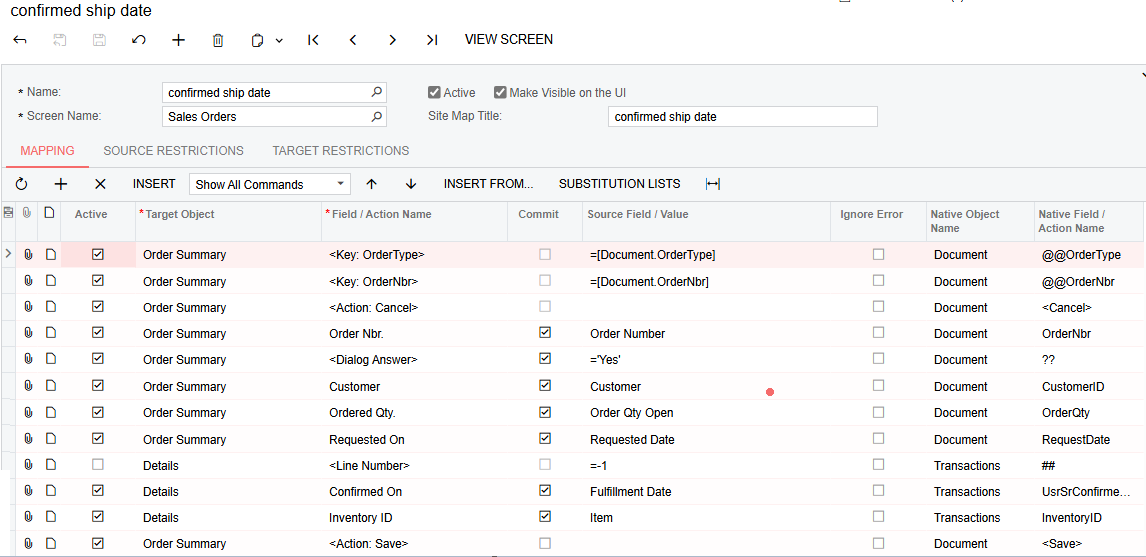
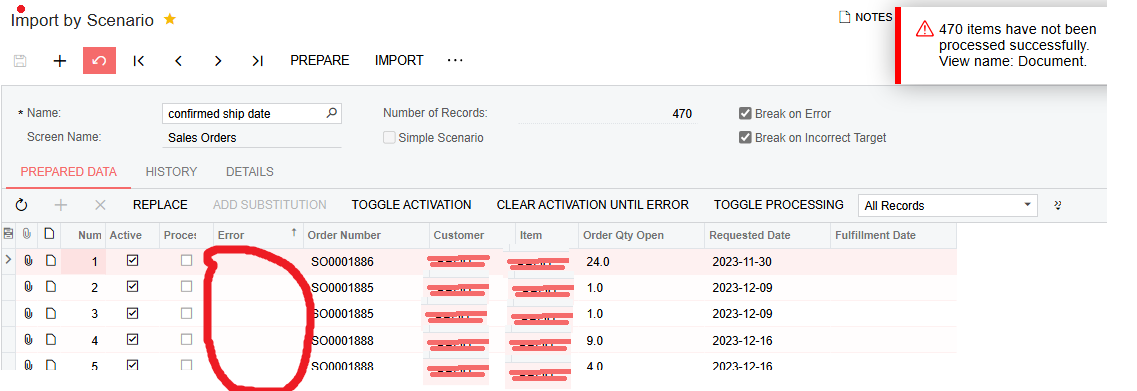
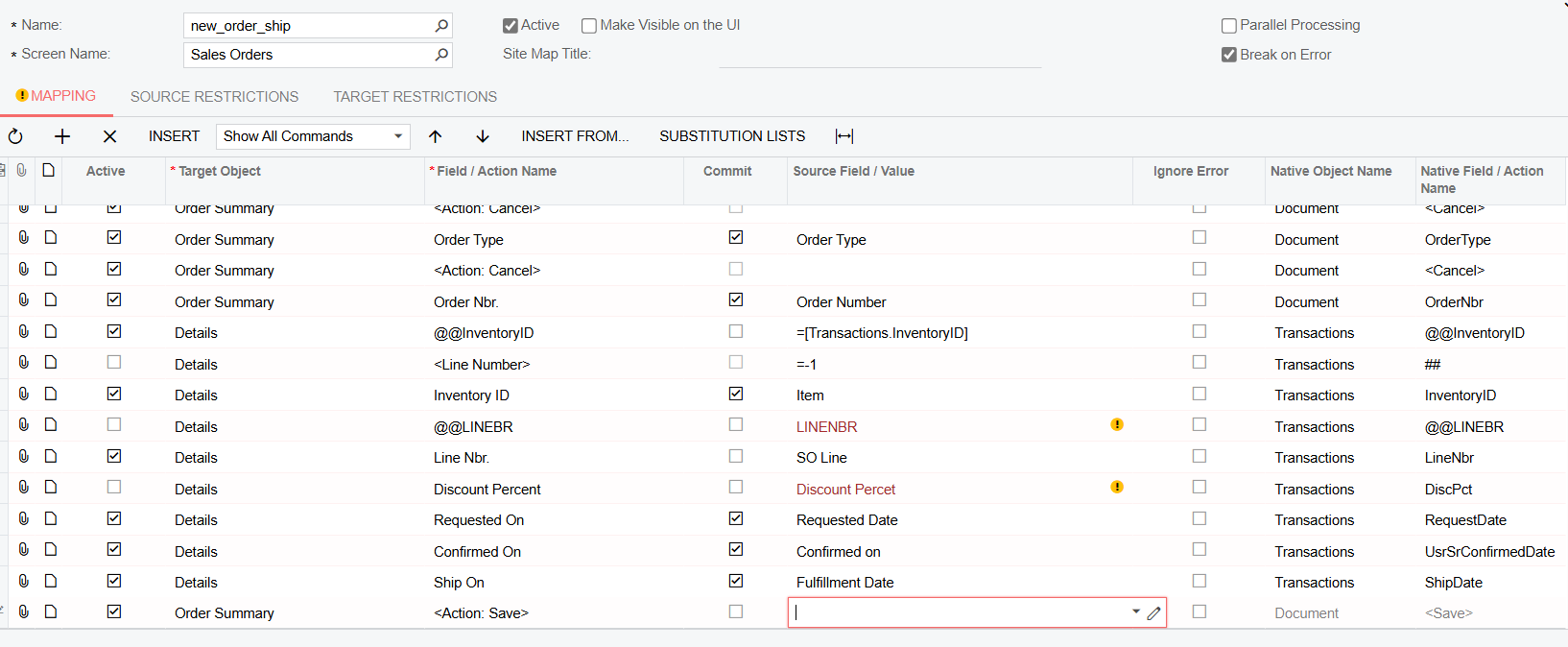
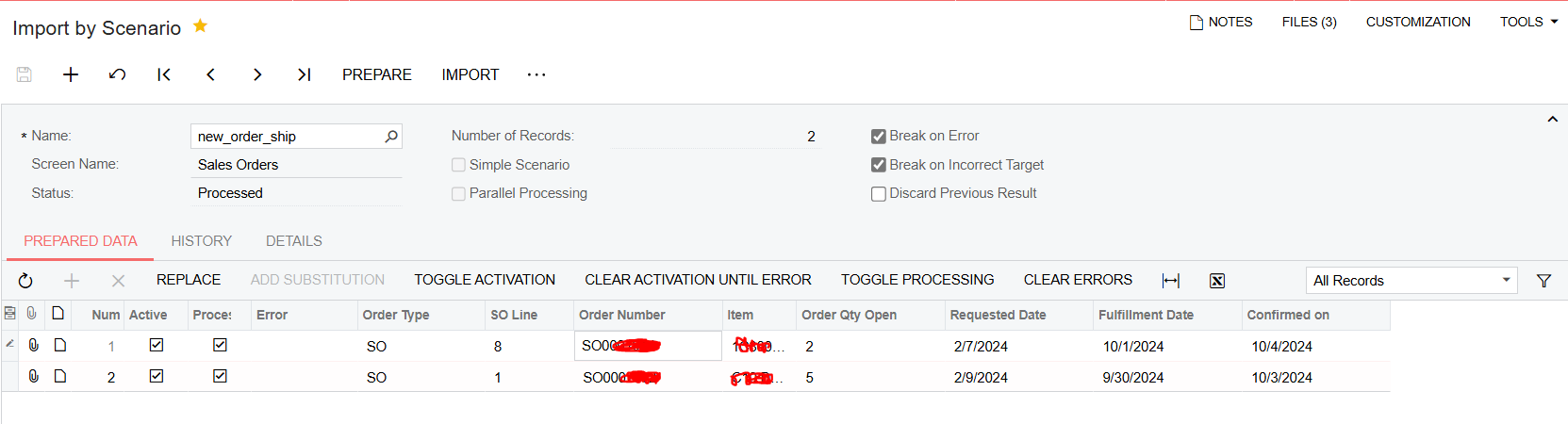
Here is my import scenario and here is my attempt to import my file.


Here is my error, I looked in error column and it’s empty


Naveen Boga
Captain II
Forum|alt.badge.img+19
  • Captain II
  • August 27, 2024

Seems like there is an issue with your import scenario, can you please share the XML file here?


Forum|alt.badge.img
  • Author
  • Jr Varsity II
  • August 27, 2024

Hello!
Shared


Naveen Boga
Captain II
Forum|alt.badge.img+19
  • Captain II
  • August 27, 2024

@AFAguilera I see that you are using the Custom fields in the import scenario and I can’t check this my local.

Are you using this import scenario to update the existing lines? If yes, I think you missed to add the @@InventoryID.

OR

You wanted to insert the new lines, then you should add the @LineNbr = -1


Please refer the below link for your reference.

https://www.eis.consulting/post/acumatica-import-and-export-scenarios-tips-and-tricks


Forum|alt.badge.img
  • Author
  • Jr Varsity II
  • August 27, 2024

Hello!
Thank you again. No, inventory ID is there, and I don’t want to create lines, my scenario is just to update dates


Naveen Boga
Captain II
Forum|alt.badge.img+19
  • Captain II
  • August 27, 2024

Yes, to update the existing line details, you should the @@InventoryID, then only it will update the field values


Forum|alt.badge.img
  • Author
  • Jr Varsity II
  • August 27, 2024

Could this have something to do with the fact that I am doing my scenario in test mode and perhaps those order numbers that I want to update do not exist there?


Forum|alt.badge.img
  • Author
  • Jr Varsity II
  • August 27, 2024

Yes, to update the existing line details, you should the @@InventoryID, then only it will update the field values

The only play that I see inventory is in “Details” tab, and that field is already there


Manikanta Dhulipudi
Captain II
Forum|alt.badge.img+15

Hi @AFAguilera 

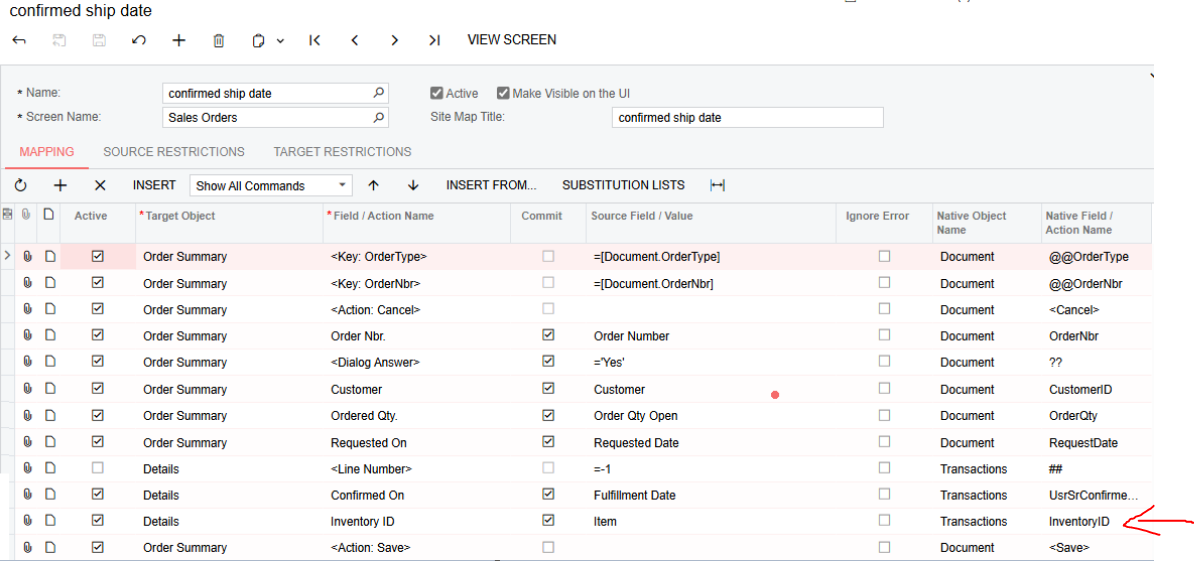
As @Naveen Boga recommended please use the @@ inventory ID as shown in the screenshot.


Please use the key fields Order type and Nbr when you are updating the data,

Dont use customer in the import scenarios as it creates a new order.


Forum|alt.badge.img
  • Author
  • Jr Varsity II
  • September 4, 2024

Hello

Thanks for your support. I’m still struggling with my import scenario. I can’t update any dates. I don’t know why because it didn't give me any error.
 

Example:


I would appreciate any help.


Chris Hackett
Community Manager
Forum|alt.badge.img
  • Acumatica Community Manager
  • September 30, 2024

Hi @AFAguilera were you able to find a solution? Thank you!