Question

Unable to find Purchase Orders in Sales Order Linking

  • October 28, 2025
  • 5 replies
  • 91 views

Forum|alt.badge.img

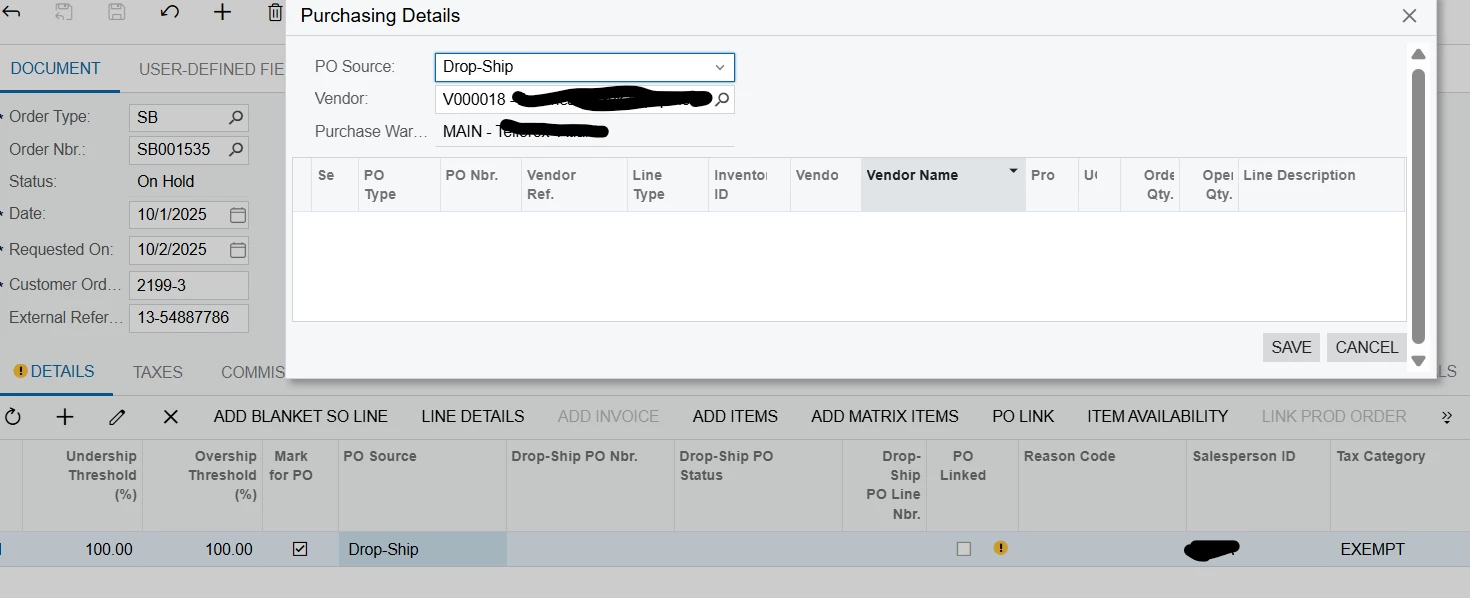
We are trying to link three Sales Order to one Purchase Order. We were able to get one SO linked to the PO, however, the other two cannot link. There’s not even an option to see them. Both are using the same Source and vendor, and part. Any guidance on how to solve this would be greatly appreciated.
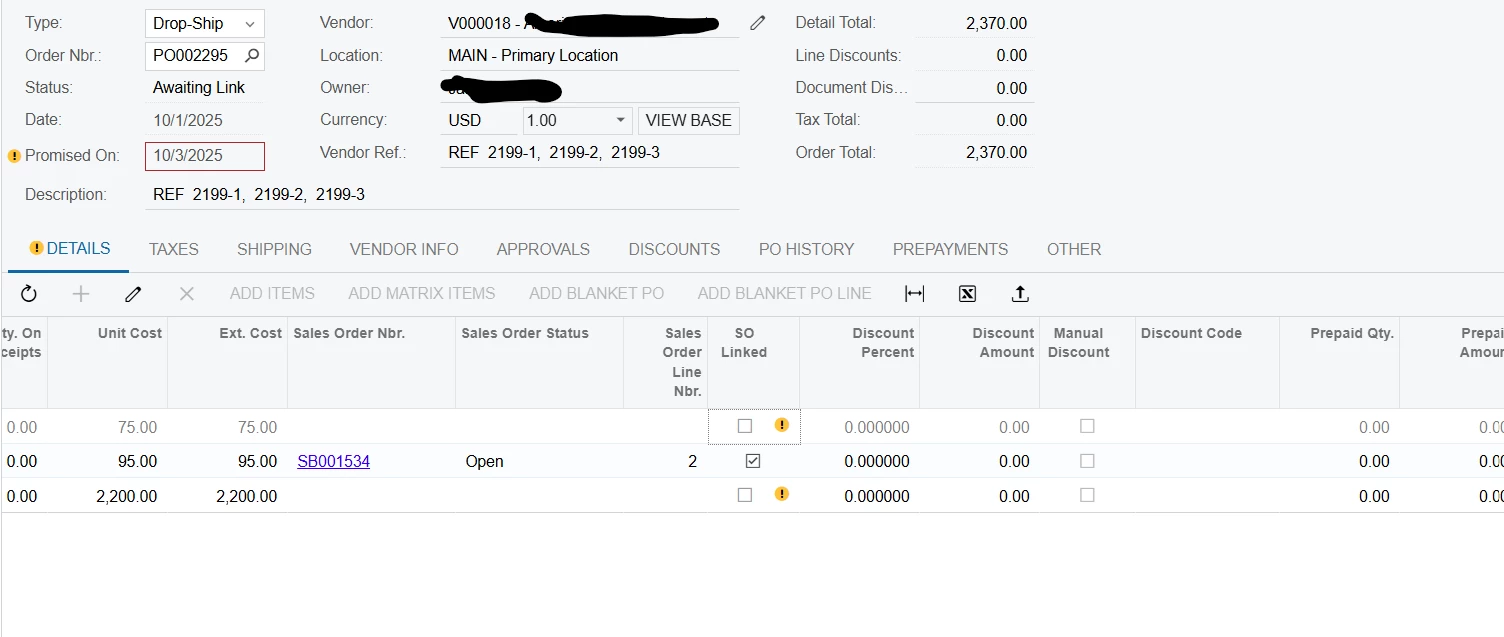
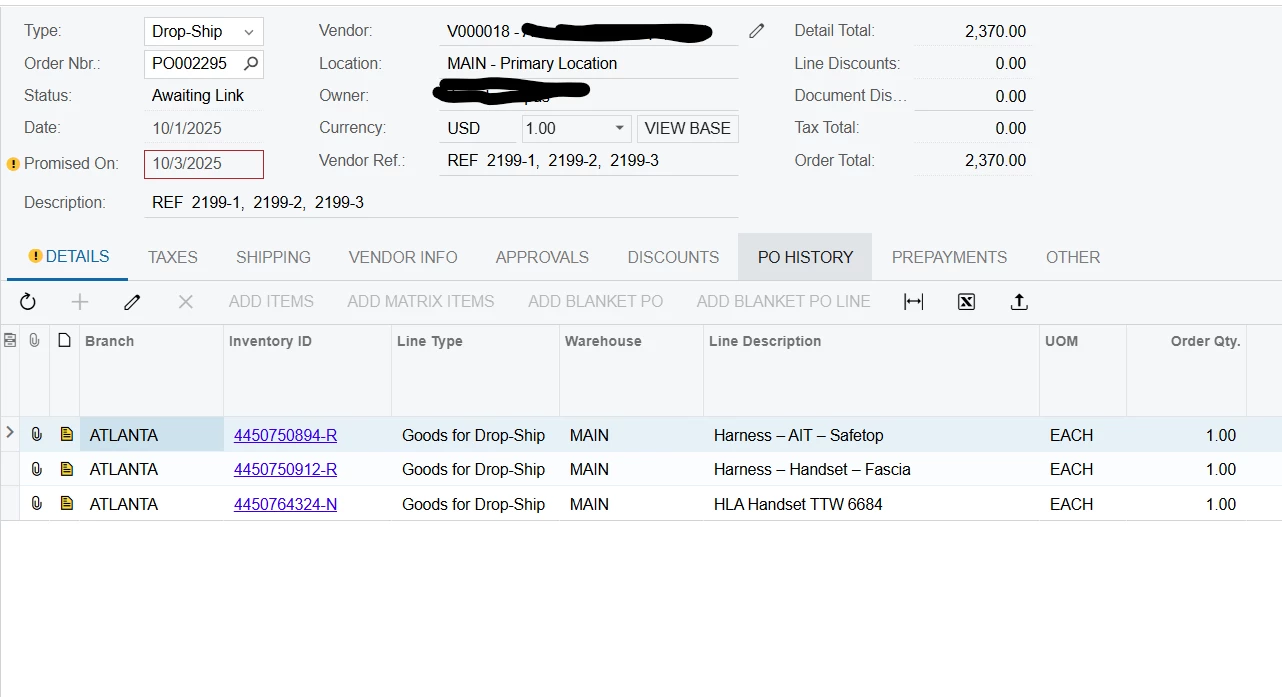
Purchase Order
One of the Sales Order


5 replies

bwhite49
Captain II
Forum|alt.badge.img+12
  • Captain II
  • October 28, 2025

With purchase to order, I found that the purchase order has to been in the open status in order to link to an SO. It looks like your PO is in the “awaiting link” status and not on hold though, so order status is unlikely the issue.

Do the order qtys match? PO and SO have the same line qtys?


Forum|alt.badge.img
  • Author
  • Freshman II
  • October 29, 2025

With purchase to order, I found that the purchase order has to been in the open status in order to link to an SO. It looks like your PO is in the “awaiting link” status and not on hold though, so order status is unlikely the issue.

Do the order qtys match? PO and SO have the same line qtys?


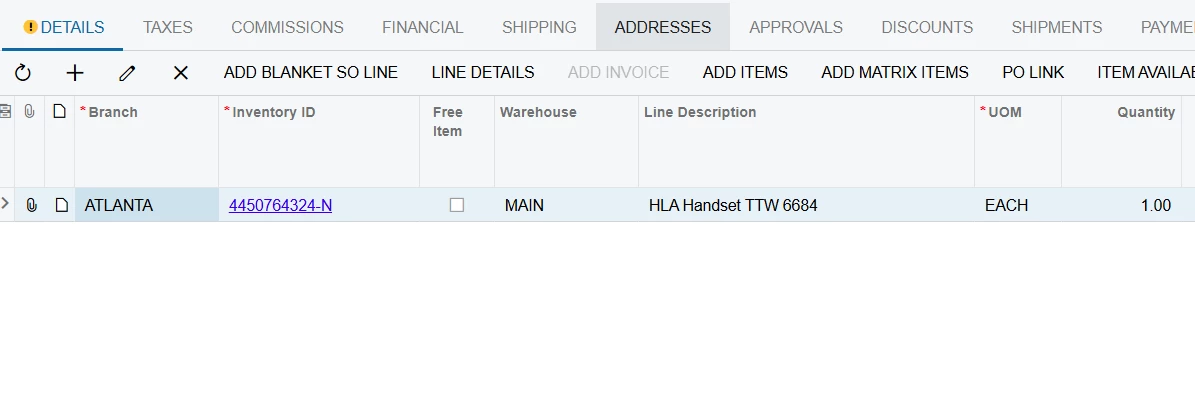
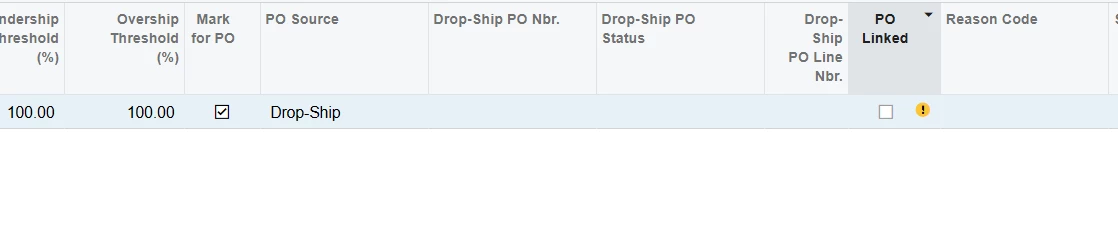
Quantity and type are the same.

Sales Order Part
Sales Order Po Source
PO Qty

Chris Hackett
Community Manager
Forum|alt.badge.img
  • Acumatica Community Manager
  • November 6, 2025

Hi ​@kkraus were you able to find a solution? Thank you!


Noticed it’s a drop-ship PO based on the images shared. Were you able to try the following: unlink the sales order, then re-link it to the PO?This may fix this issue.


Hi @kkraus,

For each of the Sales Orders that you want to link to the same Purchase Order, you can try the following:

  1. Open the Sales Order.
  2. Click on PO Link.
  3. Select the relevant Purchase Order that you would like to associate.
  4. Save the Sales Order.

Repeat these same steps for the remaining Sales Orders that need to be linked.

If the other Purchase Order is still not appearing in the PO Link selection, it may also be worth double-checking that all required conditions (such as vendor, source, and item details) are fully aligned and that the PO is still open for linking.

Hope this helps!