



Hi,
I came up with following issue when trying to confirm the shipments. The behavior and the re-creation steps are as below.
The following dialog box appears when confirming the shipment.
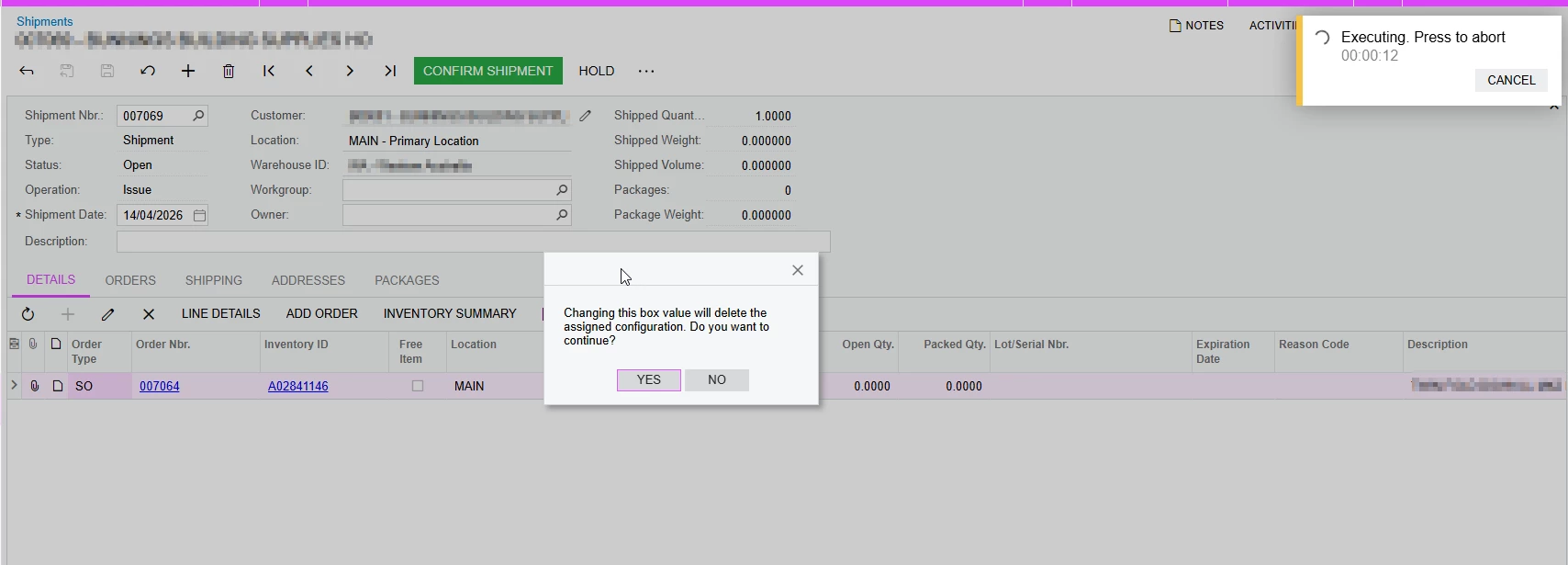
This can be re-created with the following steps.
- Create a sales order with an existing configuration version and produce the item.
- Once the item is produced, create the shipment and do not confirm the shipment.
- Create a new configuration version for the same item, and inactive the previous version. (one used to produce the item which is in shipping)
- Change the default configuration ID in the manufacturing tab of the stock item to the latest revision.
- Now try to confirm the shipment and you will get the above message.
Once the dialog box is populated, the Yes or No buttons does not process the shipment and keep generating the dialog box.
This can be eliminated if the default configuration ID of the stock item is cleared. Once cleared, the shipment can be confirmed without above dialog box.
I’m trying to understand whether this is a bug or is there a rationale behind this. Appreciate if anyone could have a look.
Thank you,
Dulanjana
