Solved

Suggested Reorder Points with DRP

  • December 13, 2025
  • 1 reply
  • 35 views

Forum|alt.badge.img

If an item is marked as Planning Method = Inventory Replenishment, the system will calculate and suggest planning figures such as safety stock, reorder point, max quantity. If an item is marked as DRP instead, is there any way for the system to suggest these figures?

Best answer by nickcerri32

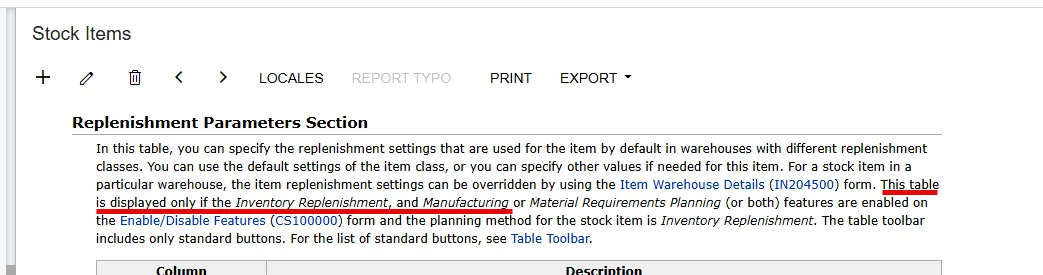
@kristybrooks83 I don’t believe so.  Inventory Replenishment is reactive approach that allows for user manipulation of these values, while DRP is a more proactive/forecast driven approach that relies on things like Sales Orders (among other things) to determine demand.  Ultimately, what you’re looking for is the Replenishment Parameters section of the Inventory Planning tab of the Stock Item.  This section is only available if you’ve enabled Inventory Replenishment and [Manufacturing or MRP].  


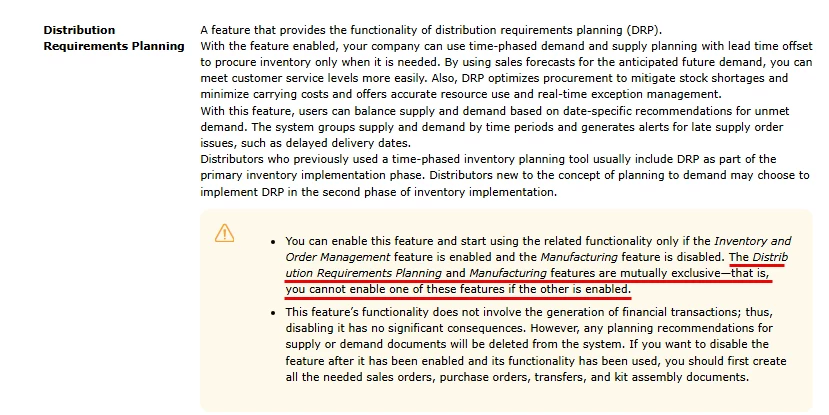
However, you can’t only enable MRP, because that requires that you enable Manufacturing.  But you can’t enable DRP unless you’ve disabled Manufacturing.  
 

1 reply

nickcerri32
Semi-Pro II
Forum|alt.badge.img+6
  • Semi-Pro II
  • Answer
  • December 29, 2025

@kristybrooks83 I don’t believe so.  Inventory Replenishment is reactive approach that allows for user manipulation of these values, while DRP is a more proactive/forecast driven approach that relies on things like Sales Orders (among other things) to determine demand.  Ultimately, what you’re looking for is the Replenishment Parameters section of the Inventory Planning tab of the Stock Item.  This section is only available if you’ve enabled Inventory Replenishment and [Manufacturing or MRP].  


However, you can’t only enable MRP, because that requires that you enable Manufacturing.  But you can’t enable DRP unless you’ve disabled Manufacturing.