

Question

SO PO Link Error

  • Nov 4, 2026 6:50 AM UTC
  • 4 replies
  • 46 views
  • Translate All

Forum|alt.badge.img

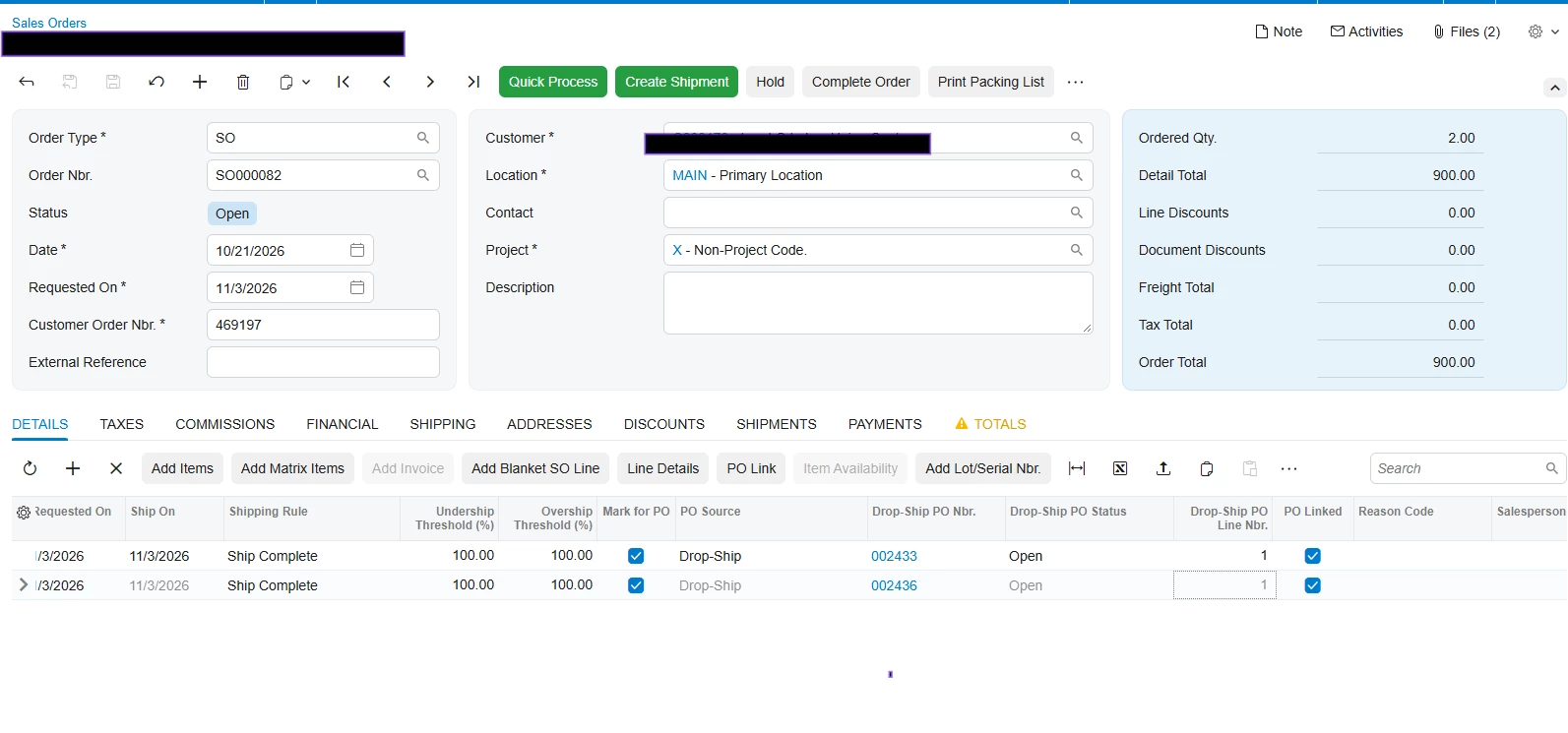
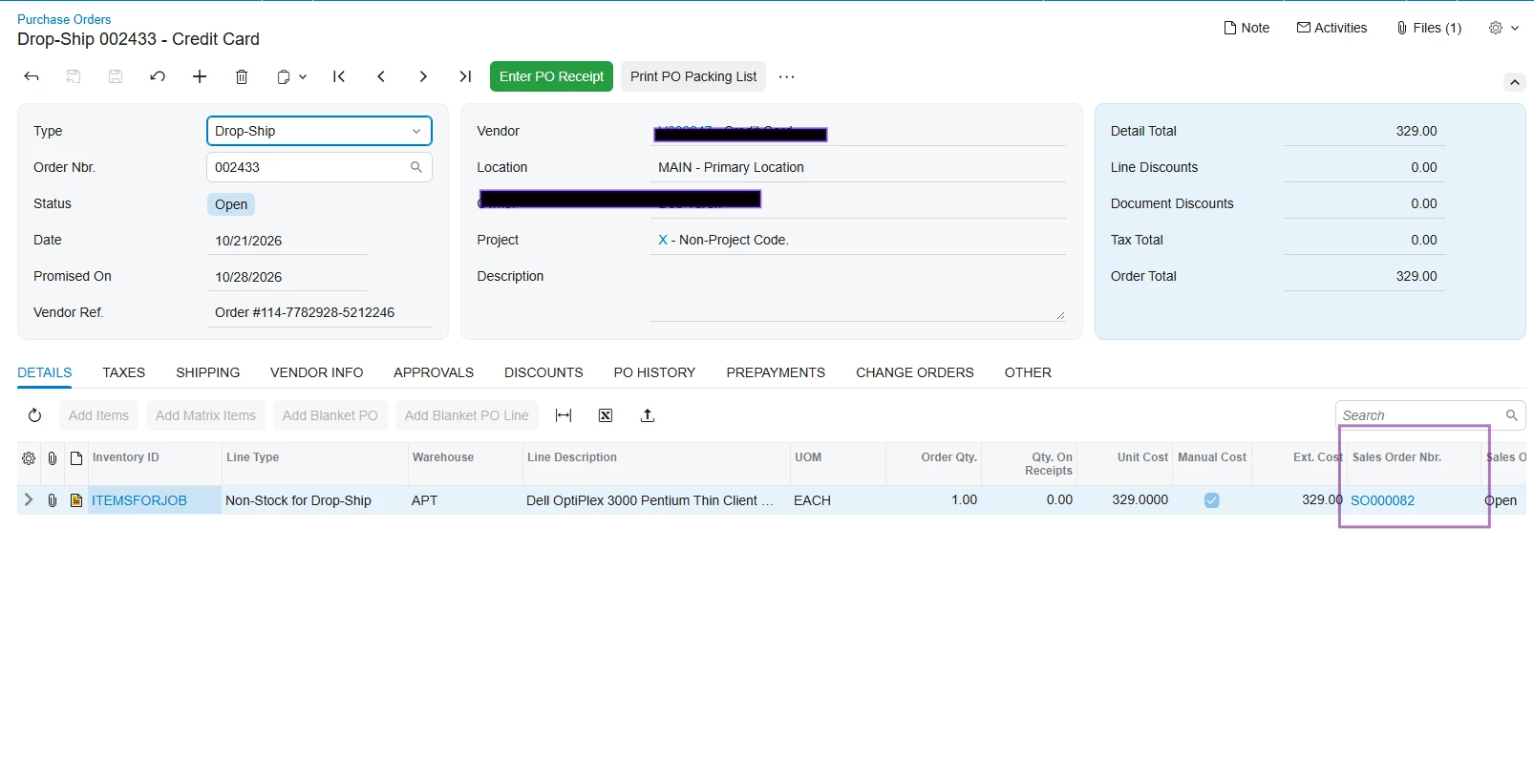
I keep on getting this error below and cannot release a PO receipt for a non-stock item. Both line items are already linked to the PO and Sales Order. Refer to screenshots below. Does anyone know how to resolve this error? 


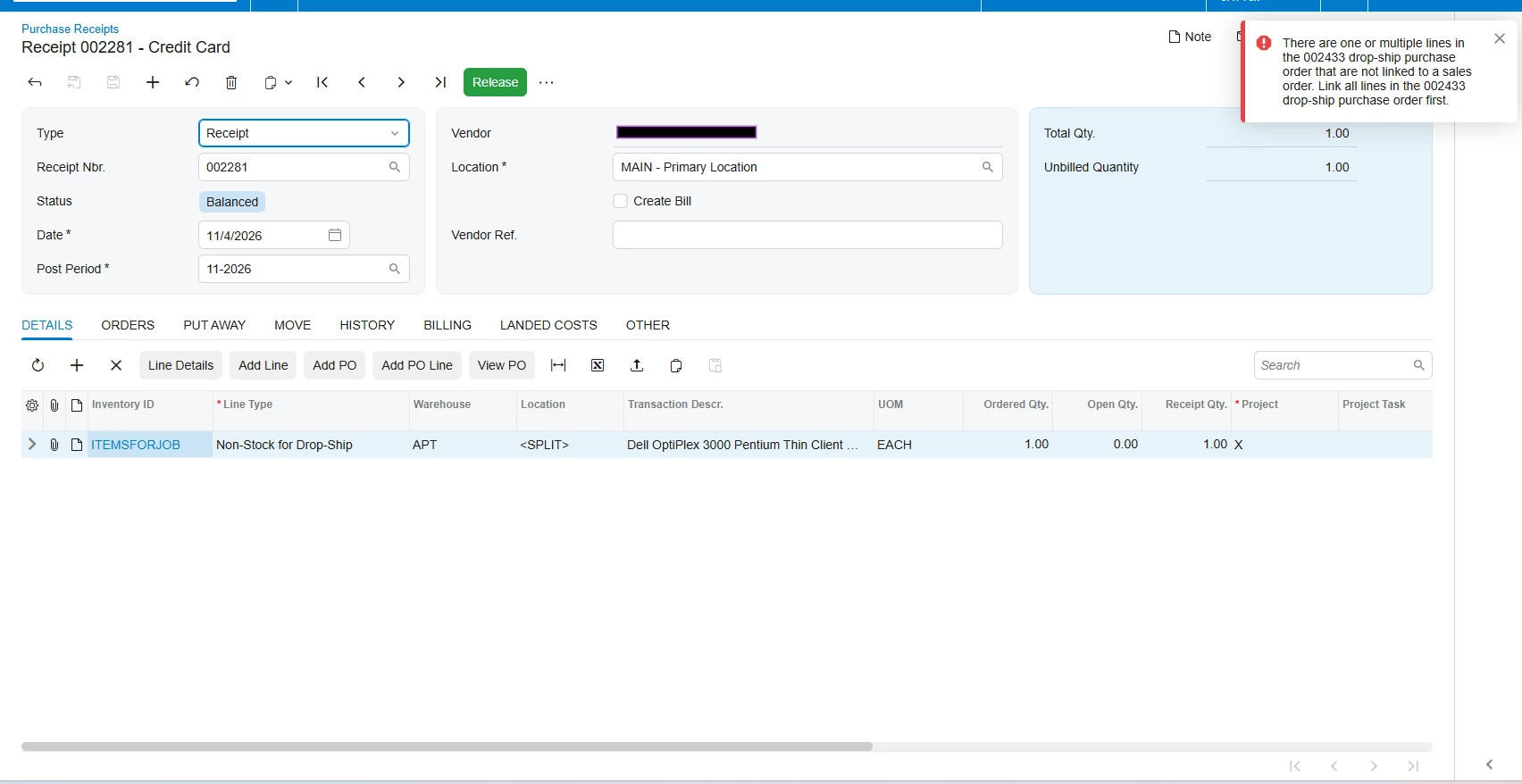
Error Message:

There are one or multiple lines in the 002436 drop-ship purchase order that are not linked to a sales order. Link all lines in the 002436 drop-ship purchase order first.


Screenshot of SO: 
Screenshot of PO:   
Screenshot of PO Receipt Error Message 
 

Thanks,

Frances


4 replies

Forum|alt.badge.img+8
  • Jr Varsity III
  • Nov 4, 2026 7:18 AM UTC

Hi ​@fpantelidakis07,

Can you try below-

To fix a line that isn’t linked, either:

  • Link it. Open the sales order (SO301000), select the line, and open PO Link. Check that Mark for PO is on and PO Source = Drop-Ship. Then pick the PO line. If there’s no matching sales order line, add one first. On recent versions you can also use Link Sales Order from the PO’s Drop-Ship Sales Orders tab.
  • Or remove it. If the line shouldn’t be on a drop-ship PO at all (a manual charge, for example), delete it from the PO, or put the PO on hold, delete the line and take it off hold. Bill that charge separately.

Check the non-stock item too. On Non-Stock Items (IN202000), make sure Require Receipt and Require Shipment are both checked. Without them, the sales order line can’t be marked for drop-ship, so the PO line it should link to stays unlinked.

Then: go back to the receipt, refresh it, and release.

Hope above helps!!

Translate

Forum|alt.badge.img
  • Semi-Pro III
  • Nov 4, 2026 8:24 AM UTC

Hi ​@fpantelidakis07 ,


I’ve faced the same issue in the past and was able to resolve by checking the checkbox for Require Shipment & Require Receipt on Non stock item screens.

Translate

Forum|alt.badge.img+5
  • Varsity III
  • Nov 4, 2026 8:54 AM UTC

Hi ​@fpantelidakis07 ,

Can you try to click on the PO Link button & check if the PO Order exists in there? Additionally can you try to unlink & then re-link the PO in the SO?

Translate

Steve Milner
Varsity III
Forum|alt.badge.img+6
  • Varsity III
  • Nov 4, 2026 3:40 PM UTC

@fpantelidakis07 PO Linked only covers half of what the release checks. Each drop-ship receipt line needs an active link between the PO line and the SO line, which is what PO Linked shows. It also needs the SO line's split record (the row behind Line Details) to carry the same PO type, PO number and PO line number, with PO source Drop-Ship. If the split is missing 002433, you get this exact error with PO Linked still checked.

The error in your receipt screenshot names 002433, so it's line 1 of SO000082. A quick GI on SOLineSplit filtered to that order, showing Line Nbr., PO Type, PO Nbr. and PO Line Nbr., will show you whether 002433 is on the split.

Harry and Rakshanda are right that both Require Receipt and Require Shipment have to be on. Without them, a non-stock line can't take PO Source Drop-Ship at all. Your lines already show Drop-Ship, so that check passed when they were set up.

If PO Nbr. is blank on the split, Harshita's unlink and relink is the lever, since linking is what writes the PO number onto the split. Receipt 002281 is the catch. While it's unreleased, line 1 is locked in the PO Link dialog and PO Linked can't be cleared, so the receipt has to be deleted before you can relink. Try it in a test tenant first if you have one.

Translate

