



Hello,
Is there a way that we can skip some lines on a receipt document when applying landed cost (no cost markup)?
Hello,
Is there a way that we can skip some lines on a receipt document when applying landed cost (no cost markup)?
Best answer by nhatnghetinh
Hi
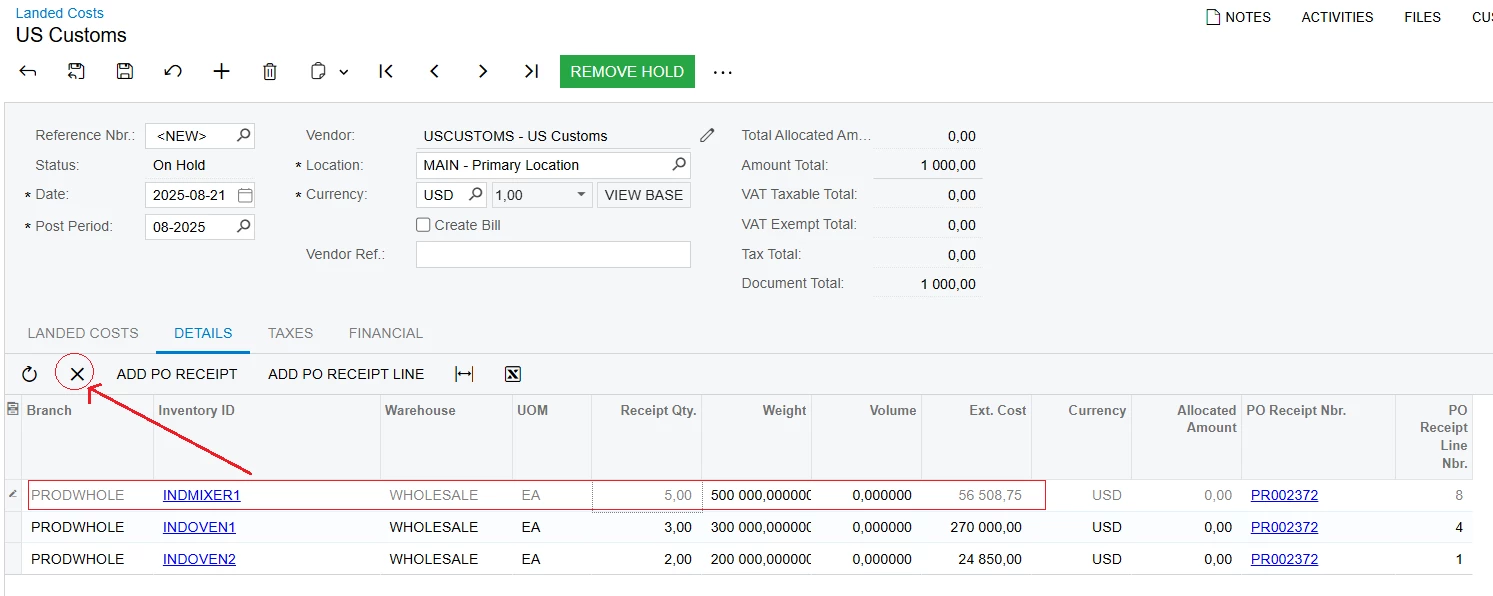
On the Landed Cost screen > DETAILS tab > select the line you want to skip > press "X" to delete the line.
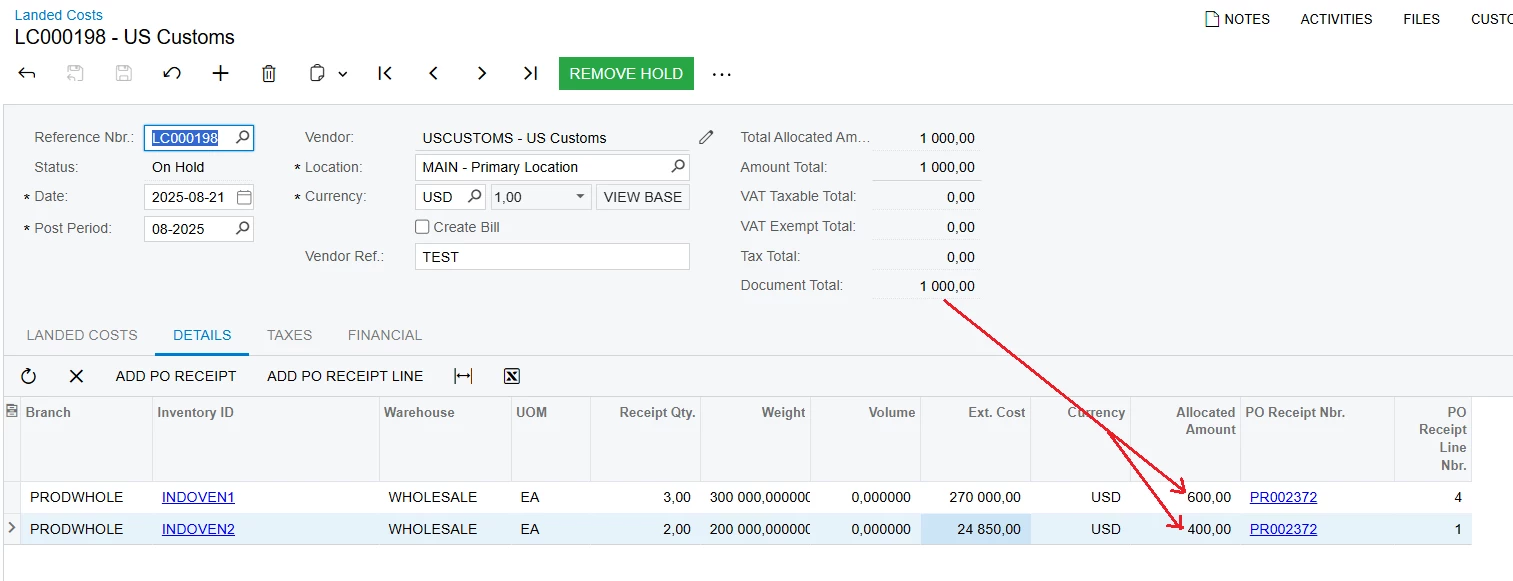
Result after skipping 1 line (delete 1 line)
Best Regards,
NNT
Enter your E-mail address. We'll send you an e-mail with instructions to reset your password.

