Answer

Shop for rates --> Automatic Amount calculation not working

  • September 16, 2024
  • 4 replies
  • 102 views

Forum|alt.badge.img

Hello all,

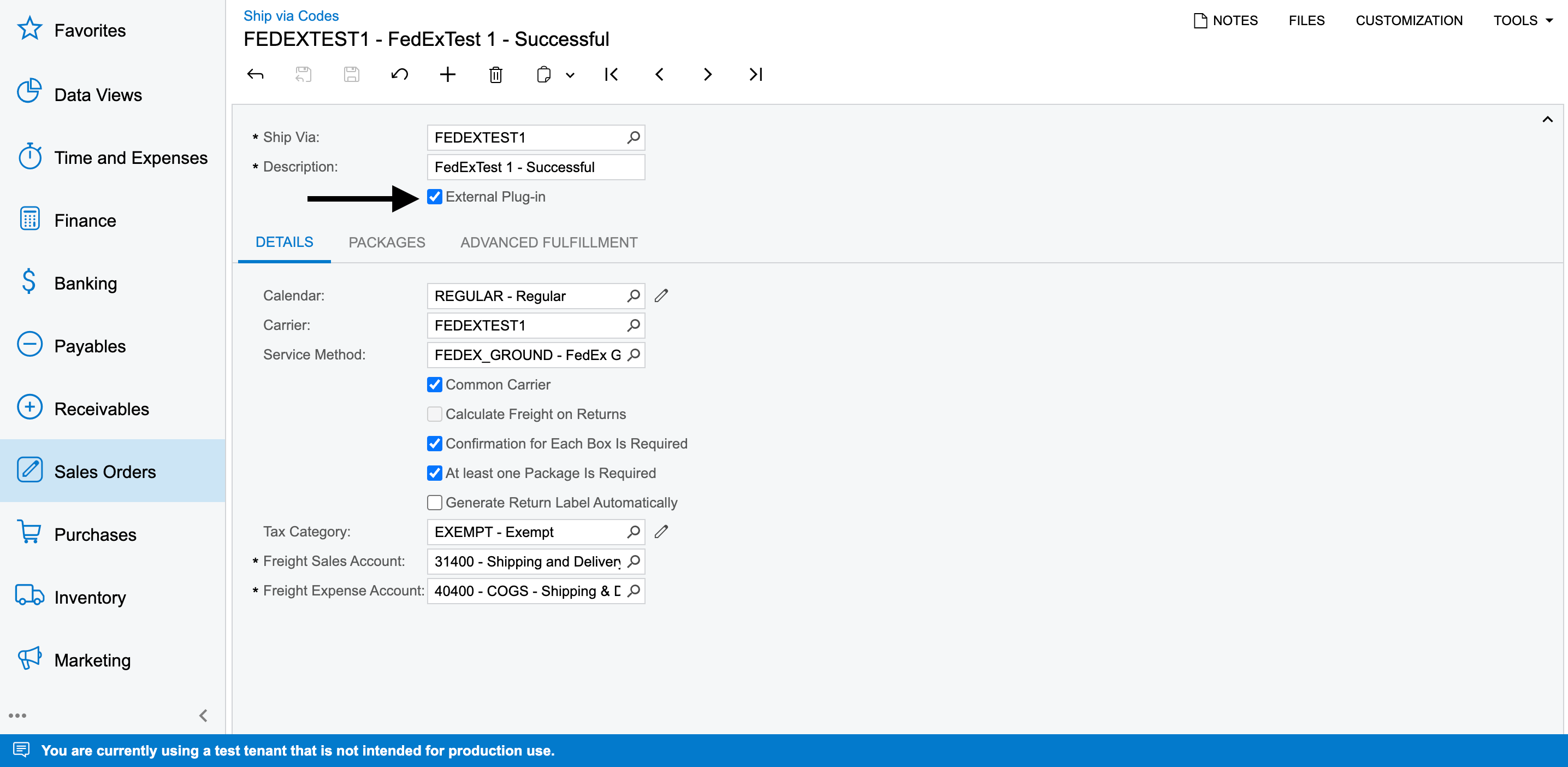
I have activated one of my Ship Via Codes with External Plug-in:
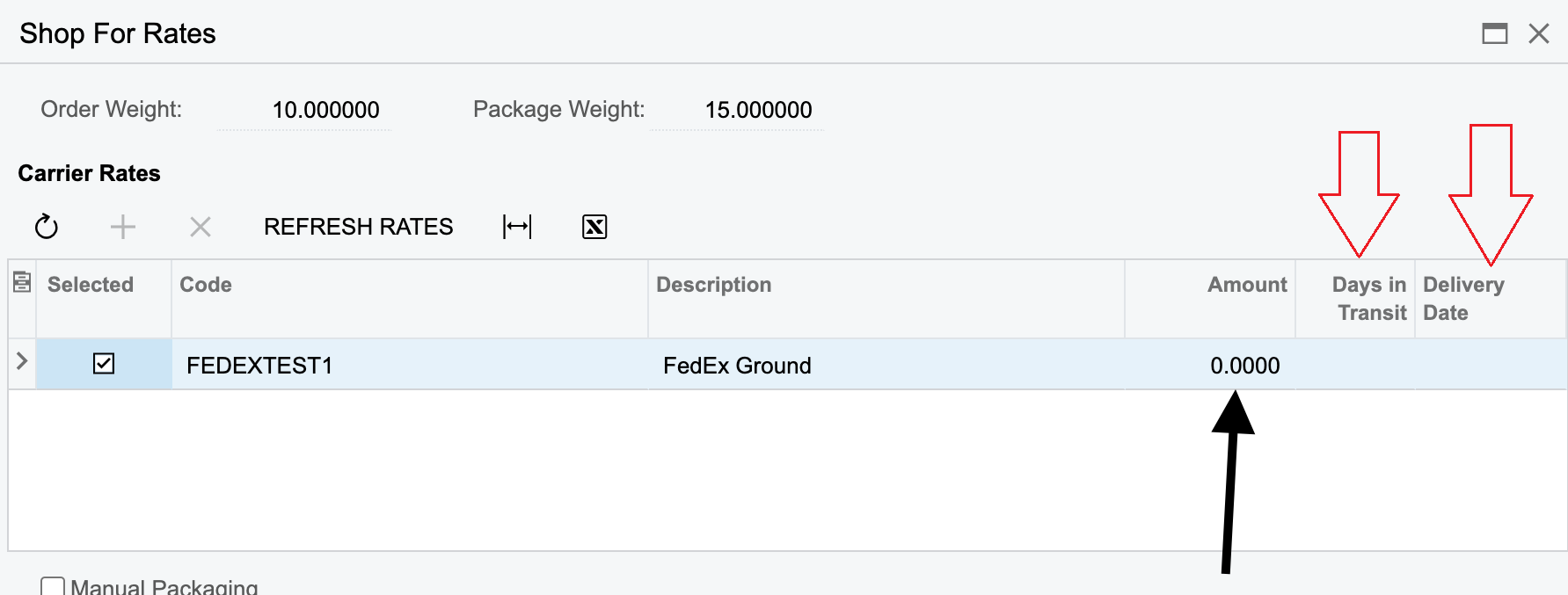
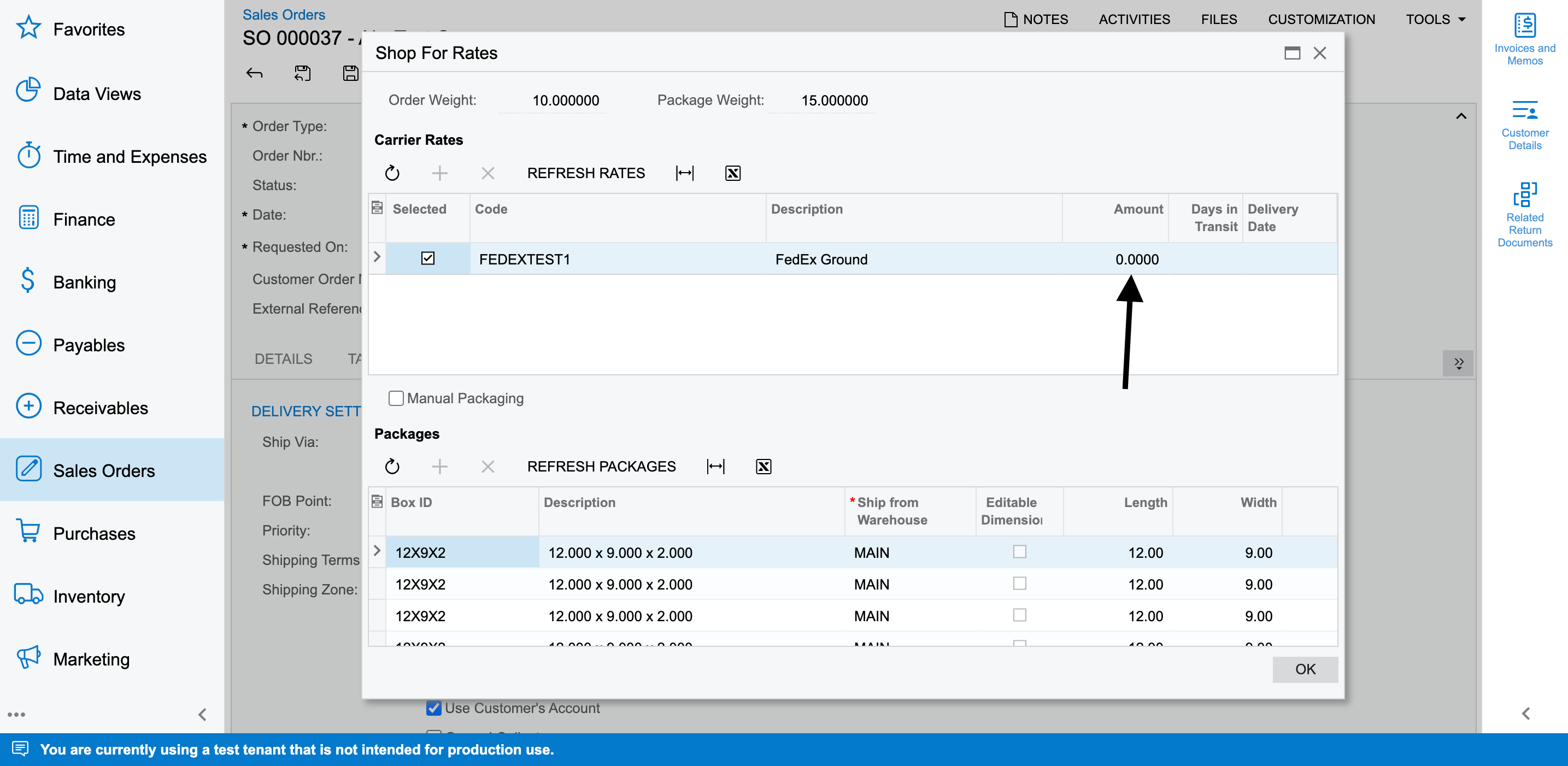
But when i refresh the rates, the amount is not getting calculated:
 

Best answer by nhatnghetinh

Hi @Harry 

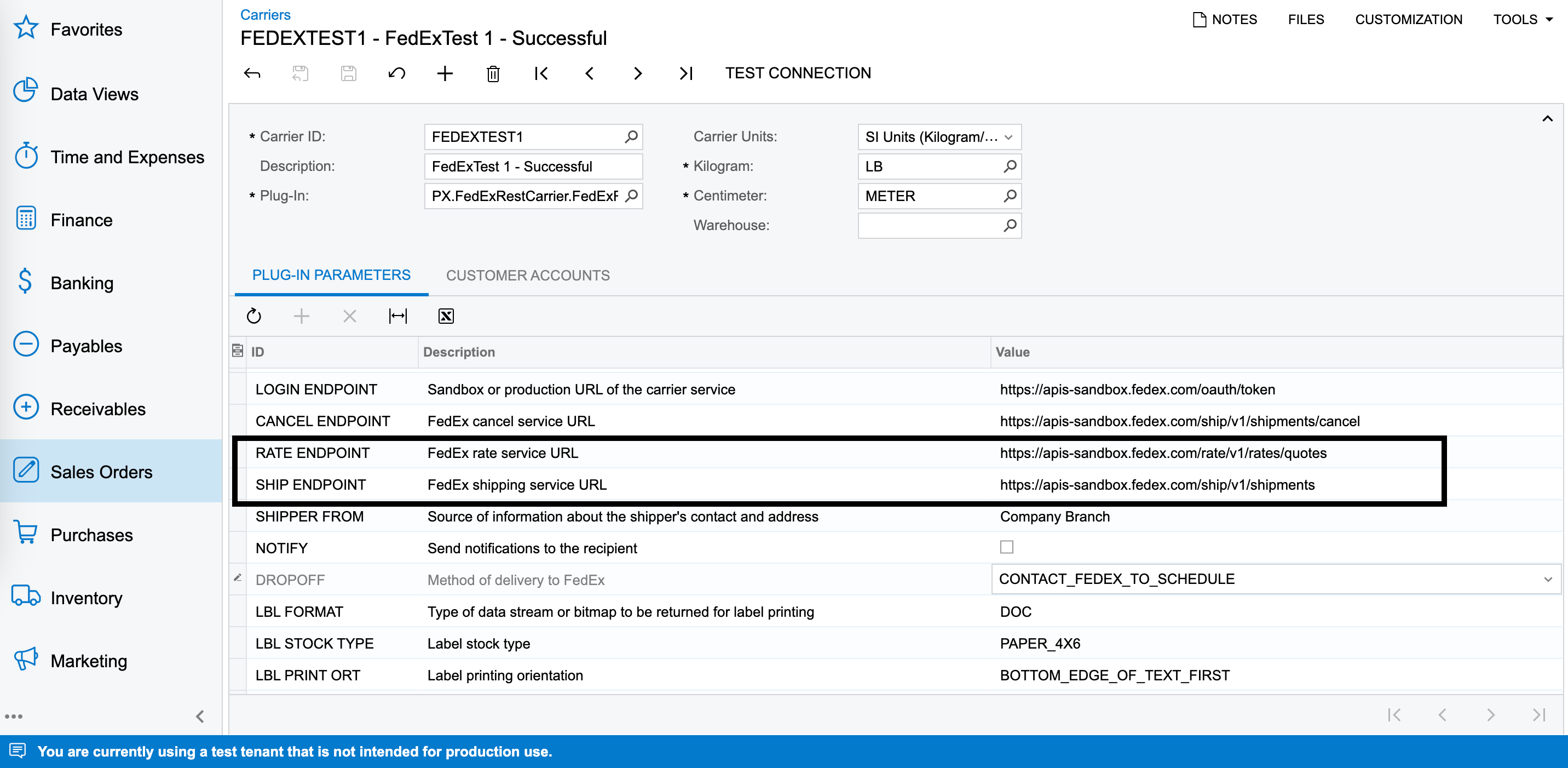
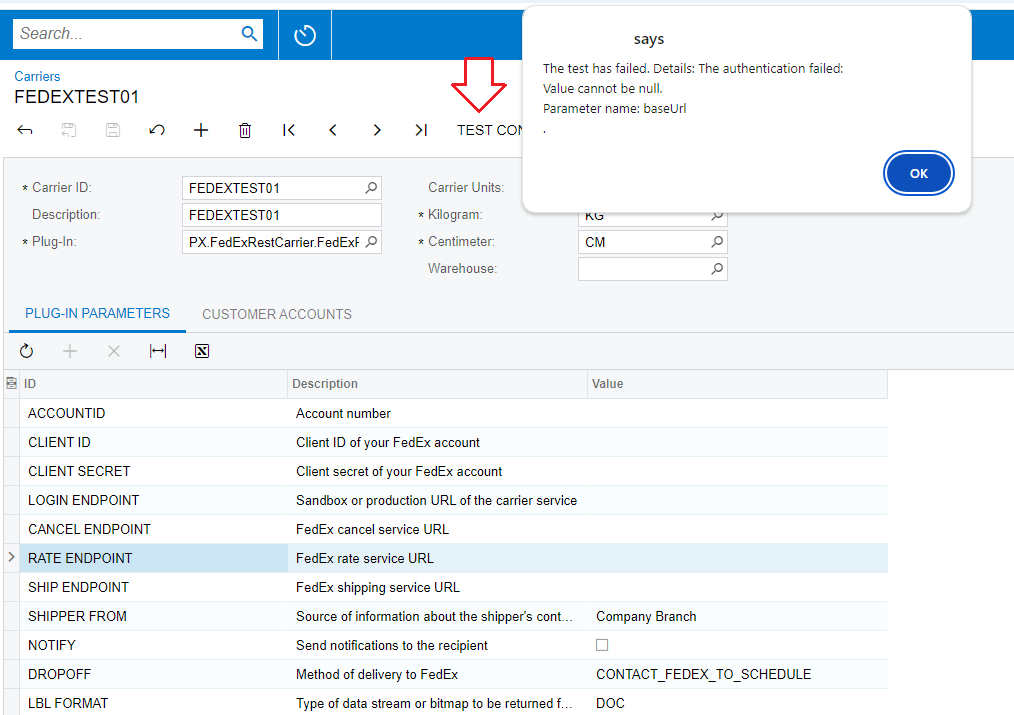
Please click "TEST CONNECTION" to test.

It seems that the "PX.FedExRestCarrier.FedExRestCarrier" Plug-In doesn't work.
 

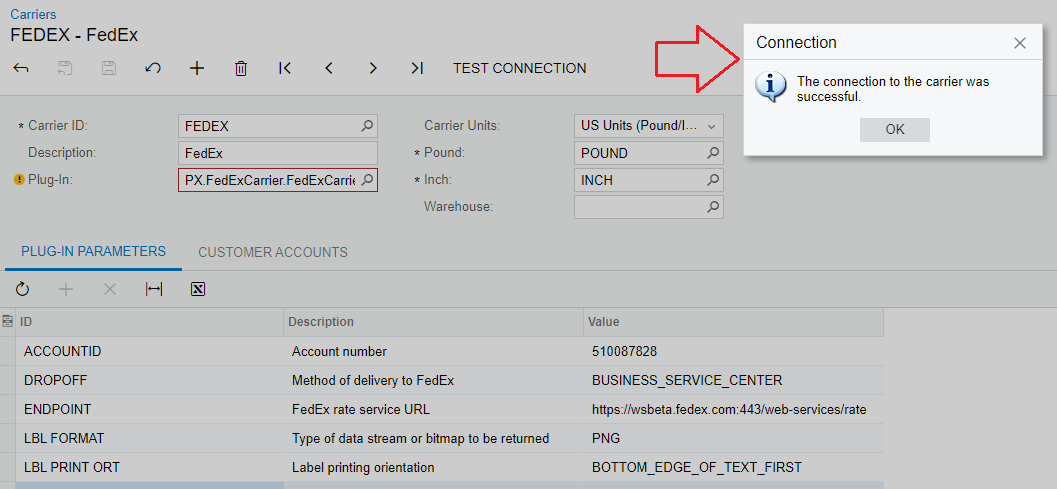
If the Plug-In is working properly, it will notify like this.
 

Best Regards,

NNT

4 replies

nhatnghetinh
Captain II
Forum|alt.badge.img+11
  • Captain II
  • September 16, 2024

Hi @Harry 

I don't see "Days in Transit" & "Delivery Date" information on your "Shop For Rates" screen.


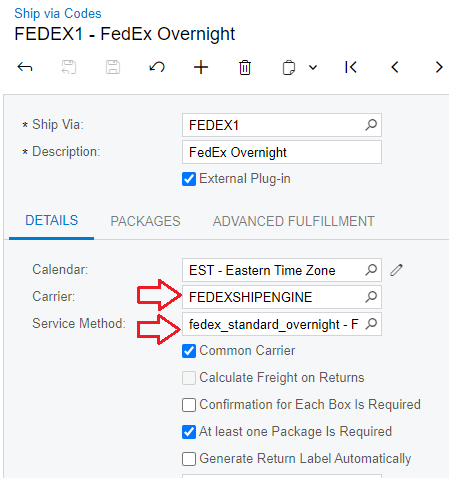
Please check the configuration of "Carrier" & “Service Method” on "Ship via Codes" screen.


Best Regards,

NNT


Forum|alt.badge.img
  • Author
  • Semi-Pro II
  • September 16, 2024

Hi @Harry 

I don't see "Days in Transit" & "Delivery Date" information on your "Shop For Rates" screen.


Please check the configuration of "Carrier" & “Service Method” on "Ship via Codes" screen.


Best Regards,

NNT

From where can we get those? These are non editable fields


nhatnghetinh
Captain II
Forum|alt.badge.img+11
  • Captain II
  • Answer
  • September 16, 2024

Hi @Harry 

Please click "TEST CONNECTION" to test.

It seems that the "PX.FedExRestCarrier.FedExRestCarrier" Plug-In doesn't work.


If the Plug-In is working properly, it will notify like this.


Best Regards,

NNT


Forum|alt.badge.img
  • Author
  • Semi-Pro II
  • September 16, 2024

Hi @Harry 

Please click "TEST CONNECTION" to test.

It seems that the "PX.FedExRestCarrier.FedExRestCarrier" Plug-In doesn't work.


If the Plug-In is working properly, it will notify like this.


Best Regards,

NNT

Hey @nhatnghetinh ,

Already tested. It shows the same successful dialog message.