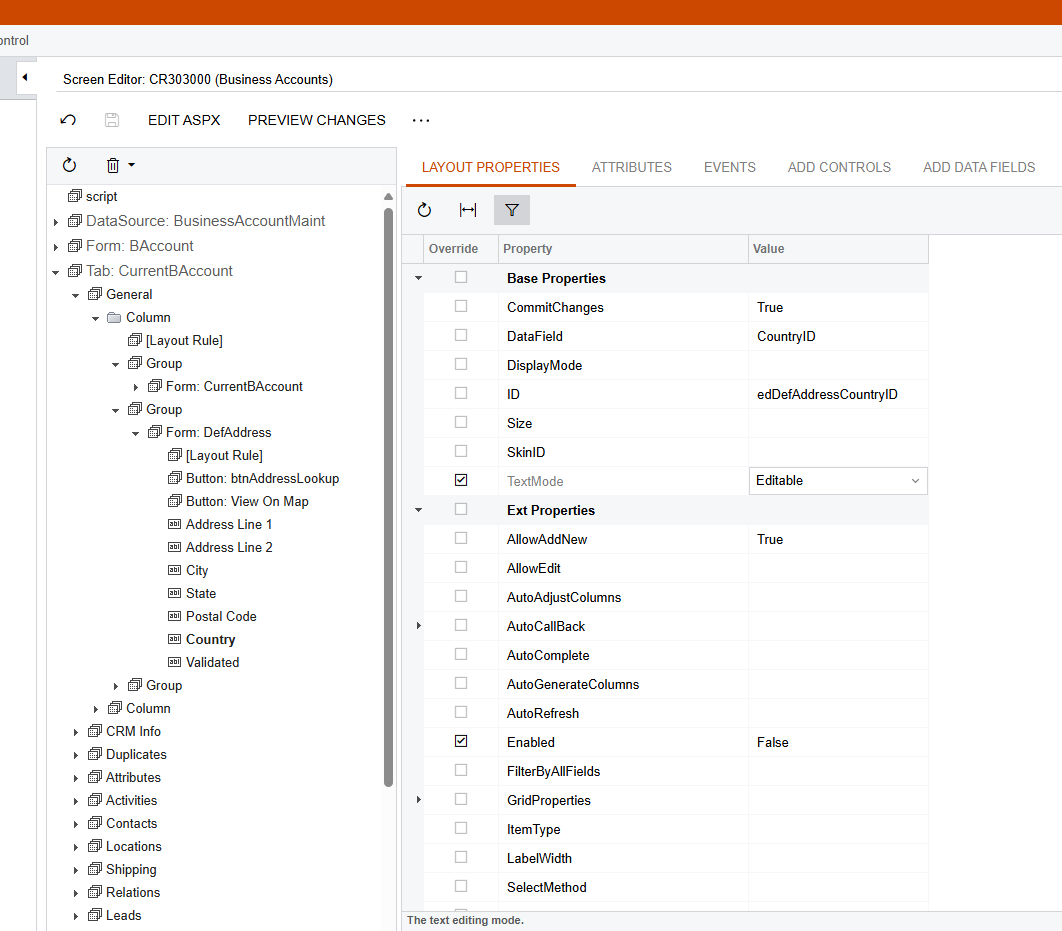
I wonder what I should do if I would like to make the country field a not-required field. (I know that we have the default setting for this field, but I do need to make it a non-required field for my current issue.)
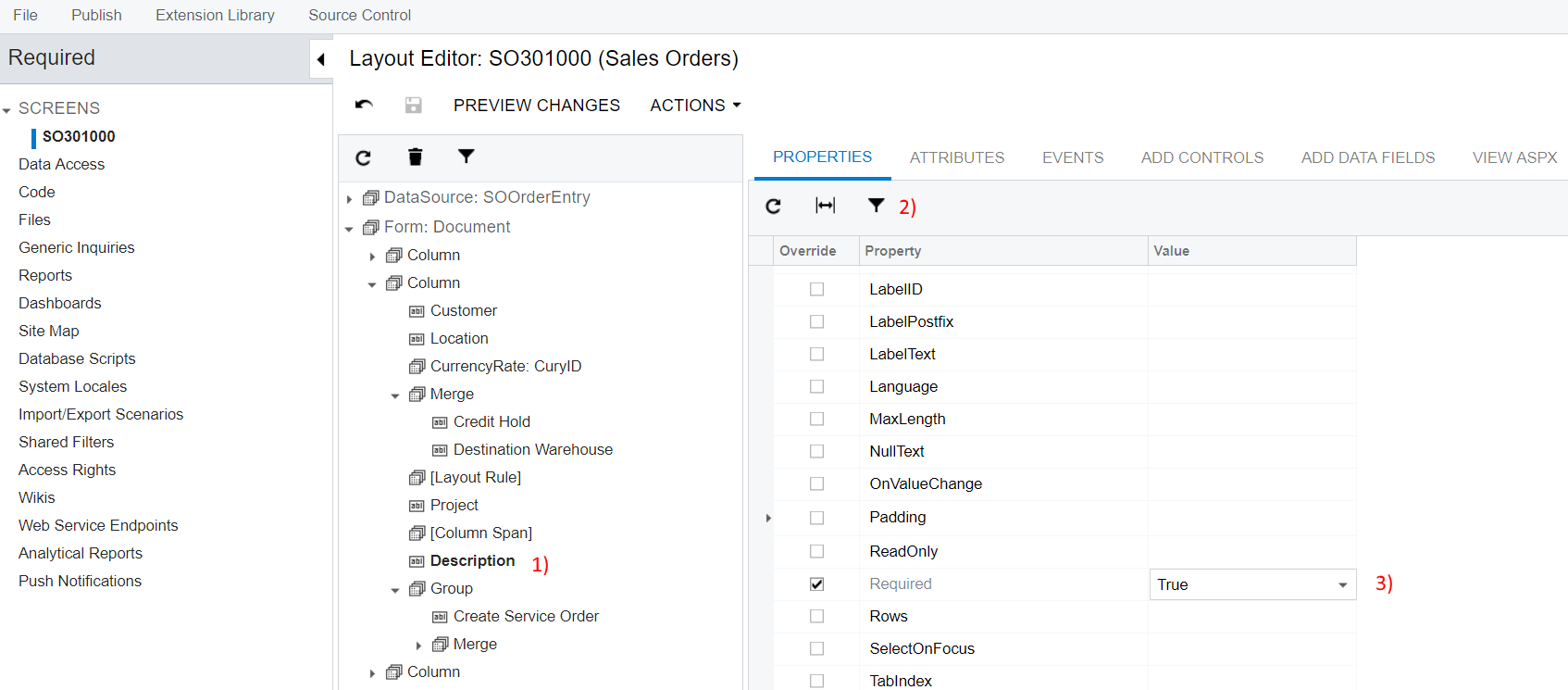
I found an old solution to check the box under the layout properties, but now the function has been changed I wonder which one indicates some function as the previous ‘require’ box
Best answer by Dipak Nilkanth
Hi @jwang1,
You can Achieve it by Low code- No code feature of Acumatica.
You need to go to customization Editor and add the respective screen. i.e.Bussiness Accounts
Click on Screens → Fields section and select the Country field and click on Add and Close.
After above process you can able to view the country field in Fields section. Just set it False on Required Column as shown in below image and publish the customization.
You can Achieve it by Low code- No code feature of Acumatica.
You need to go to customization Editor and add the respective screen. i.e.Bussiness Accounts
Click on Screens → Fields section and select the Country field and click on Add and Close.
After above process you can able to view the country field in Fields section. Just set it False on Required Column as shown in below image and publish the customization.
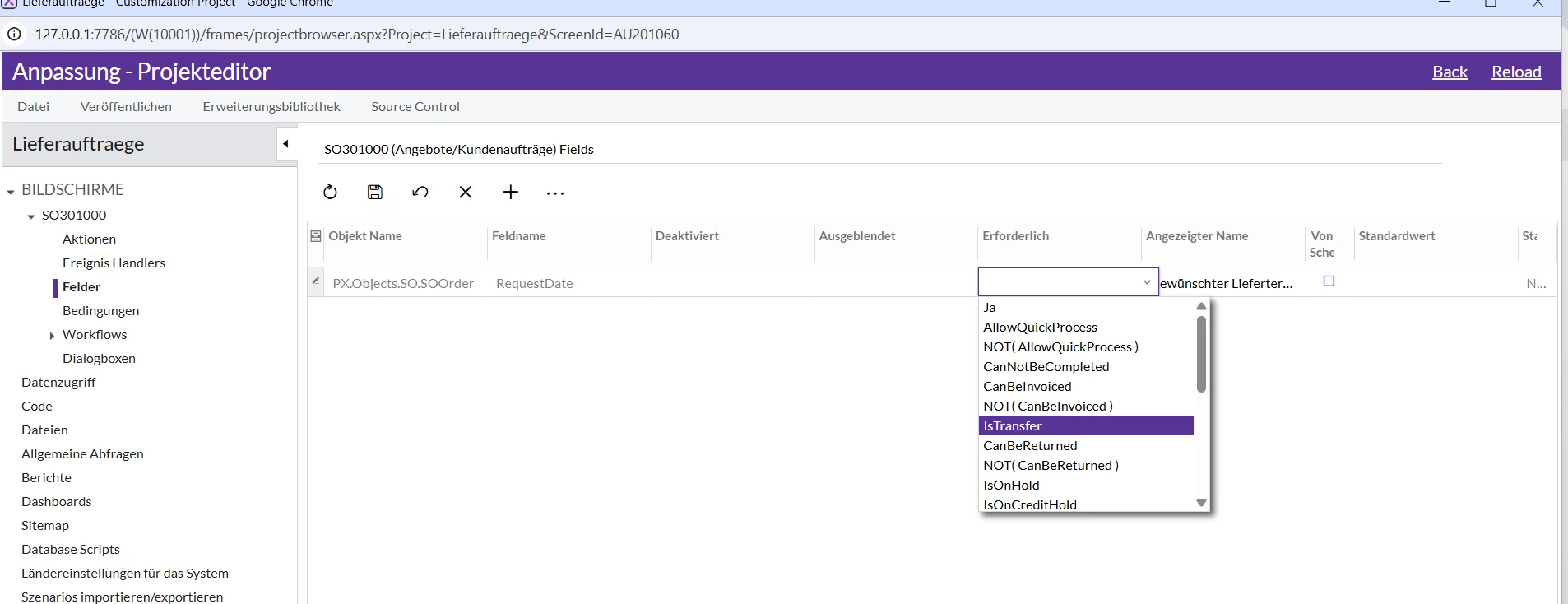
im a bit lost here as im trying to achieve the same with a different field. Im trying to set the “RequestDate” as a non required field. I tried to do it the same way, but im afraid i dont have the “false” option to choose from: