Solved

Price Class on Sales Order

  • February 6, 2023
  • 7 replies
  • 210 views

nshah90
Freshman II
Forum|alt.badge.img

Hello,

Is there a way to change the price class on the sales order?  


Thanks!

Best answer by Naveen Boga

@nshah90  Native Acumatica will not have this feature, and it might need customization to be developed for the above functionality.

7 replies

Naveen Boga
Captain II
Forum|alt.badge.img+20
  • Captain II
  • February 6, 2023

Hi @nshah90  Can you please help us with the screenshot of the Price Class in the Sales Order screen?


nshah90
Freshman II
Forum|alt.badge.img
  • Author
  • Freshman II
  • February 6, 2023

@Naveen Boga I cannot find it on the sales order.  I am wondering if it exists there?


Naveen Boga
Captain II
Forum|alt.badge.img+20
  • Captain II
  • February 6, 2023

@nshah90  Price Class will not exist on the Sales Order. Can you please let us know what exactly you wanted to do?


nshah90
Freshman II
Forum|alt.badge.img
  • Author
  • Freshman II
  • February 6, 2023

Customer wants to change the price class if possible directly on the sales order for special pricing situations.


Naveen Boga
Captain II
Forum|alt.badge.img+20
  • Captain II
  • Answer
  • February 6, 2023

@nshah90  Native Acumatica will not have this feature, and it might need customization to be developed for the above functionality.


jionymacabuhay
Varsity I
Forum|alt.badge.img

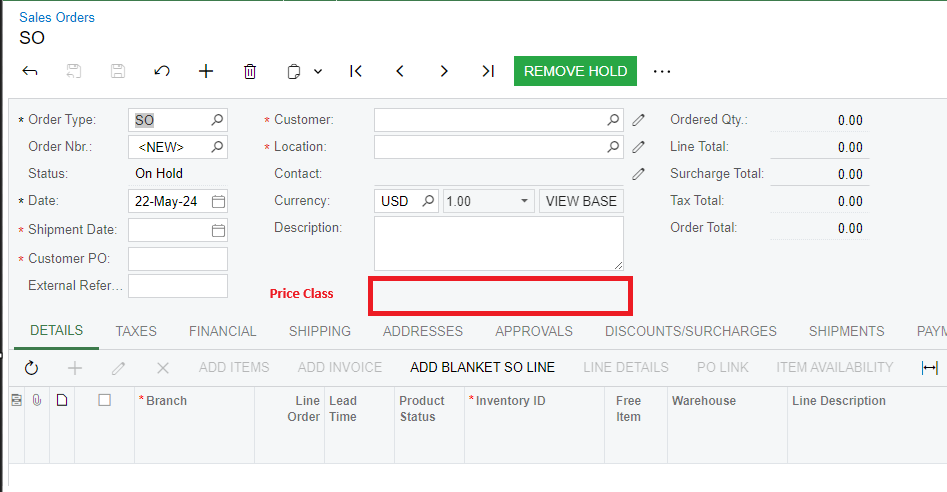
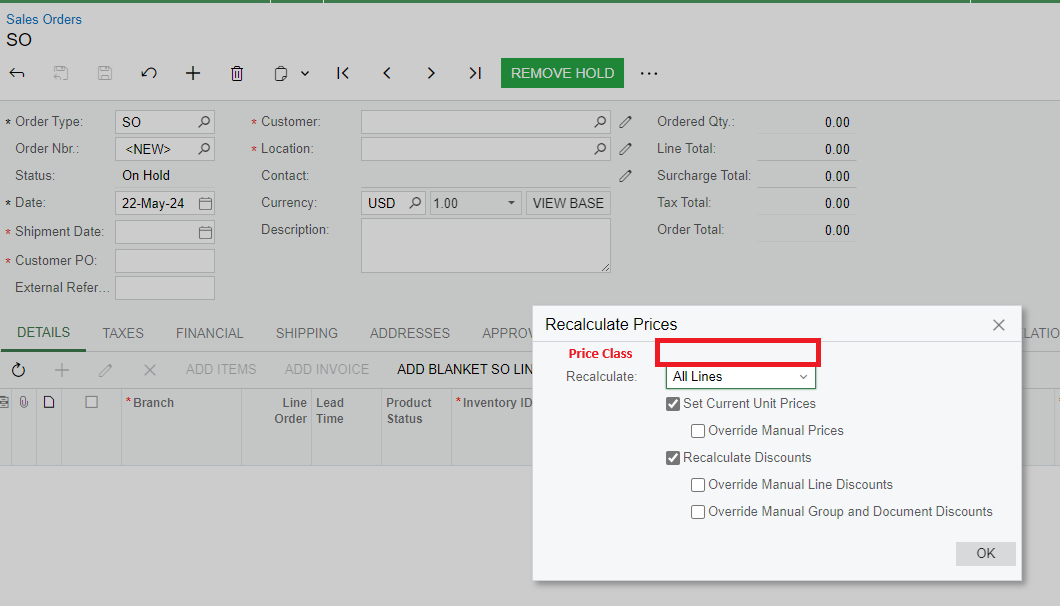
Hi @Naveen Boga - Regarding this. We also have this request from the Business. What do you think the best approach for this:
1.  Add a customized field at the Sales Order level. Then, you can select a specific Price Class, and it will update the prices.

  1. Add the Price class in the Recalculate Prices screen


If you can just display the value assigned to the customer price class for the customer on the order, that would be very helpful.  If not, you have to search to find out how the price was calculated and that requires many steps.