Answer

Pop up message to alert when there is a supersession in stock items screen

  • January 29, 2025
  • 3 replies
  • 65 views

How can a Pop up message to alert when there is a supersession in stock items be created

Best answer by dcomerford

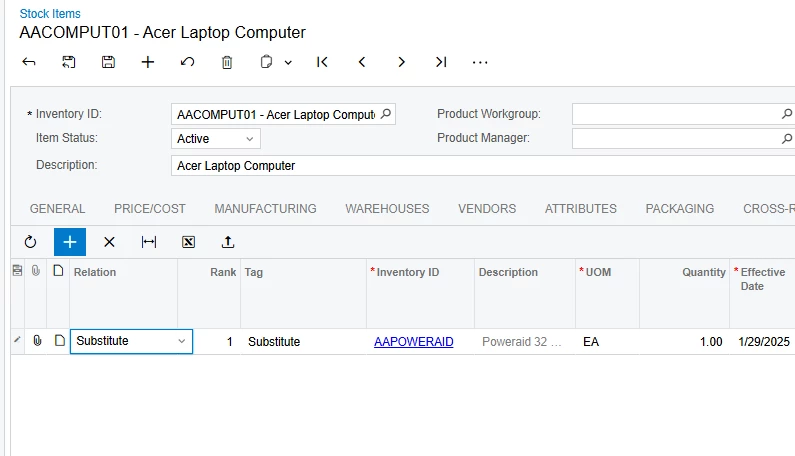
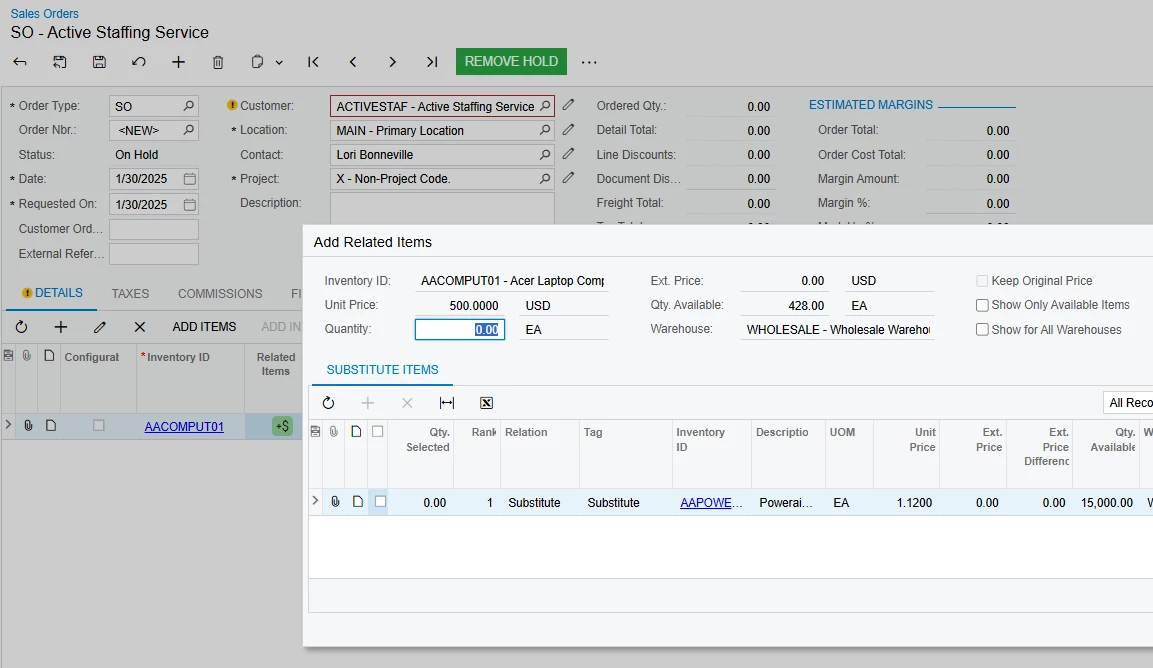
@charper The closes thing Acumatica has to supersessions would be related items option

It will highlight it on the Sales Order line
 

3 replies

darylbowman
Captain II
Forum|alt.badge.img+15

From the sound of it, you’re asking for a customization. What exactly a supersession is, I’m not sure. I’m also doubting that you’re looking for a code snippet.

Could you clarify anything about your situation or expectations?


dcomerford
Captain II
Forum|alt.badge.img+15
  • Captain II
  • Answer
  • January 30, 2025

@charper The closes thing Acumatica has to supersessions would be related items option

It will highlight it on the Sales Order line



Forum|alt.badge.img+1
  • Semi-Pro I
  • January 30, 2025

We currently do some automation via import scenarios to create pop-up notes on stock items that have been superseded.  This isn’t perfect, since they pop up on sales orders as well (and are kind of redundant there since there is the substitute icon on the line), but it works.

Maybe this is better in a separate thread, but I’m really curious how charper and others are handling when a vendor replaces item A with item B--the related items tab works for new entry, but if I have 10 open orders for Item A, and the vendor starts shipping Item B, those open orders never get filled.  Our old system recognized supersedes as a unique type of substitute, where once the supersede was created, Item B would fill any open orders for Item A (and buying controls for Item A would be copied to Item B).